Preview





Description
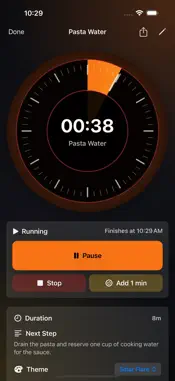
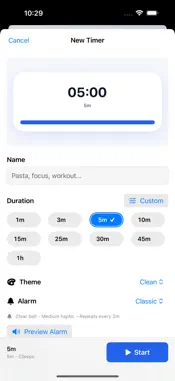
********************************* ** PRICE DROP ** ********************************* DON'T REGRET IT, GET IT! ********************************* Need an extra timer in the kitchen? Forgot how many hours you worked today? When did you last replace that air-filter? Timers is a simple utility that allows you to create multiple count-down and count-up timers. Create them and start them immediately or save them for later. I use this app all the time to keep track of consulting time at work, and also in the kitchen to time entrees and side dishes; but there are so many other great ways to use it too. Get it today and keep better time! v1.2 Features List * Added user requested option to play/pause from main list v1.1 Features List * Count-down and Count-up Timers * Add multiple timers, view them in a list * Delete timers from the list * Re-order the list * Timers count even when app is closed * Loop Countdown Timers to automatically restart * Mutiple alert Sounds * Alerts can be set to repeat until acknowledged * 100 ms precision * Add detailed descriptions ***** USAGE HINTS ***** * The app will not go idle and dim the screen if you have any active countdown timers. You can still shut the screen off manually without exiting the app by clicking the sleep/wake button. * Saving a timer without a name and detailed description gives it a default one using the current date/time * In the timer details view you can swipe left or right to move to the previous or next timer in the list Please email any support questions to [email protected]
What's New
Version 2.0 2026-09-23
Timers is back, rebuilt from the ground up for today's iPhone, iPad, and Apple Watch. Technical Analysis
Package Overview Basic metadata
Bundle ID
com.jasondudash.timers Current Version 2.0
Minimum iOS 18.0
Package Size App Store Size
Package Metadata 0 / 0 version records
Detailed binary, privacy manifest, framework, and Info.plist results have not been indexed for this package yet. The verified App Store and archive metadata above remains available.
Developer Information
Known Version Records
0 version records with stored package metadata
Stored metadata does not guarantee a package is currently available to download.
| Details | Version / IDs | Version date | Action |
|---|