Preview




Description
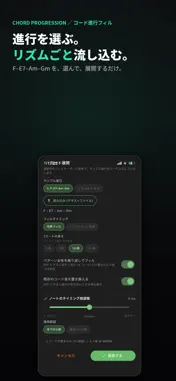
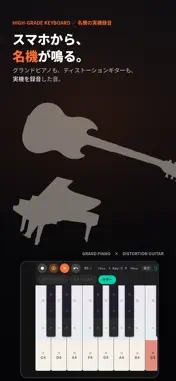
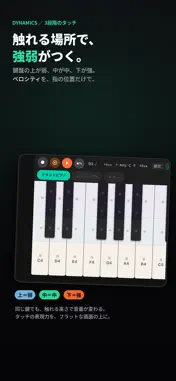
For your limitless creativity. From recording yourself singing and playing to making beats and producing full songs — all on just your phone. Jam Palette is an all-in-one music production app that lets you record, create, arrange, and share — all in one app. If you play an instrument, create with even more freedom. If you don't, you can still play great-sounding music without knowing any music theory. Terms of Use (EULA): https://www.apple.com/legal/internet-services/itunes/dev/stdeula/ 4 things you can do with Jam Palette Multitrack Recording (MTR): A full band sound, all by yourself Layer as many tracks as you like — guitar, vocals, harmonies, and more. No complicated setup: start recording yourself singing and playing in 30 seconds. • Record right on tempo with a metronome and count-in • Punch-in recording to redo only the parts you don't like • Loop recording over 1 to 16 bars • Freely split, copy, move, and trim your recorded waveforms • Shape each track's sound with EQ, compressor, reverb, and more • Import your own MP3 and WAV files Beat Making: Tap out beats on 16 pads Build a drum beat just by tapping 16 pads. You can also switch to a piano keyboard or chord keyboard. • Automatic timing correction (quantize) • Generate rhythm patterns in one tap with "long-press and flick" • Lots of built-in groove presets, from hip-hop to Latin clave • MIXER lets you fade each sound's volume by drawing a line with your finger • Import your own voice recordings or ambient sounds to build your own sound pack, "MySounds" Songwriting (Song mode): Turn phrases into a full song Arrange the phrases you've made into "Intro, Verse, Chorus" and your song structure comes together. Set repeats, mutes, and effects for each section, then export to the MTR for the finishing touches. Export & Share: Straight to social media Export your finished song as MP3 or M4A, or as a social media video (MP4 in 9:16, 1:1, 4:5, or 16:9). Share directly to TikTok, X, Instagram, and Facebook. • Change the key (−6 to +6 semitones) to fit your voice • Change the tempo (0.5x to 2x) • Finishing touches with reverb and EQ Sound like a pro, even if you can't play Don't know how to play chords? No problem. Jam Palette's assisted keyboards play the right sound for you. • Chord Keyboard: Press a single key to play a full chord. Switch between major, minor, and diminished by where you press, with arpeggio and roll playing • High-Grade Keyboard: Real recorded samples of grand piano, strings, and guitar take your exports to the next level • Advanced Keyboard: Play advanced jazz and gospel voicings (4-Way Close, Drop 2, quartal) just by choosing a key • Automatic chord progressions: Turn your chosen progression into a backing track in any rhythm you like, with a matching bass line generated from the same progression A wide range of sounds is built in: piano, Rhodes, 8 vintage keyboards (Wurlitzer, DX electric piano, Moog lead, and more), 8 basses, brass and woodwinds, and drums from Boom Bap to Neo-Soul. Perfect for you if you want to: • Easily record and keep your singing and playing • Start composing and making beats with just your
What's New
Version 1.2.2 2026-10-29
Fixed a bug that prevented changing the number of bars. Technical Analysis
Package Overview Basic metadata
Bundle ID
com.momo-ltd.pocketStudio Current Version 1.2.2
Minimum iOS 15.0
Package Size App Store Size
Package Metadata 0 / 0 version records
Detailed binary, privacy manifest, framework, and Info.plist results have not been indexed for this package yet. The verified App Store and archive metadata above remains available.
Known Version Records
0 version records with stored package metadata
Stored metadata does not guarantee a package is currently available to download.
| Details | Version / IDs | Version date | Action |
|---|