Preview




Description
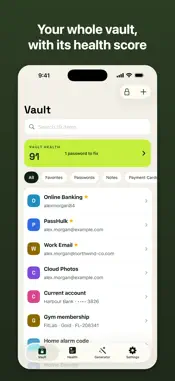
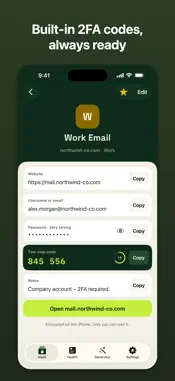
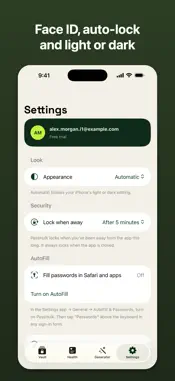
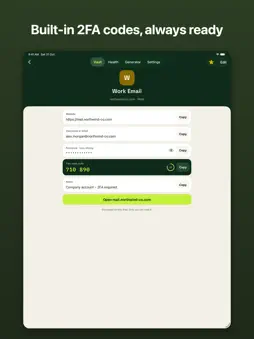
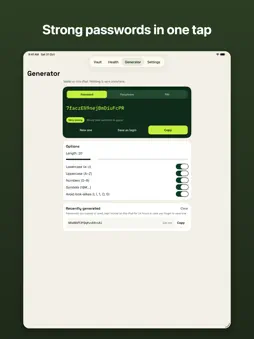
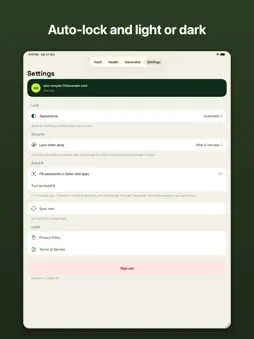
PassHulk Password Manager keeps all your passwords, passkeys, 2FA codes and private notes safe on your iPhone and iPad. Unlock with Face ID, and fill your passwords and 2FA codes in Safari and in other apps – with zero-knowledge encryption, so only you can read your vault. New to PassHulk? Create your account in the app and try everything free for 15 days. Already a customer? Sign in with your PassHulk account. YOUR VAULT, ALWAYS WITH YOU • Logins, secure notes, payment cards, bank accounts, IDs and passports, Wi-Fi networks, crypto wallets, software licenses and more. • Add, edit and delete every kind of item. Add your own custom fields, tag items and filter by tag, mark favorites and find anything with search. • See your Family folder and the logins people share with you. Attach files to any item – they're encrypted on your device first. • Several websites per login, folders you make and rename in the app, Recently used, a Passkeys list and four ways to sort. Select several items to move, tag, star or trash them at once. • Live 2FA codes: save the authenticator key with a login and the 6-digit code is always ready. • Works offline: an encrypted copy of your vault stays on your device. Changes sync with the PassHulk web vault and browser extension. FILLS PASSWORDS FOR YOU • Turn on PassHulk in AutoFill & Passwords, then tap "Passwords" above the keyboard in Safari or any app. • PassHulk shows the logins saved for the website you're on. Look-alike websites don't get your passwords. • Fills 2FA codes into "enter your code" fields, and your username, password, cards and addresses from any field's AutoFill menu (iOS 18 and later). • Passkeys: save passkeys in PassHulk and sign in with Face ID. The site only ever gets a signature, never the passkey itself. STRONG PASSWORDS AND VAULT HEALTH • Built-in generator for long random passwords, easy-to-type passphrases and PINs, with a strength meter. • See your weak, reused and old passwords at a glance, with a list of what to fix first. • An optional breach check asks Have I Been Pwned privately – also by itself, if you switch that on: only the first 5 characters of a scrambled code of each password are sent. • See which of your sites offer two-step login, and add their codes by scanning the QR code. BUILT FOR SECURITY • Zero-knowledge: your vault is encrypted and decrypted on your device with keys made from your master password (Argon2id and AES-256-GCM). PassHulk's servers only store encrypted data. Your master password never leaves your device. • Unlock with Face ID or Touch ID, or with your master password. Auto-lock, and content hidden in the app switcher. • Copied passwords are cleared from the clipboard after 90 seconds. • Get a new recovery key whenever you like, and print an emergency sheet to keep somewhere safe. • No ads, no tracking, no analytics. PLANS PassHulk is free for 15 days. After that, choose a plan in the app (Settings → Plan and subscription): • Individual – monthly or yearly • Family – up to 5 people, each with a private vault, monthly or yearly Prices are shown in the app in your currency. Payment is charged to your Apple ID when you confirm the purchase. Plans renew automatically at the same length and price unless you cancel at least 24 hours before the end of the current period; your Apple ID is charged for the renewal within 24 hours before that. Manage or cancel your plan in your device's Settings → your name → Subscriptions. A plan you already have on the PassHulk website works in the app too. Terms of Use: https://passhulk.com/terms-and-condition/ Privacy Policy: https://passhulk.com/privacy-policy/ Questions? Write to [email protected].
What's New
Version 2.3 2026-11-21
PassHulk 2.3 brings the latest from the PassHulk website to your iPhone and iPad. • Several websites per login: add up to 10 addresses, and AutoFill offers the...PassHulk 2.3 brings the latest from the PassHulk website to your iPhone and iPad. • Several websites per login: add up to 10 addresses, and AutoFill offers the login on all of them. • Recently used, a Passkeys list and four ways to sort your vault. • Folders: make new ones and rename them right in the app. • Select several items to move, tag, star or move them to the trash at once. • Safer editing: card numbers and expiry dates are tidied as you type, swiping away unsaved changes asks first, and you're told if an item was changed on another device while you edited it. • Back where you were: after unlocking, PassHulk opens the same tab and item again, and a half-typed edit comes back. • Copy all: send a whole item – an address, bank details, a Wi-Fi network – as text in a message or email. Passwords and other secrets are left out unless you choose to include them. • Error reports: if something goes wrong, PassHulk can send us a short report so support can help – never your passwords, items or notes. You can switch it off in Settings. • Get a new recovery key and print an emergency sheet from Settings. • Optional automatic breach check: new and changed passwords are checked privately by themselves. • Search ignores accents, and the strength meter follows the website's stricter rules. Technical Analysis
Package Overview Basic metadata
Bundle ID
com.passhulk.app Current Version 2.3
Minimum iOS 17.0
Package Size App Store Size
Package Metadata 0 / 1 version records
0.0 / 5.0 (0 ratings)
Detailed binary, privacy manifest, framework, and Info.plist results have not been indexed for this package yet. The verified App Store and archive metadata above remains available.
Developer Information
Known Version Records
0 version records with stored package metadata • 1 known version records
Stored metadata does not guarantee a package is currently available to download.
| Details | Version / IDs | Version date | Action |
|---|---|---|---|
| Not archived | App Store ID: 846375485 | Unknown | Request Version |