Preview




Description
PDF Scanner - Scan PDF & Scan will maximize your document management efficiency : a mobile scanner for your smartphone, to change paper into PDF, while saving both time and storage. Are you tired of taking print outs and physically signing the documents? Will you like to make document signing and sharing simpler and easier? Scanner app is all you need to Draw Signatures, Sign PDF, Images and other documents. Document Scanner is the best app to create, manage & draw e-Signature over various documents.
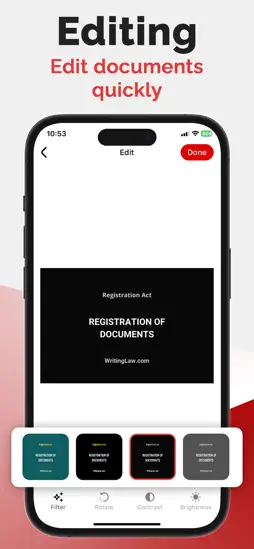
PDF Scanner can scan PDF files, ID Photo and books for recognition. After processing the file, get the result. Fast and easy scanning! Highly accurately recognizes different materials, scan identity documents, accurately prepares the sources, exports to office formats. PDF scanning app allows you to create, edit and view PDFs, work with content, convert, improve the quality of content and work with scanner. Just in one click! √ File formats :- - Images: jpg, jpeg, png - Multi-page documents: pdf √ Key Feature of Scan to PDF:- - image border detection on camera - editing images - save and share with friends - perceptive correction - work with gallery images - different document formats - Add Signature in PDF document √ Functions :- - Camera scanner allows recognition of scanned files and photos that contain text - Formatting PDF multiple documents into editable formats - Scan shot & OCR - Online document editing by and retrieving Printed Text - Conversion of scanned works, recognition of different formats and data editing √ Pdf Scanner & Fast Scanner :- - Use your camera to scan invoices, personal documents, receipts, certificates, ID proofs, photo IDs, business documents, etc. - Scan all types of a document with the PDF Doc Scanner. √ Auto detect edge :- - Use camera for capture document by phone, remove extra space background, auto-detect the edge, generate high-resolution PDF File and JPEG. √ Smart E-signature [E-Sign] :- - Upload and Sign doc to use the E-signature pad on your phone and sign the contract to your business party. it is used for doing sign on contract, government form fills up, and other business documents. - Choose Signature of your choice color. √ Document Editting :- - Text detector, Text Extractor & text scanner (OCR) Classified Folders :- - Create classified folders to scan and save different documents in an organized manner Camera Scanner. Document Sharing :- - Save each scanned document in the app for instant access and sharing. - Scan, save and share the documents with your network quickly. [PDF, JPG, TXT] Privacy : https://mrappsprivacy.blogspot.com Terms of use : https://sites.google.com/view/mr-apps-termsofuse/home Do not forget to share your best experiences with us through Rate & Review.
What's New
Version 1.2 2023-06-19
performance improvement & Bug fix Version 1.1 2023-05-16
Bug fixed. Version 1.0 2023-05-06
Technical Analysis
Package Overview Basic metadata
Bundle ID
com.mr.pdfscanner Current Version 1.2
Minimum iOS 13.0
Package Size App Store Size
Package Metadata 1 / 3 version records
Detailed binary, privacy manifest, framework, and Info.plist results have not been indexed for this package yet. The verified App Store and archive metadata above remains available.
Related Apps


More by Mohit Rudani


Developer Information
Known Version Records
1 version record with stored package metadata • 3 known version records
Stored metadata does not guarantee a package is currently available to download.
| Details | Version / IDs | Version date | Action |
|---|---|---|---|
 13.91 MB | v1.2 App Store ID: 857921930Build: 1 | 2023-06-18 22:16:18 | Get Version |
| Not archived | v1.1 App Store ID: 857122251Build: 1.1 | 2023-05-16 10:55:18 | Request Version |
| Not archived | v1.0 App Store ID: 856865130Build: 1.0 | 2023-05-06 15:09:39 | Request Version |