
Preview



Description
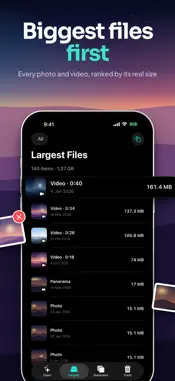
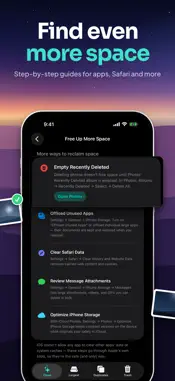
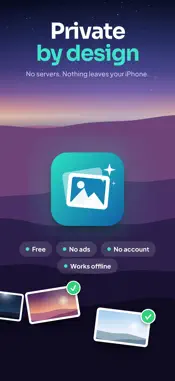
Your photo library is probably the biggest thing on your iPhone. PhotoSweep shows you exactly where that storage went, then makes clearing it fast. LARGEST FILES, RANKED HONESTLY Every photo and video listed by its real size on disk, biggest first, with a running total in the header. Filter to Photos, Videos, or Screenshots, swipe a row to stage it, or send the fifty largest straight to the swipe deck. SWIPE REVIEW — LEFT TO TRASH, RIGHT TO KEEP Turn any month, or any date range you pick, into a deck you swipe through. KEEP and TRASH stamps fade in as you drag, with buttons if you would rather tap, and Undo to step back one decision at a time. DUPLICATES THAT SHOW THEIR WORK Two scanning passes, both on device. Groups are badged Exact or Similar and list the signals that actually matched — same dimensions, same file size, same capture time, same location, identical fingerprint. Filter to just Exact or just Similar, with live counts. A SUGGESTED KEEPER YOU CAN OVERRULE Each group nominates the largest file to keep, outlined in green, with a one-tap trash button on every extra. Tap any thumbnail for a full-screen side-by-side comparison, or clear every redundant copy at once. NOTHING DISAPPEARS WITHOUT YOUR SAY-SO Everything you trash is staged inside the app, not deleted. Restore anything, or restore all of it. When you confirm, deletion goes through the iOS dialog and items land in Recently Deleted, where they stay recoverable for about 30 days. PRIVATE BY DESIGN No account. No servers. Nothing uploaded, ever. Every scan and every fingerprint is computed on your iPhone, and the app works with no network connection at all. PhotoSweep collects no data. Free, with no in-app purchases and no ads. Requires iOS 17 or later.
What's New
Version 1.1 2026-10-09
• Smarter duplicate and similar photo detection • New Quick Clean on the home screen • New sounds and haptics • Faster and smoother Technical Analysis
Package Overview Basic metadata
Bundle ID
com.mshehada.photosweep Current Version 1.1
Minimum iOS 17.0
Package Size App Store Size
Package Metadata 0 / 0 version records
Detailed binary, privacy manifest, framework, and Info.plist results have not been indexed for this package yet. The verified App Store and archive metadata above remains available.
Developer Information
Known Version Records
0 version records with stored package metadata
Stored metadata does not guarantee a package is currently available to download.
| Details | Version / IDs | Version date | Action |
|---|