Preview


Description
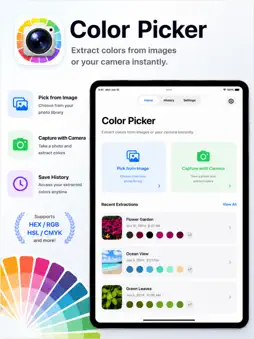
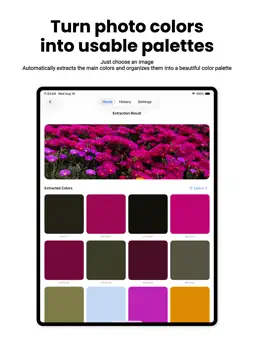
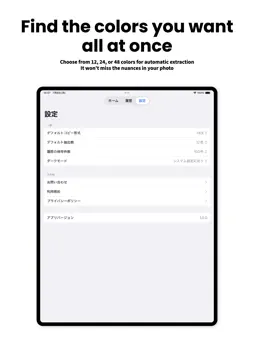
Turn any photo into color codes you can use right away. Automatically extract dominant colors and build a clear, useful palette. Copy HEX, RGB, and seven more formats with a single tap. Color Picker analyzes the main colors in a photo or camera shot and converts them into practical values for your creative workflow. Simply choose an image to begin. It is a focused tool for design, web projects, illustration, photo editing, and everyday color inspiration. MAIN FEATURES • Automatically extract dominant colors from a library image or camera shot • Choose a palette of 12, 24, or 48 colors • Switch the color count on the results screen and extract again • Browse every extracted color in a clear palette grid • Open any swatch to see complete color details • Use 9 formats: HEX, RGB, RGBA, HSL, HSV, CMYK, two developer code formats, and CSS variables • Copy an individual value with one tap • Copy every color in a palette at once • Automatically save the source image, colors, and date to history • Share or delete saved results and choose a history limit • Choose Light, Dark, or device-matched appearance USE CASES • Find palette inspiration in photography, art, fashion, nature, or interiors • Capture colors for a website, interface, illustration, social post, or presentation • Convert a visual reference into HEX, RGB, HSL, HSV, or CMYK values • Keep previous palettes available for later projects • Share extracted colors with a client, teammate, or friend ALL FEATURES INCLUDED The current version includes color extraction, all 9 formats, copy-all, sharing, and history with no additional in-app purchase required. PRIVATE BY DESIGN Image analysis and history storage happen locally on your device. Your images and extracted colors are not sent to an external server. No account is required, and color extraction works offline. Download Color Picker and move from visual inspiration to usable color codes in seconds.
What's New
Version 1.0.2 2026-09-24
Initial release. · Automatically extract dominant colors by picking a photo or taking one with the camera · Choose 12, 24, or 48 colors, and change it anytime ... Technical Analysis
Package Overview Basic metadata
Bundle ID
com.moca.ColorPicker Current Version 1.0.2
Minimum iOS 18.0
Package Size App Store Size
Package Metadata 1 / 1 version records
Detailed binary, privacy manifest, framework, and Info.plist results have not been indexed for this package yet. The verified App Store and archive metadata above remains available.
Known Version Records
1 version record with stored package metadata
Stored metadata does not guarantee a package is currently available to download.
| Details | Version / IDs | Version date | Action |
|---|---|---|---|
| 4.54 MB | v1.0.1 App Store ID: 887885192Build: 1.0.1 | 2026-08-22 03:00:38 | Paid / Arcade |