
Preview





Description
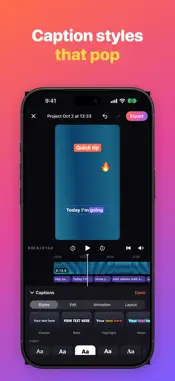
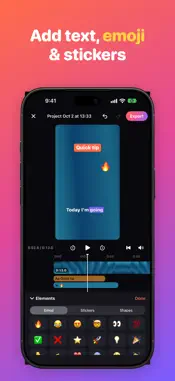
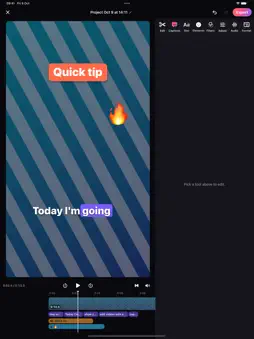
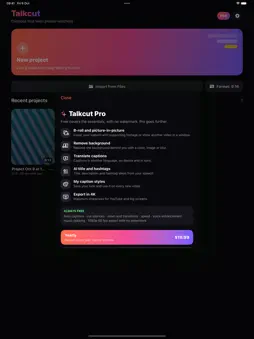
Talkcut turns your talking videos into ready-to-post clips. Captions timed word by word, pauses cut automatically and a cleaner voice, all on your iPhone or iPad, with no watermark. AUTO CAPTIONS, WORD BY WORD • Captions from your speech with timing for every word, generated on your device • One tap to start, with the speech language right on the button • 9 animated styles: Classic, Bold, Highlight, Neon, Minimal, Creator, Dynamic, Karaoke and Typewriter • Keywords highlighted automatically, plus matching emoji • Edit text and timing, split or merge, paste a script, export SRT SMART CUTS FOR TALKING VIDEOS • Cut silences and "ums" in one tap, with a preview of every cut • Punch-in zoom at every cut, like creator edits • Speed from 0.25× to 4× with natural-sounding voice • Transitions: dissolve, slide, zoom, flash, blur • Follow face: keeps you centered when changing format SOUND THAT HOLDS ATTENTION • Enhance voice: reduces background noise and evens out the volume • Music that lowers automatically while you speak • Record voiceovers and set the volume of each clip CREATE MORE • Add photos, text, emoji, stickers and shapes • Filters and adjustments for the whole video or a single clip • 9:16, 1:1, 16:9 and 4:5 with blurred, color or image backgrounds • Export video up to 1080p at 60 fps, an animated GIF or only the audio TALKCUT PRO • B-roll and picture-in-picture • Remove the background behind you • Translate captions, on your device • AI title, post text and hashtags (Apple Intelligence) • Save your own caption styles • 4K export Talkcut Pro is available as a yearly subscription or a one-time lifetime purchase. Payment is charged to your Apple ID at confirmation. The subscription renews automatically unless cancelled at least 24 hours before the end of the current period; your account is charged for renewal within 24 hours before the end of the period. Manage or cancel it in your Apple ID settings. Terms of Use: https://www.apple.com/legal/internet-services/itunes/dev/stdeula/ No account, no ads. Your projects stay on your device.
Technical Analysis
Package Overview Basic metadata
Bundle ID
com.mobivalley.talkcut Current Version 1.0.0
Minimum iOS 18.0
Package Size App Store Size
Package Metadata 0 / 0 version records
Detailed binary, privacy manifest, framework, and Info.plist results have not been indexed for this package yet. The verified App Store and archive metadata above remains available.
Developer Information
Known Version Records
0 version records with stored package metadata
Stored metadata does not guarantee a package is currently available to download.
| Details | Version / IDs | Version date | Action |
|---|