Preview



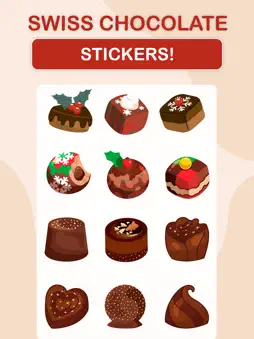


Description
Customize your messages with delicious Chocolate Stickers For iMessage. Best stickers to express yourself . How to Access Stickers in iMessage: 1. Open messages app 2. Compose a new message to anyone 2. Tap App Store icon in top left corner 3. Tap four circles icon in bottom left corner 4. Sticker Pack icon should appear in your iMessage App Drawer 5. If Stickers don’t appear, tap “Store" icon and then tap “Manage" tab to add sticker pack to iMessage Sticker Drawer
What's New
Version 1.2 2024-06-19
- Stability and enhancement fixes with new stickers. Technical Analysis
Package Overview Basic metadata
Bundle ID
com.goldeneagle.chocolatesticker Current Version 1.2
Minimum iOS 15.0
Package Size App Store Size
Package Metadata 1 / 3 version records
Detailed binary, privacy manifest, framework, and Info.plist results have not been indexed for this package yet. The verified App Store and archive metadata above remains available.
Price History (USA store)
3 recorded price change points. These are historical observations, not a guarantee of the current price.
| Recorded at | Price | Currency |
|---|---|---|
| 1.99 | USD | |
| 99.99 | USD | |
| 1.99 | USD |
Known Version Records
1 version record with stored package metadata • 3 known version records
Stored metadata does not guarantee a package is currently available to download.
| Details | Version / IDs | Version date | Action |
|---|---|---|---|
| 3.08 MB | v1.2 App Store ID: 866790237Build: 1.2 | 2024-06-19 09:39:29 | Paid / Arcade |
| Not archived | App Store ID: 839750041 | Unknown | Paid / Arcade |
| Not archived | App Store ID: 823065484 | Unknown | Paid / Arcade |