
Preview




Description
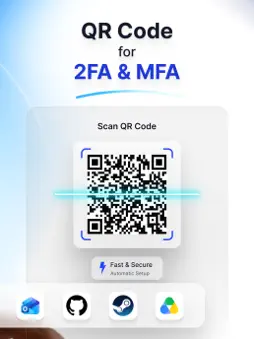
Protect your online identity and secure your digital life with Authenticator App • 2FA, the ultimate two-factor authentication (2FA) and multi-factor authentication (MFA) solution. In today’s digital age, passwords alone are no longer enough to keep your private data safe from hackers and data breaches. Authenticator App • 2FA adds an impenetrable extra layer of security to your logins by generating time-based one-time passwords (OTPs) directly on your device. Whether you are a crypto trader protecting your wallet, a gamer securing your loot, a business professional safeguarding company data, or simply someone who values personal privacy, Authenticator App • 2FA is designed to make top-tier security accessible, fast, and completely effortless. Why Choose Authenticator App • 2FA? Simple & Instant Setup No technical knowledge required! Simply scan a QR code provided by your service or enter the setup key manually. You will start generating secure 2FA codes in a matter of seconds. Universal Compatibility Authenticator App • 2FA is built to work seamlessly wherever you need it. Secure thousands of online platforms including social media, productivity tools, and gaming accounts. Fully compatible with Google, Microsoft, Facebook, Instagram, Binance, Coinbase, Roblox, GitHub, Cisco, Authy, Whatsapp, Twitter (X), Telegram, Steam, Epic Games and countless others. Encrypted iCloud Backup & Sync Never experience the panic of being locked out of your accounts again. Authenticator App • 2FA securely backs up and syncs your 2FA codes across all your Apple devices using advanced encryption. Even if you lose, switch, or reset your phone, your tokens are always safe and easily recoverable. Advanced Biometric Security: Keep prying eyes away from your authentication codes. Use Face ID or Touch ID to lock the app, ensuring that only you can access your highly sensitive OTPs. Core Features Built for Power Users TOTP & HOTP Support: Fully compatible with industry-standard Time-based (TOTP) and Counter-based (HOTP) one-time password systems. Multi-Device Synchronization: Your authentication tokens securely follow you. Whether you are on your iPhone or iPad, your codes are always updated and synced with end-to-end encryption. Zero-Knowledge Privacy: Your data belongs to you, and only you. Authenticator App • 2FA operates with a strict privacy-first approach—we never collect, track, share, or store your personal information or account data on our servers. Quick Search & Organization: Managing dozens of accounts is a breeze. Use the lightning-fast search bar to find the exact account you need instantly, keeping your digital life organized. Your Security, Your Control Take back control of your digital footprint. Authenticator App • 2FA helps you safeguard your digital identity with strong, reliable, and instantaneous authentication. Perfect for personal, professional, and crypto use, Authenticator App • 2FA guarantees that your login process remains fast, simple, and virtually unhackable. Download Authenticator App • 2FA today and step into a safer digital world! About Subscriptions and Terms of Use: - For Unlimited Features of Authenticator App • 2FA, some Premium subscriptions are needed. - Payment will be made from your iTunes account after you confirm the purchase. - Subscriptions will auto-renew at the end of each term if it is not canceled 24 hours before the end of the purchasing term. - The user can manage subscriptions. Auto-renew can be turned off from iTunes account settings. - You can cancel your subscriptions by entering: http://support.apple.com/en-us/HT202039 - Privacy Policy: https://sites.google.com/view/moauth/privacy-policy - Terms of Use: https://sites.google.com/view/moauth/termsofuse Support: [email protected]
What's New
Version 2.1.1 2026-07-01
- Minor bug fixes Technical Analysis
Package Overview Basic metadata
Bundle ID
authenticator.app.moauth Current Version 2.1.1
Minimum iOS 13.0
Package Size App Store Size
Package Metadata 1 / 7 version records
5.0 / 5.0 (5 ratings)
Detailed binary, privacy manifest, framework, and Info.plist results have not been indexed for this package yet. The verified App Store and archive metadata above remains available.
Developer Information
Known Version Records
1 version record with stored package metadata • 7 known version records
Stored metadata does not guarantee a package is currently available to download.
| Details | Version / IDs | Version date | Action |
|---|---|---|---|
 55.13 MB | v2.1.1 App Store ID: 887651628Build: 14 | 2026-06-30 15:10:24 | Get Version |
| Not archived | App Store ID: 887330751 | Unknown | Request Version |
| Not archived | App Store ID: 887197491 | Unknown | Request Version |
| Not archived | App Store ID: 886871983 | Unknown | Request Version |
| Not archived | App Store ID: 880200580 | Unknown | Request Version |
| Not archived | App Store ID: 879377373 | Unknown | Request Version |
| Not archived | App Store ID: 879150849 | Unknown | Request Version |