Preview




Description
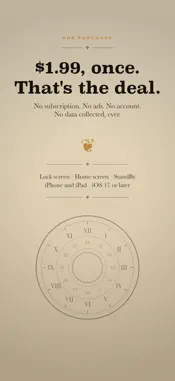
Alt Time puts the times you actually need on your lock screen and home screen. See the opposite of your iPhone's clock format at a glance. If your phone shows 12-hour, the widget shows 24-hour — and the other way round. It follows your system setting automatically, so there is nothing to keep in sync. WHAT YOU GET Dial — a home screen clock face with two rings of numbers: 1–12 outside, 13–24 inside. The hour hand points at both at once, and the centre shows the time both ways, like 5:57 PM and 17:57. Small, medium or large, in ten finishes including parchment and black enamel. Show your own time or any city from your world clock. Travel Mode — your home time and the time where you are, side by side on your lock screen and in the Dynamic Island while you travel, with how far ahead or behind home you are. In 12-hour, 24-hour, or both. Start and stop it from Shortcuts or Siri. Requires iOS 18. AM / PM — the lock screen clock never shows AM or PM. Three widgets do: just AM or PM, the time of day (Morning, Afternoon, Evening or Night), or both together, with no numbers to read. Put one beside the date or below the clock. World clock — a home screen widget in small, medium or large, showing as many cities as you like in eight color finishes, with a sun and moon day-night glance. Looks right in StandBy. Alternate 12h/24h time — always the opposite of your system setting, updated automatically. Second time zone — search about 69,000 cities, not just capitals, and see that city's time labeled with its name. UTC / military time — 24-hour Zulu time for pilots, sailors, and anyone working across zones. Dual-time widget — two times side by side in a single lock screen slot, sized to match. Lock screen and home screen widgets, in circular and rectangular slots, tinted or clean, on iPhone and iPad. Every setting sits in one short menu that leads with your times, live. COMPLETELY OFFLINE The city database is built into the app. Searching it needs no network, so Alt Time works in Airplane Mode, on a plane, or with no signal at all. Nothing is uploaded, because there is nowhere for it to go. NO SUBSCRIPTION One purchase. No subscription, no ads, no account, and no data collected, stored or transmitted — ever. Requires iOS 17 or iPadOS 17 or later. Travel Mode requires iOS 18 or later. See every widget and how it works at mmhadventures.com/alttime
What's New
Version 1.4 2026-10-27
NEW: TRAVEL MODE Keep your home time on your lock screen while you travel. Your home city's time and the time where you are sit side by side on the lock screen ...NEW: TRAVEL MODE Keep your home time on your lock screen while you travel. Your home city's time and the time where you are sit side by side on the lock screen and in the Dynamic Island, with how many hours ahead or behind home you are. • Pick home and destination from about 69,000 cities, offline • 12-hour, 24-hour, or both at once • Start and Stop Travel Mode from Shortcuts or Siri iOS ends every Live Activity after 8 hours. Opening Alt Time starts the card again, and the app shows you how to set up a Shortcuts automation that keeps it going all day. Travel Mode needs iOS 18 or later. NEW: AM / PM WIDGETS The lock screen clock never says AM or PM. Now it can. Three new lock screen widgets, with no numbers to read: • AM / PM — just AM or PM • Time of Day — Morning, Afternoon, Evening or Night • AM / PM + Time of Day — both together Put one next to the date above the clock, or in a widget slot below it. NOW ON IPAD Every Alt Time widget now works on iPad too: lock screen, home screen and Travel Mode. The settings screen sits in a comfortable column on the big screen. A NEW SETTINGS SCREEN Settings are now a short menu that leads with your times: each row shows its time big, with the feature underneath. Tap a row to change it. ALSO • Larger text sizes fit better throughout the app • City search marks only the city you picked, not every city in its time zone • AM / PM always shows in capitals, whatever your region • A new World Clock widget now shows its color in Edit Widget, starting with your default color See every widget at mmhadventures.com/alttime Technical Analysis
Package Overview Basic metadata
Bundle ID
com.mmhadventures.TimeEntry Current Version 1.4
Minimum iOS 17.0
Package Size App Store Size
Package Metadata 1 / 2 version records
Detailed binary, privacy manifest, framework, and Info.plist results have not been indexed for this package yet. The verified App Store and archive metadata above remains available.
Developer Information
Known Version Records
1 version record with stored package metadata • 2 known version records
Stored metadata does not guarantee a package is currently available to download.
| Details | Version / IDs | Version date | Action |
|---|---|---|---|
| 2.67 MB | v1.1 App Store ID: 879626685Build: 1.1 | 2025-11-11 08:11:28 | Paid / Arcade |
| Not archived | App Store ID: 879427566 | Unknown | Paid / Arcade |