
Preview



Description
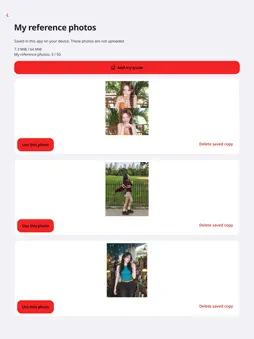
Show the photo you have in mind. Choose a pose, align the person and background outlines, and take the shot together. • Tap Guides and choose a pose or composition to try. • In Camera settings, turn the person outline, background outline and guide photo on or off. Tap an overlay’s name to adjust its opacity. • Choose the outlines and guide photo you want to see, adjust their opacity, and frame your shot. • Guides and the grid are excluded from saved photos. • Choose 3 or 10 seconds beside the shutter. Tap the shutter again to cancel. Leaving the app also cancels the countdown. • Tap a heart to save your favorite compositions. 3:4 · 9:16 · 1:1 In edit mode, drag, pinch or rotate the guide. Turn editing off to zoom the camera. A 0.5× view requires an ultrawide camera. Shots are saved to your device’s photo library. Copies of your personal reference photos are kept in the app on your device. Error diagnostics are sent to our server to help improve reliability. See the privacy policy for details and deletion requests. The iOS guide list uses Google AdMob ads. Google may process device identifiers, IP addresses, ad interactions and diagnostics. We request consent and tracking permission where applicable; you can still take photos if you decline. Terms of use (Apple EULA): https://www.apple.com/legal/internet-services/itunes/dev/stdeula/
What's New
Version 1.2.3 2026-11-13
Fixed camera switching when the camera is not ready. Technical Analysis
Package Overview Basic metadata
Bundle ID
com.yoreoke.camera Current Version 1.2.3
Minimum iOS 15.0
Package Size App Store Size
Package Metadata 0 / 0 version records
Detailed binary, privacy manifest, framework, and Info.plist results have not been indexed for this package yet. The verified App Store and archive metadata above remains available.
Developer Information
Known Version Records
0 version records with stored package metadata
Stored metadata does not guarantee a package is currently available to download.
| Details | Version / IDs | Version date | Action |
|---|