Preview







Description
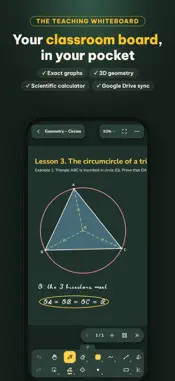
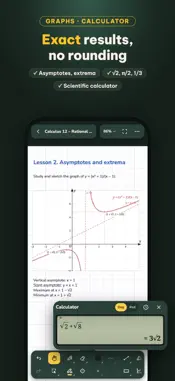
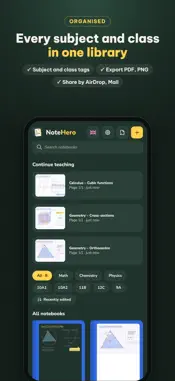
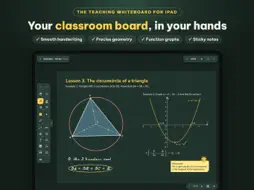
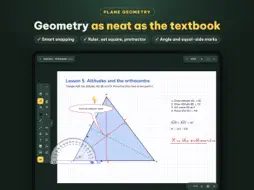
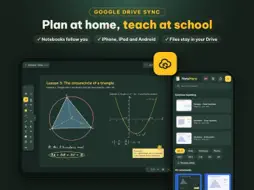
NoteHero is a teaching whiteboard for iPad, made for teachers and students: plan lessons at home, teach them in class, write on PDF worksheets. Built for math and useful for every subject. INK THAT FEELS LIKE CHALK • Smooth, low-latency ink with Apple Pencil or your finger: one finger writes, two fingers scroll and zoom. • Ballpoint, marker, pencil, highlighter, dashed line, laser pointer; stroke and area eraser. • Straight lines and shape recognition: sketch a triangle, circle or ellipse and it snaps into a clean shape. • Select, move, resize, recolor, copy, undo. PRECISE GEOMETRY • Segments, rays, arrows, triangles, quadrilaterals, polygons, circles, ellipses; drag vertices, label points. • Snapping to vertices, midpoints, intersections, centers, grid, horizontal and vertical, 15° steps. • Ruler, set squares, protractor and compass right on the page. • 3D shapes: pyramids, prisms, boxes, cones, cylinders, spheres; rotate them and hidden edges turn dashed automatically. GRAPHS AND FORMULAS • Plot several functions on one coordinate system; find axis intercepts and extrema; vertical lines x = a, implicit equations, points and vectors with coordinates. • Type formulas in LaTeX with live preview. • Tables: pick rows and columns, then write or type in each cell. LIVELY LESSONS • Lined, grid, school-ruled, dotted, music staff and plain paper; white, green or black board. • Callouts, speech bubbles and sticky notes in many colors. • Nearly 300 stickers for praise and fun. • Insert or take photos; import PDFs to write on tests and worksheets. EASY SHARING • Export pages or whole notebooks as PDF or PNG; print with AirPrint. • Send notebooks to another device by Mail, AirDrop, Files or any chat app. • Library with subject and class tags and quick search. PRIVATE Your notebooks stay on your iPad. No account, no ads, no data collection. FREE TRIAL AND PURCHASE • Try every feature free for 14 days, no card needed. • Then choose a yearly subscription (auto-renewing) or a one-time lifetime purchase. Terms of Use (EULA): https://www.apple.com/legal/internet-services/itunes/dev/stdeula/ Privacy Policy: https://mathnotehero.app/en/privacy/
What's New
Version 1.4 2026-11-18
VERSION 1.4: PROJECTOR SCREEN, ANSWER BOXES, POWERPOINT Projector screen • Connect a TV or projector: it shows only the lesson page, filling the screen at the ...VERSION 1.4: PROJECTOR SCREEN, ANSWER BOXES, POWERPOINT Projector screen • Connect a TV or projector: it shows only the lesson page, filling the screen at the TV's native resolution. The toolbar stays on the iPad. • A projector button: Page only, Whole screen, Not projecting. • Live strokes, laser pointer, rulers, compass, calculator and snapping hints also show on the projector. • While projecting, the iPad screen goes dark after 2 minutes without a touch to save battery; the projector keeps showing. Tap to wake. • Fixes a 1.3 bug where an HDMI connection did not show on the TV. Answer boxes • Multiple choice A/B/C/D, true/false, short answer, check boxes; text with formulas. • Set hidden answers and tap with the pen to choose; Check marks right in green and wrong in red and counts correct questions; Reset clears them. • Export to PDF or print as a blank sheet or with the answers given. PowerPoint • Export a notebook to PowerPoint, one slide per page. • Import PowerPoint as a new notebook: each slide becomes a page to write on. Graphs and pages • "Contains a point" shaded regions: tap a region to shade it, with its area. • Page numbers, also when projecting, exporting and printing. • Many small fixes. Technical Analysis
Package Overview Basic metadata
Bundle ID
vn.notehero.app Current Version 1.4
Minimum iOS 15.4
Package Size App Store Size
Package Metadata 0 / 0 version records
Detailed binary, privacy manifest, framework, and Info.plist results have not been indexed for this package yet. The verified App Store and archive metadata above remains available.
Developer Information
Known Version Records
0 version records with stored package metadata
Stored metadata does not guarantee a package is currently available to download.
| Details | Version / IDs | Version date | Action |
|---|