Preview




Description
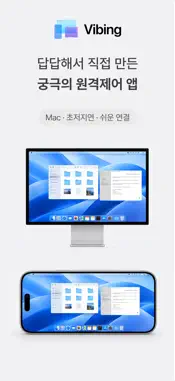
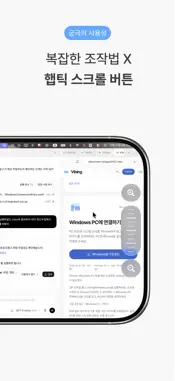
Continue working on your Mac from your iPhone or iPad. Vibing is a minimal remote desktop app for viewing and controlling your own Mac. Edit a document, check a running task, or switch between connected monitors. The current app interface is primarily in Korean. • Connect to a Mac signed in to the same Apple account • Use touch, trackpad controls and a keyboard • Switch between connected monitors and zoom the screen • Adjust quality, resolution, frame rate and bitrate • Check connection status and the actual connection route Requires an Apple Silicon Mac running macOS 14 or later, the Vibing Mac companion, and screen recording and remote input permissions. Keep your Mac awake and available. The Mac app guides installation and permission setup. Connections are encrypted and require device authorization. End access from the Mac at any time. Firewalls and network conditions may prevent direct connections. The initial release is free and supports direct connections. Relay service is not generally available. Mac download and setup: https://vibescreen.mingyu5412.chatgpt.site Files and video • Browse and download files from your own computer • Play device videos and adjust subtitles • Connect OneDrive (provider sign-in and permission required) • Picture in Picture for supported videos File access is enabled separately on the computer. Playback support varies by format and codec. Terms of Use https://www.apple.com/legal/internet-services/itunes/dev/stdeula/ Privacy Policy https://vibescreen-api-staging.alsrb5412.workers.dev/beta/privacy-en.html
What's New
Version 1.0.17 2026-11-21
• Improved connection stability with Windows PCs. • Improved screen fitting on iPad and recovery when remote video freezes. • In Labs, you can enable Apple Penc...• Improved connection stability with Windows PCs. • Improved screen fitting on iPad and recovery when remote video freezes. • In Labs, you can enable Apple Pencil pressure, tilt and hover, as well as file copy and paste. Availability depends on your device and the computer you connect to. • When connecting to a compatible Windows PC, choose 4:4:4 color to see small text and color boundaries more clearly. Technical Analysis
Package Overview Basic metadata
Bundle ID
com.minkyukim.vibescreen.viewer Current Version 1.0.17
Minimum iOS 17.0
Package Size App Store Size
Package Metadata 0 / 0 version records
Detailed binary, privacy manifest, framework, and Info.plist results have not been indexed for this package yet. The verified App Store and archive metadata above remains available.
Developer Information
Known Version Records
0 version records with stored package metadata
Stored metadata does not guarantee a package is currently available to download.
| Details | Version / IDs | Version date | Action |
|---|