Preview



Description
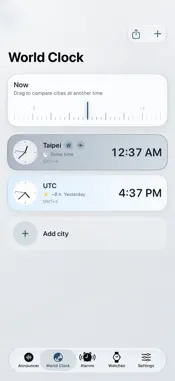
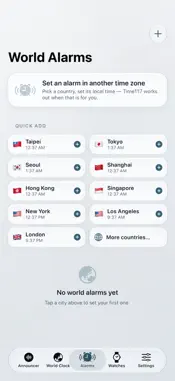
NEW IN 1.2: SIMPLE MODE AND MINUTE REPEATER Tap the accessibility icon at the top right of Settings to switch to Simple mode. Local time, manual announcements and settings are on one page. Schedule time windows by weekday with half-hourly or hourly announcements. MINUTE REPEATER GUIDE 1. Choose vibration separately for normal and Silent modes, and whether voice should play in Silent mode. 2. Set Vibration frequency and try the preview. Hourly is the default. Start the announcer to run vibration on its own schedule. 3. Count hours, quarters and remaining minutes, in that order, using a 12-hour clock. At 3:37: 3 long pulses, 2 long-short pairs, 7 short pulses. Each quarter represents 15 minutes. Bell previews use low tones for hours, high-low pairs for quarters and high tones for remaining minutes. Vibration requires a supported iPhone; the feel varies by device and foreground/background state. Background patterns use strong-weak pairs. Background use requires Pro Lock Screen announcements and depends on system and app state. Stopping announcements or entering quiet hours stops scheduled vibration; in-app mute stops sound only. Foreground manual announcements and bell previews can play in Silent mode. Time117 brings network time synchronization, spoken announcements, world clocks and watch records together for everyday timekeeping, travel and collecting. • Spoken time: start or stop announcements, adjust speech speed and signal sounds, and set quiet hours. • World time: choose home and destination zones, share times and set alarms. • Clock views: themes, a large desk clock, widgets and Siri shortcuts. • Watch accuracy: track one watch for free, record offsets and view daily-rate trends. • Acoustic estimates: record mechanical watch ticks with the microphone. When the signal is sufficient, see beat-rate and daily-rate estimates during recording, then confirm and save the full measurement. • Watch standards: explore reference information and official source links. Time117 Pro is a one-time lifetime purchase. It unlocks background and Lock Screen announcements, hourly and custom intervals, ad removal, multiple-watch tracking, and editing collection photos, purchase details and service records. Purchases can be restored. Background announcements support Live Activities and the Dynamic Island on compatible iPhone models. Available in English, Japanese, Traditional and Simplified Chinese, Korean, Spanish, French, German, Brazilian Portuguese, Russian and Indonesian. Collection records and photos stay on your device; there is no built-in cloud sync. Service dates do not schedule reminders. Network time accuracy depends on network and device conditions. Acoustic results are estimates affected by the environment, placement and phone audio clock; they do not replace a professional timegrapher or certification.
What's New
Version 1.2 2026-10-25
Thank you for your feedback! Your suggestions helped shape Time117 1.2. • Simple mode brings local time, Announce the Time and everyday settings onto one page.... Technical Analysis
Package Overview Basic metadata
Bundle ID
com.floatingland.Time117 Current Version 1.2
Minimum iOS 17.0
Package Size App Store Size
Package Metadata 1 / 1 version records
4.8 / 5.0 (34 ratings)
Detailed binary, privacy manifest, framework, and Info.plist results have not been indexed for this package yet. The verified App Store and archive metadata above remains available.
Developer Information
Known Version Records
1 version record with stored package metadata
Stored metadata does not guarantee a package is currently available to download.
| Details | Version / IDs | Version date | Action |
|---|---|---|---|
| 9.73 MB | v1.0 App Store ID: 847546968Build: 1.0 | 2022-03-06 14:15:59 | Get Version |