
Preview




Description
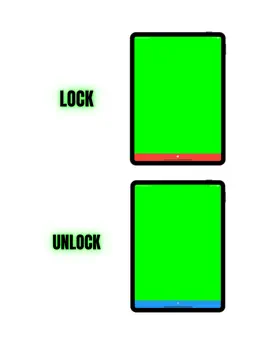
■Greenscreen and Blueback Display App This is a simple application that allows you to easily display green back and blue back, which are commonly used in video production and photography. It can easily display greenback and blueback, which are used to make the background transparent when editing filmed video or photos. Using this app as a prop, you can easily shoot videos. In addition, both green scren and blue screen are supported. The Green Background/Blue Background Display App is a simple app for displaying green backgrounds and blue backgrounds on smartphones and tablets. Since there are four colors, you can use different screens for different scenes. The entire screen can be displayed. You can lock the screen by pressing and holding the screen, and the lock function allows you to tap on the green screen area. This allows you to take a wide range of pictures. This app does not have functions for chroma key compositing or video editing, but it can be used in conjunction with other apps to create a variety of video productions. ■Features of the application for displaying green background and blue background 1. the color of the green background and blue background can be changed to four different colors. 2. the colors use the following color codes. The color code is set to the color code that optimizes the function of the green screen. 1. #00FF00 2. #00FFFF 3. #0080FF 4. #0000FF 3. screen lock Press and hold the screen to lock the screen. You can prevent the screen from switching. This prevents the screen from switching when the screen is tapped. It can be used for a wide range of photography, including screen-tapping performances. Main Functions Display of green background Display of blue background Switching between green background and blue background Full screen display function Screen lock function Screen lock function ・Function to display the screen while it is running Use Cases Use cases for this application include the following: 1. 1. used in video production and photography for setting up green and blue backgrounds and for pre-shooting simulation 2. used to verify that greenbacks and bluebacks are installed correctly during video production and photography 3. used by people who are learning about video production to learn how to use and install greenback and blueback. 4. used by people who are learning about video production and photography to learn how to use and install greenback and blueback. 4. it is used by people who are doing video production or photography to display the greenback or blueback and make the background transparent before the editing process. As described above, this application will be a useful tool for use and learning in the field of video production and photography. It can also be used for confirmation before editing work, making it a useful application for those involved in video production and photography. Assumed Scenes 1. scene where a performer operates a smartphone With this app, the smartphone screen can be used as a green background for shooting. 2. Also, the screen lock function prevents the screen from changing even if you tap the screen. 2. Therefore, you can shoot and edit scenes in which the actor operates the smartphone. 2. 2. scene where actors operate tablet PCs 3. scene where an actor is operating a computer Since the entire green back can be displayed, the above scenes can be filmed. The menu bar on the computer can also be hidden, so you can compose free moving images and CG with chromakey.
What's New
Version 1.0.4 2025-10-27
We've fixed several bugs and made improvements to the UI/UX to provide you with a smoother and more enjoyable experience. Thank you for using the Green Screen &...We've fixed several bugs and made improvements to the UI/UX to provide you with a smoother and more enjoyable experience. Thank you for using the Green Screen & Blue Screen App! Technical Analysis
Package Overview Basic metadata
Bundle ID
com.chroma-key-color Current Version 1.0.4
Minimum iOS 13.0
Package Size App Store Size
Package Metadata 1 / 4 version records
2.8 / 5.0 (5 ratings)
Detailed binary, privacy manifest, framework, and Info.plist results have not been indexed for this package yet. The verified App Store and archive metadata above remains available.
Developer Information
Known Version Records
1 version record with stored package metadata • 4 known version records
Stored metadata does not guarantee a package is currently available to download.
| Details | Version / IDs | Version date | Action |
|---|---|---|---|
| 41.08 MB | v1.0.4 App Store ID: 879229196Build: 1.0.4 | 2025-10-27 18:55:07 | Get Version |
| Not archived | App Store ID: 867501614 | Unknown | Request Version |
| Not archived | App Store ID: 857748512 | Unknown | Request Version |
| Not archived | App Store ID: 857091402 | Unknown | Request Version |