Preview



Description
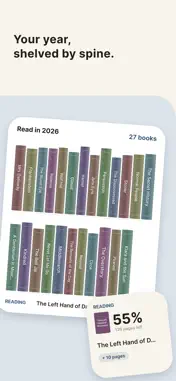
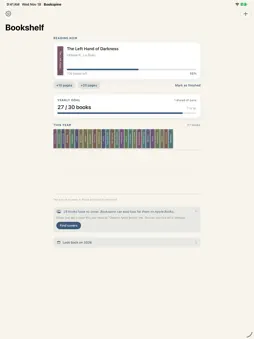
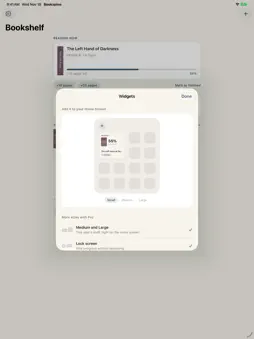
The book you're reading, on your Home Screen. Bookspine is a reading widget with no subscription and no ads: add a book, and your current read — with a progress ring — sits on the Home Screen. Tap the widget to add pages without opening the app. Most reading apps keep the widget behind a subscription. Here the widget is the point, so the Small one is free, and the number of books is never limited. ■ Free ・Small widget: the book you're reading, its cover or spine, and how far you are ・Add pages right on the widget (iOS 17 interactive widgets) ・Unlimited books — no five-book cap ・Finished books stay on your shelf, free, forever ・Search by title or author, or scan the ISBN barcode ・Works without a connection: you can always add a book by hand ・Set a reading goal for this year and see how close you are ■ Bookspine Pro (one-time purchase, not a subscription) ・Medium widget: cover, progress bar, pages left, books this year ・Large widget: this year's shelf — every book you've finished, lined up ・Lock Screen widgets: your progress without unlocking ・See your shelf by spines or by covers ・Reading goal widget: how far to this year's goal, on the Home and Lock Screens ・Year in review: books per month, pages read, your thickest book and the year's shelf — past years too ・iCloud sync: books, progress and your goal, the same on all your devices — even after a new iPhone ・To-read shelf widget: your to-read pile as spines, in Medium and Large ・Import from Goodreads: bring in what you've read, are reading and want to read from your export file, in one go ・Spine colors: pick the color of any book's spine ■ The shelf Books you finish line up on a shelf, oldest to newest. Books without a cover are drawn as a spine — a colour and the title — so the shelf never has grey holes in it. ■ Privacy Your books stay on your device. Only if you turn on iCloud sync (Pro), they sync through your own iCloud between devices signed in to your Apple Account — the developer never sees them. No account, no ads, no tracking. Only anonymous usage (which screens and widget sizes are used, whether Pro was purchased) is sent to improve the app — never your books, names or any Apple identifier. You can turn it off in Settings. Turn on “Also find covers on Apple Books” in Settings to fill in covers Open Library doesn't have (off by default). Book data comes from Open Library.
What's New
Version 1.7 2026-11-21
• Now available in 18 languages, including German, French, Chinese and Thai. • Book search now finds more books in Chinese, Russian, Ukrainian and other languag...• Now available in 18 languages, including German, French, Chinese and Thai. • Book search now finds more books in Chinese, Russian, Ukrainian and other languages. Technical Analysis
Package Overview Basic metadata
Bundle ID
com.minari.Hondana Current Version 1.7
Minimum iOS 17.0
Package Size App Store Size
Package Metadata 0 / 0 version records
Detailed binary, privacy manifest, framework, and Info.plist results have not been indexed for this package yet. The verified App Store and archive metadata above remains available.
Developer Information
Known Version Records
0 version records with stored package metadata
Stored metadata does not guarantee a package is currently available to download.
| Details | Version / IDs | Version date | Action |
|---|