
Preview






Description
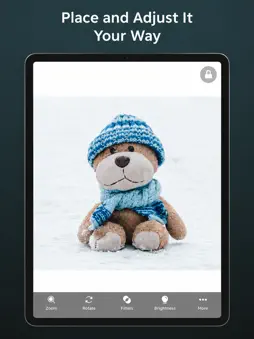
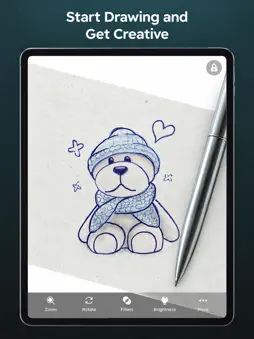
Turn your phone into a tracing lightbox. Open any image, lock the screen, put paper on top, and draw. Papercopy makes it easy to copy a picture from your screen to paper with a pencil or pen. No printer, no lightbox, no special tools — just your phone or tablet and a sheet of paper. HOW IT WORKS 1. Pick an image from your gallery, camera, or the built-in Explore library 2. Zoom, rotate, and move it until it sits exactly where you want 3. Lock the canvas so the screen doesn't shift while you draw 4. Place your paper over the display and trace the lines through it FEATURES - Lock screen – blocks touches so the image stays put under the paper - Precise zoom, rotate and pan – size the image to fit your paper - Brightness and contrast controls – makes lines visible through thicker paper - AI trace-ready images – describe what you want and get a clean outline to trace - Explore – hundreds of ready-made drawings, animals, characters, patterns and lettering - Works on phones and tablets WHO USES PAPERCOPY - Kids learning to draw and parents who want an easy, screen-light activity - Artists and illustrators transferring sketches, references and outlines - Hand-lettering, calligraphy and tattoo stencils - Teachers, crafters, embroidery, woodworking and cake decorating templates - Anyone who wants to copy a photo, logo or drawing to paper quickly Tracing is one of the oldest ways to learn to draw — it trains your hand and eye before you draw freehand. Papercopy just removes the friction. Have a suggestion or a problem? Email us from the app and we'll reply. Terms of Use (EULA): https://www.apple.com/legal/internet-services/itunes/dev/stdeula/ Privacy Policy: https://papercopy.web.app/policy
What's New
Version 3.3.0 2026-10-19
• Show us your drawings: when you finish one, tap Share on Instagram in your Gallery. Instagram opens with @papercopy.app copied, ready to paste. We feature our... Technical Analysis
Package Overview Basic metadata
Bundle ID
me.misur.PaperCopy Current Version 3.3.0
Minimum iOS 18.2
Package Size App Store Size
Package Metadata 1 / 3 version records
Detailed binary, privacy manifest, framework, and Info.plist results have not been indexed for this package yet. The verified App Store and archive metadata above remains available.
Developer Information
Known Version Records
1 version record with stored package metadata • 3 known version records
Stored metadata does not guarantee a package is currently available to download.
| Details | Version / IDs | Version date | Action |
|---|---|---|---|
 7.2 MB | v1.2 App Store ID: 886372704Build: 1 | 2026-06-02 01:24:06 | Get Version |
| Not archived | v1.1 App Store ID: 885671981Build: 1.1 | 2026-05-15 08:46:50 | Request Version |
| Not archived | v1.0 App Store ID: 877872158Build: 1.0 | 2026-05-11 07:59:13 | Request Version |