
Preview





Description
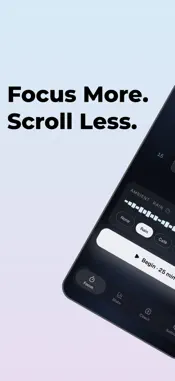
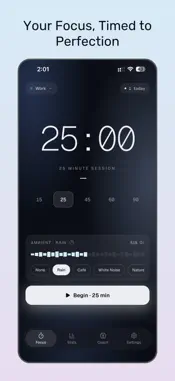
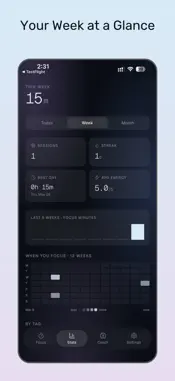
Block distractions. Track your focus. Let AI coach you to peak productivity. FocusFlow isn't another Pomodoro timer — it's an AI productivity coach that learns YOUR patterns. It blocks distracting apps during focus sessions, shows your timer on the lock screen, and gives you daily AI insights on when and how you focus best. KEY FEATURES - Smart Pomodoro timer with customizable durations (15–90 min) - Live Activity on your lock screen & Dynamic Island - Block distracting apps during focus sessions with Screen Time - AI daily briefings based on your actual session data - Weekly productivity score and personalized recommendations - 6 ambient soundscapes: Rain, Café, White Noise, Nature, Alpha Waves - Streak tracking to build consistent habits - Apple Health integration (Mindful Minutes) - Calendar sync for completed sessions - Energy rating after each session to track your patterns HOW IT WORKS 1. Pick a task and start a focus session 2. FocusFlow blocks your distracting apps and plays ambient sounds 3. See your countdown on the lock screen — no need to open the app 4. When done, rate your energy and get AI-powered insights 5. Build streaks and watch your productivity grow FREE VS PRO Free: 3 sessions per day, 25-minute timer, basic stats. Watch an ad to unlock 3 more sessions. Pro: Unlimited sessions, customizable durations, AI coach, app blocking, ambient sounds, calendar sync, and an ad-free experience. Start your first focus session today. Your best work is waiting. Privacy Policy: http://mgbusinesslab.com/focus/privacy.html Terms of Service: http://mgbusinesslab.com/focus/terms.html Terms of Use (EULA): https://www.apple.com/legal/internet-services/itunes/dev/stdeula/
What's New
Version 2.0 2026-05-29
FocusFlow 2.0 — a calmer, deeper redesign. We rebuilt FocusFlow around one idea: a focus timer that feels as calm as the work you're trying to do. What's new:... Technical Analysis
Package Overview Basic metadata
Bundle ID
com.mgbusinesslab.focusflow Current Version 2.0
Minimum iOS 15.1
Package Size App Store Size
Package Metadata 0 / 3 version records
Detailed binary, privacy manifest, framework, and Info.plist results have not been indexed for this package yet. The verified App Store and archive metadata above remains available.
Developer Information
Known Version Records
0 version records with stored package metadata • 3 known version records
Stored metadata does not guarantee a package is currently available to download.
| Details | Version / IDs | Version date | Action |
|---|---|---|---|
| Not archived | App Store ID: 886164730 | Unknown | Request Version |
| Not archived | App Store ID: 884373538 | Unknown | Request Version |
| Not archived | App Store ID: 883670103 | Unknown | Request Version |