
Preview



Description
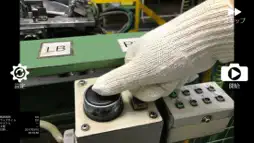
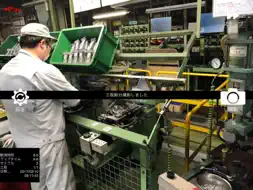
Use of this application allows easy time observation filming of various tasks and operations with iPHONE and iPAD. This application was created by professionals at production sites as a tool for work improvement. Picture resolution is reduced to accommodate speed. Use of the time observation camera allows accurate time observation of standard operations in a short time. It is a simple application combining photography and time stamps. Conventional time observation tasks were a complicated process of watching the operation with a stop watch in one hand and recording the time. Time observation was not standardized and the method employed differed by individual. The time observation camera standardizes the operation while preventing variance in timing. Because increased work and operation efficiency requires standardization, and there can be no improvement in processes without it, you can get the most benefit from this application after you have standardized operations. 【Before using the Time Observation Camera】 1 Decide on standard operations. 2 Work with the standardized operations until employees are able to follow them without variation. 3 Check that employees are repeating the operation according to the standardized procedures. The time observation camera can be used to greater advantage after employees are able to follow standardized operations without variation. 【How to use Time Observation Camera】 1 Standardized operations are filmed with the time observation camera to check the number of processes. 2 Set up the number of processes on the time observation camera. 3 Film 10 cycles (number of process ×10) with the time observation camera. 4 Enter in the time observation sheet as you check the photographs. 5 Create a Standard Operation Combination slip based on the information obtained through time observation sheet analysis. 6 Begin improvement activities. 7 Use the time observation camera during the improvement activities as well as at the end of the time observation process. 【Main Functions】 Time-stamped photographs are taken by pressing the button at the start of each process Add information available with time stamps, such as SPLIT, LAP, Process Number, date and time While looking at the result of time observation on the photographs Make a video recording along with still photography and stop at the same time (Paid version) Time observation photographs are stored and organized in separate folders for each observation (Paid version) Selected photographs can be transferred to a photo folder (Paid version) Decimal point change function (Paid version) Cycle skip function (when forgetting to press) Maximum number of processes is 99 It can be applied to a wide variety time observations. 【Required environment】 iOS9 or later equipped with camera iPod, iPad, iPhone 5 or more
What's New
Version 1.1.2 2022-05-26
App name change I changed the position of the ad Technical Analysis
Package Overview Basic metadata
Bundle ID
pj.oc.knilorcim.TPSCameraFree Current Version 1.1.2
Minimum iOS 9.0
Package Size App Store Size
Package Metadata 1 / 7 version records
Detailed binary, privacy manifest, framework, and Info.plist results have not been indexed for this package yet. The verified App Store and archive metadata above remains available.
Known Version Records
1 version record with stored package metadata • 7 known version records
Stored metadata does not guarantee a package is currently available to download.
| Details | Version / IDs | Version date | Action |
|---|---|---|---|
 3.53 MB | v1.0.14 App Store ID: 849362017Build: 1.0.14 | 2022-05-24 22:15:24 | Get Version |
| Not archived | App Store ID: 841951095 | Unknown | Request Version |
| Not archived | App Store ID: 822121674 | Unknown | Request Version |
| Not archived | App Store ID: 821271575 | Unknown | Request Version |
| Not archived | App Store ID: 417543604 | Unknown | Request Version |
| Not archived | App Store ID: 306773018 | Unknown | Request Version |
| Not archived | App Store ID: 15764192 | Unknown | Request Version |