
Preview




Description
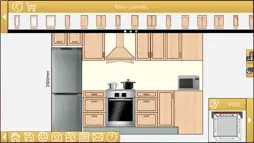
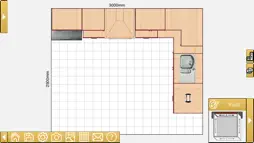
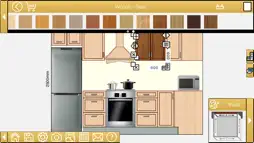
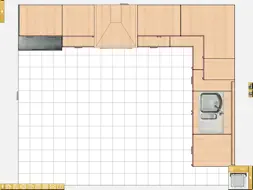
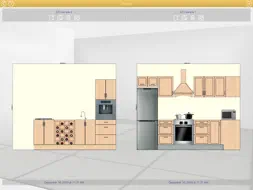
EZ Kitchen 3 is now available! Try now one of the kitchens design most downloaded ’apps' in the store. Design a kitchen in a comfortable, quick and easy form on your iOS device by placing objects in the front view of each of the walls or in the general plan view. Insert furniture, appliances and accessories. Choose materials and finishes between woods, solid colors, tiles, marbles, stones and painted wallpaper. You can save your designs on the device or send them by email in PDF, PNG, JPG or DXF format (the latter can be opened with AutoCAD or other CAD program). Create your design in three simple steps: Step 1: Select the dimensions of the walls. Step 2: Insert the objects that make up the design, adjusting its measures to which you want. Step 3: To add the finishing touch. Change the materials of the furniture, walls and floor to your liking, and insert the accessories and decorative elements. FULL FEATURES Create your design in 'mm' 'cm', 'm' or 'inches'. Select the lengths and height of the walls. Click, drag and drop objects in the design. Change the furniture material, its handle and its linear or frame independently. Edit the dimension of objects moving your fingers on the screen or numerically for greater accuracy. Objects can be 'cloned' or make them symmetrical to change for example the opening of a cabinet. You can create borders and combinations of tiles and paint on the walls, you can also change the material applied to the soil. Generates a list of objects and / or screenshots of each wall or the entire design. Includes a file manager that lets you load, copy, save or delete designs on the device. Add comments to each inserted object, it will appear in the detailed design while sending an email. Designs can be sent by email in different formats: - Photos PDF file that can be opened and edited with a reader / PDF editor. Select between letter and DinA4 size. - Pictures in PNG and JPG format that can be viewed with any image viewer. - Detailed list in the text of the email includes a detailed list of design elements. - DXF format. It can be opened and edited with a CAD program.
What's New
Version 1.2.5 2020-06-19
- Added 7 new items: 2 bowls, 1 chair, 1 table, 1 wine bottle, 1 window and 1 door. - Google+ link removed. - The ability to share images of designs on Facebook... Technical Analysis
Package Overview Basic metadata
Bundle ID
com.MicrocadSoftware.EZKitchen3 Current Version 1.2.5
Minimum iOS 9.3
Package Size App Store Size
Package Metadata 1 / 8 version records
Detailed binary, privacy manifest, framework, and Info.plist results have not been indexed for this package yet. The verified App Store and archive metadata above remains available.
Known Version Records
1 version record with stored package metadata • 8 known version records
Stored metadata does not guarantee a package is currently available to download.
| Details | Version / IDs | Version date | Action |
|---|---|---|---|
 28.36 MB | v1.2.5 App Store ID: 836372824Build: 1.2.5 | 2020-06-19 06:10:14 | Get Version |
| Not archived | App Store ID: 833996462 | Unknown | Request Version |
| Not archived | App Store ID: 828093889 | Unknown | Request Version |
| Not archived | App Store ID: 828068021 | Unknown | Request Version |
| Not archived | App Store ID: 824938583 | Unknown | Request Version |
| Not archived | App Store ID: 817391485 | Unknown | Request Version |
| Not archived | App Store ID: 814331608 | Unknown | Request Version |
| Not archived | App Store ID: 813256528 | Unknown | Request Version |