Preview



Description
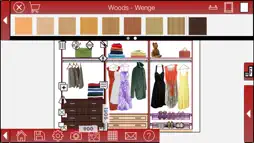
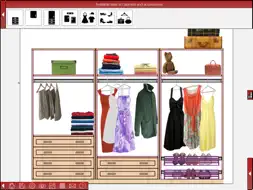
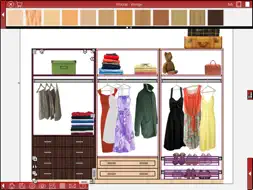
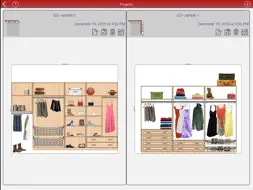
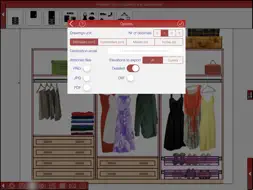
EZ Closet+ is a new app that’s easy to use, fast and intuitive, and includes many EZ Closet and autoClosets mobile app customer requests. EZ Closet and autoClosets mobile are two of the most downloaded closets design apps in the App Store. Design a closet with your iPad, iPhone or iPod, inserting items in the front view of each one of the room walls. Insert cabinets, clothes and accessories. Select materials and finishes among woods, colors and accessories. Save your designs in your device or email them in ".pdf", ".png", ".jpg" or ".dxf" format. Design a closet easily in three steps: Step 1: Select the number of walls and enter their dimensions. Step 2: Insert cabinets in each of the walls. Customize items by changing their dimensions. Step 3: Select materials and finishes for cabinets and walls and insert accessories and decorative elements to give your design the final touch. MAIN FEATURES Design in 'mm', 'cm', 'm' or inches. Select up to 4 walls with different lengths. Drag and drop cabinets, clothes and accessories in the design. Modify their elevation, height and depth with your fingers or enter values for more accurate changes. You can copy these items or make them symmetric to change their doors wing among other applications. Change materials for cabinets, handles and frames/moldings independently. Create horizontal material combinations for walls. You can select among paints, tiles, wood and marble. This feature can be used to create a backsplash and much more. It automatically generates a list of items in the design and takes snapshots of each wall. This information can be emailed. It includes a file manager to save, open and delete designs in your device. Once your design is finished, you can email it in different formats: - Pictures in PDF, which can be opened with any PDF reader. It allows you to use Letter or DinA4 size. - Pictures in PNG and JPG. - A detailed list of items in your email text that includes cabinets and accessories. - Drawings in DXF, which can be opened and edited with AutoCAD or any other CAD program.
What's New
Version 1.4.5 2020-06-18
- Added 5 new items: 3 boxes and 2 set of clothes. - Google+ link removed. - The ability to share images of designs on Facebook has been temporarily disabled. W... Technical Analysis
Package Overview Basic metadata
Bundle ID
com.MicrocadSoftware.EZClosetPLUS Current Version 1.4.5
Minimum iOS 8.0
Package Size App Store Size
Package Metadata 0 / 15 version records
Detailed binary, privacy manifest, framework, and Info.plist results have not been indexed for this package yet. The verified App Store and archive metadata above remains available.
Known Version Records
0 version records with stored package metadata • 15 known version records
Stored metadata does not guarantee a package is currently available to download.
| Details | Version / IDs | Version date | Action |
|---|---|---|---|
| Not archived | App Store ID: 836373054 | Unknown | Request Version |
| Not archived | App Store ID: 834000457 | Unknown | Request Version |
| Not archived | App Store ID: 828096928 | Unknown | Request Version |
| Not archived | App Store ID: 824938516 | Unknown | Request Version |
| Not archived | App Store ID: 817465641 | Unknown | Request Version |
| Not archived | App Store ID: 812560880 | Unknown | Request Version |
| Not archived | App Store ID: 812122667 | Unknown | Request Version |
| Not archived | App Store ID: 811523132 | Unknown | Request Version |
| Not archived | App Store ID: 722552692 | Unknown | Request Version |
| Not archived | App Store ID: 689242670 | Unknown | Request Version |
| Not archived | App Store ID: 633892667 | Unknown | Request Version |
| Not archived | App Store ID: 582456516 | Unknown | Request Version |
| Not archived | App Store ID: 436412656 | Unknown | Request Version |
| Not archived | App Store ID: 325862640 | Unknown | Request Version |
| Not archived | App Store ID: 292492633 | Unknown | Request Version |