
Preview







Description
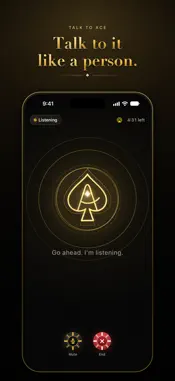
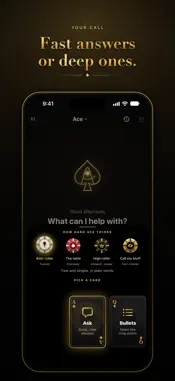
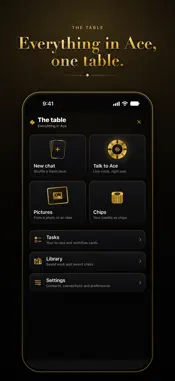
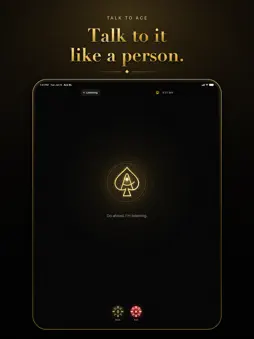
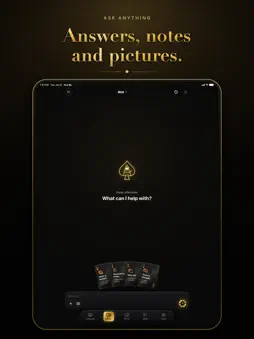
Ace BL brings your assistant to iPhone and iPad. Chat, start a voice conversation, ask about a camera image or selected screenshot, and organize your next steps. Sign in to your Ace account to use hosted AI. Computer pairing is optional for these phone features. TALK WHEN YOU WANT Tap Talk to start a voice conversation. You control when it starts and ends. Ace does not start a call when you launch the app or sign in. SHOW ACE WHAT YOU MEAN Use the camera or choose a photo or screenshot. Ask a question about the image you selected, including during an Ace voice conversation. TURN INTENTIONS INTO NEXT STEPS Prepare personal tasks, native reminders and calendar events. Review the details and save through the supported iPhone interface. Ask Ace to prepare a text or email draft, resolve a contact, or open the native phone calling flow. You review and send messages in the system interface. DEAL YOUR DAY Explore twelve workflow cards during setup or from Tasks. Each walkthrough explains its source and permissions. Select a time and save a reminder to return to the workflow; saving a time does not immediately run an AI request. Connected-service features require the corresponding authorized account. CONTINUE ON YOUR COMPUTER Optionally pair with Ace on your own computer to send a task there or view its screen. Computer features require the paired computer to be online with the appropriate permissions. ACCOUNT AND PURCHASES Ace BL is free to download. Available account access, AI credits and purchase options appear in the app. Optional monthly and annual mobile subscriptions and one-time AI credit packs use Apple's purchase confirmation. Prices and any available introductory offer are shown before purchase. Hosted AI uses your account's available credits or access. Payment is charged to your Apple Account at confirmation. Subscriptions renew automatically unless canceled at least 24 hours before the end of the current period. Your account is charged for renewal within 24 hours before the period ends. Manage or cancel subscriptions in your Apple Account settings. Restore purchases is available in the app. Terms of Use: https://www.apple.com/legal/internet-services/itunes/dev/stdeula/ Privacy Policy: https://tryacee.com/privacy
What's New
Version 1.0.4 2026-11-14
Your computer now fills your whole iPhone. On the Computer page the picture runs to every edge of the screen, with the X and the switches lying on top. Touch th...Your computer now fills your whole iPhone. On the Computer page the picture runs to every edge of the screen, with the X and the switches lying on top. Touch the computer and the Ace bar slides out of the way; tap the gold line at the bottom to bring it back. Your computer's whole screen covers your iPhone too, whatever its size, even an ultrawide monitor: drag to look around, pinch out to see every corner. Flashcards is now one tap from Chat, and it is the first thing in the menu. Notes and flashcards you save on your computer show up on your iPhone as they arrive, with one tap to study them. The task indicator in the Dynamic Island no longer shows a stray 0 or lingers after its task is over. On a call, if your question didn't come through, Ace asks you to say it again instead of looking up the wrong thing. Technical Analysis
Package Overview Basic metadata
Bundle ID
com.blacklabel.ace.mobile Current Version 1.0.4
Minimum iOS 17.4
Package Size App Store Size
Package Metadata 0 / 0 version records
Detailed binary, privacy manifest, framework, and Info.plist results have not been indexed for this package yet. The verified App Store and archive metadata above remains available.
Developer Information
Known Version Records
0 version records with stored package metadata
Stored metadata does not guarantee a package is currently available to download.
| Details | Version / IDs | Version date | Action |
|---|