Preview








Description
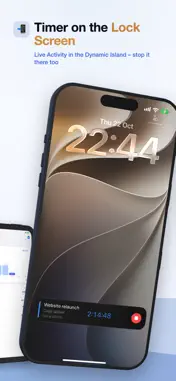
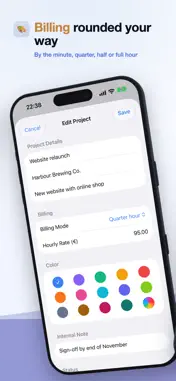
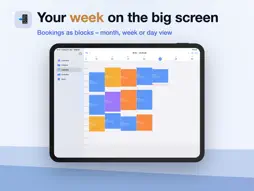
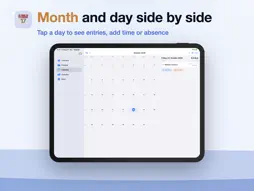
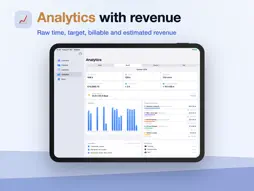
Timenor records your time with a timer or lets you add it by hand, assigns it to projects and always shows your target, actual hours and balance – with a calendar, analytics and export for billing. YOUR DATA STAYS WITH YOU Timenor stores everything on your iPhone or iPad. The iCloud backup saves a copy to your own iCloud Drive after each completed time recording and keeps up to 20 versions you can restore. A backup, not live sync: Timenor does not sync between several devices. No ads, no tracking. Timenor only asks for location and calendar access when you use those features. TRACK • Choose a project and tap “Start”. The Live Activity shows the running timer on the Lock Screen and in the Dynamic Island, and you can stop it there too. • Add times afterwards with break and comment, or tap straight into the calendar – the day and time are already filled in. • Forgotten timers: a reminder after a long run, or an automatic stop after a set duration. • Break rule: if an entry runs longer than set, Timenor adds the break when it ends. • Optionally record the location at start and end, with a map and address on the entry. • Note a “Reason for change” when editing; Timenor tells you when entries overlap. PROJECTS AND BILLING • Projects with client, color, hourly rate and an internal note. • Billing mode per project: to the minute, quarter hour, half hour or full hour. Each entry is rounded, always up. Target, actual hours and balances use the unrounded raw time. • With an hourly rate, Analytics shows your estimated revenue. CALENDAR • Your entries as colored blocks: month, 7 days, 5 days, 2 days or a single day. • Optionally show your iOS events alongside. Timenor only reads them and never writes to your calendar. • Holidays and absences are highlighted. Your week starts on Monday, Saturday or Sunday. ANALYTICS • Week, month, quarter or year: raw time, target, billable time and estimated revenue. • Period balance, overall balance and vacation balance, optionally with overtime and vacation carried over from before Timenor. • Timeline, project overview and work locations. WORK PROFILE, ABSENCES, HOLIDAYS • In the work profile you set on which days you work and for how many hours. Timenor uses this to calculate your target hours. • Vacation, special leave, sick, child sick, training, business trip and more – for a full day, a half day or in hours. • Public holidays for Germany (nationwide or by state), Austria and Switzerland, plus your own days off. EXPORT AS PDF AND CSV (TIMENOR PRO) • PDF work time report in A4 landscape with one row per day, target and actual hours, monthly balance, vacation, overall balance and a project overview. • CSV (semicolon, UTF-8) with one row per entry, grouped by project. • Raw time or billable time, with comments, locations and absences. Share via the Files app, Mail or AirDrop. BACKUP • On a new iPhone or iPad, Timenor loads the latest iCloud backup on first launch. • Plus a .timenor backup file: to restore it, simply tap it in the Files app, in Mail or after AirDrop. • “Delete All Data” only with Face ID, Touch ID or your passcode – Timenor creates a backup automatically first. FREE AND PRO Tracking, planning, analytics and backup are free – with one active project and every feature except export. Timenor Pro unlocks unlimited projects and export – as a one-time purchase, without a subscription. No trial period, no ads. Timenor is available in English, German, French and Spanish. Help for every feature: docs.timenor.de
What's New
Version 2.0.0 2026-10-24
Context-sensitive help and support chat (Pro version only). Technical Analysis
Package Overview Basic metadata
Bundle ID
de.thoand.Timenor Current Version 2.0.0
Minimum iOS 17.0
Package Size App Store Size
Package Metadata 0 / 1 version records
Detailed binary, privacy manifest, framework, and Info.plist results have not been indexed for this package yet. The verified App Store and archive metadata above remains available.
Developer Information
Known Version Records
0 version records with stored package metadata • 1 known version records
Stored metadata does not guarantee a package is currently available to download.
| Details | Version / IDs | Version date | Action |
|---|---|---|---|
| Not archived | App Store ID: 883715129 | Unknown | Request Version |