Preview






Description
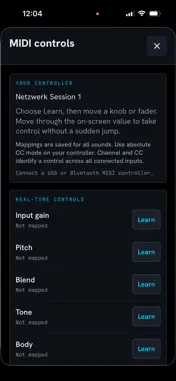
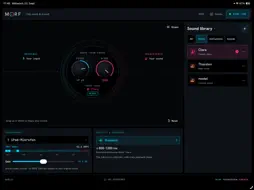
Your voice. A different character. MORF is an ivlt.io Gadget for exploring live voice and sound transformation on iPhone and iPad. Choose a sound, set your input level and shape the result with controls made for playing. Two Audio Unit (AUv3) plugins bring MORF into your host app. SHAPE YOUR SOUND Adjust pitch and blend your original input with the transformed sound. Open the shaping controls for tone, body, drive, space, movement and formant. Map real-time controls to a MIDI controller with MIDI learn. CHOOSE YOUR TRADE-OFF Choose from the processing modes available for each model. Faster response and greater detail make different demands on your device. Estimated delay ranges help you decide; actual latency also depends on the model, device and audio connection. Not every model supports every mode. USE MORF IN YOUR HOST APP MORF includes two AUv3 effects, with no separate purchase or download. ivlT: MORF is for live use: monitoring and playing through it with headphones. It runs the Fast engine, plays the sounds that have a Fast version and reports about 41 ms of latency to the host. ivlT: MORF Studio is for recorded tracks and exports. It runs Standard or High Quality and plays every sound in your library. It reports about 0.81 s (Standard) or 1.01 s (High Quality), so it is not for live monitoring. The host's delay compensation lines up the converted track on playback and in exports, and exports render offline. Both plugins use the sounds in your MORF library; add new sounds in the app and they appear in the plugins automatically. Pitch, Mix, Input, Gate, Output and the shaping dials are host parameters, so hosts can automate them. An input-keyed gate mutes the converted voice while your input is quiet; some sounds would otherwise turn room noise into artifacts. The plugins process audio on your device and make no network requests. Use one MORF Studio per host session; live MORF instances can run alongside. Latency figures are what the plugins report to the host at 48 kHz with 256-frame buffers, not microphone-to-speaker measurements. The plugins are tested on iPad in AUM and GarageBand; other hosts and iPhone are not yet tested. BUILD YOUR LIBRARY Start offline with Clara, Cello, Violin, Bird, Whale and Storm, included in the app. Preview optional sound packs before downloading. Import compatible models saved in Files. Download external models separately in your browser and transfer them to your device before importing. Supported imports include RVC v2 pitch-conditioned models at 32, 40 and 48 kHz; arbitrary AI models are not compatible. Create personal sounds from recordings on your device. Organise your library with drag and drop, and remove downloaded models when you no longer need them. PROCESS ON YOUR DEVICE Audio transformation runs locally. Microphone audio is not uploaded for cloud processing. Internet access is needed for the ivlt catalogue and downloads; installed sounds can be used offline. Optional downloads require additional storage. PLAY RESPONSIBLY Use recordings and voice models only with the permissions and licences you need. Do not impersonate others or mislead listeners. A model being publicly downloadable does not mean it is cleared for commercial use. For live monitoring, use headphones or a suitable audio interface to avoid feedback. Wired audio is recommended; Bluetooth adds delay. Sound quality varies with the source, model and processing mode. MORF is a creative sound tool, not a guarantee of an indistinguishable voice replica. Learn more: https://ivlt.io/products/morf Quick start: https://ivlt.io/guides/morf-quickstart Privacy: https://ivlt.io/legal/privacy/morf
What's New
Version 1.1 2026-10-12
New in 1.1: two Audio Unit (AUv3) plugins for your host app, included with MORF. There is no separate purchase or download. ivlT: MORF is for live use: monitor... Technical Analysis
Package Overview Basic metadata
Bundle ID
io.ivlt.morf Current Version 1.1
Minimum iOS 18.0
Package Size App Store Size
Package Metadata 0 / 0 version records
Detailed binary, privacy manifest, framework, and Info.plist results have not been indexed for this package yet. The verified App Store and archive metadata above remains available.
Developer Information
Known Version Records
0 version records with stored package metadata
Stored metadata does not guarantee a package is currently available to download.
| Details | Version / IDs | Version date | Action |
|---|