Preview


Description
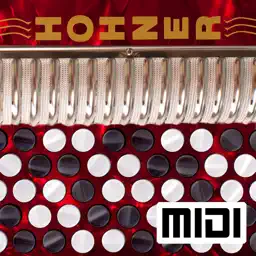
The Hohner Chromatic Button Accordion MIDI Controller is a chromatic button accordion (CBA) style CoreMIDI control surface for the iPad. The app doesn't produce any sound on it own. It is a MIDI control surface designed for playing hardware and software VST-style MIDI synthesizers via a CoreMIDI compatible interface connected to the dock connector or virtual MIDI instruments like Roland Sound Canvas for iOS, IK Multimedia SampleTank®, or Sonosaurus ThumbJam running on your iPad. The button layout supports both B (Bayan) and C-systems, and the built-in note guide will help you quickly learn your way around the buttons. Choose between Bass/Major/Minor/7 or Counter Bass/Major/Minor configuration for the left side of the instrument. The bass/chord side may be transposed up or down two semitones using the control at the bottom left of the screen. Note that when the pitch is transposed, the note labels do not change. This may be addressed in a future update. This feature expands the range of bass side by shifting the entire bass up or down two rows. The app has essentially the same button spacing as the real instrument. Multiple buttons may be pressed at the same time. You may slide your fingers between the buttons. Touch the MIDI connector button to show the MIDI parameter controls. Using the controls, you can set the MIDI channel (1-16), MIDI velocity, and MIDI volume independently for the treble, bass, and chords. You can also set the overall MIDI transposition for all three sections (+/- 12 semitones). Additionally, the bass buttons may be transposed independently up or down one octave. On the MIDI control screen you may choose between eight banks, each containing four presets. The four presets A, B, C, or D for the currently selected bank may be selected while playing on the main play screen. These can be used to quickly switch between instrument sounds while playing without having to bring up the MIDI settings page. All presets are saved when the app is closed. Use the "Transmit MIDI Port" switch to choose between "Omni" sending MIDI data to all CoreMIDI apps (matches previous versions of the app) or "Virtual Port" sending to a named CoreMIDI virtual output port. When the "Virtual Port option is selected, the app will show up as an input option in apps that support virtual ports like Sonosaurus ThumbJam and MidiBridge. "Omni" mode is selected by default. All MIDI settings are saved when the app quits and restored the next time it is run. Touch the Octave shift select at the bottom of the play scren to shift the treble side up or down one octave (after application of the transpose). The octave shift is saved with the current preset. Touch the '?' icon to show the base layout note names for each button (without transposition). Touch the '!' button to send an "All Notes Off" message to silence any "stuck" notes should they ever occur. Touch the Hohner logo for the help screen with a link to the Hohner accordion website or touch the Accordion Life logo to start learning with online accordion lessons. The app accurately maps the chord inversion on a real Chromatic button accordion to their equivalent MIDI note numbers. If using with a synthesizer app, you may need to make additional settings in that app. Here's the settings changes required for two popular synth apps: IK Multimedia SampleTank: - In Settings (touch the gear icon), enable "Background Audio" Sonosaurus ThumbJam: - In "Prefs", under "MIDI Control", in "MIDI General Options" enable "Use CoreMIDI" and "Active in Background" Other CoreMIDI compatible synth apps will have similar settings. Please visit the app support website to see some live demo videos and for the settings you will need to enable in the synth app you are using to have it work with the control surface. You must disable "Multitasking Gestures" in your iPad General Settings to use this app to its fullest capability if you want to put down more than three fingers at a time.
What's New
Version 2.5 2025-07-06
Bug fixes Technical Analysis
Package Overview Basic metadata
Bundle ID
com.tradlessons.hohnermidichromatic Current Version 2.5
Minimum iOS 16
Package Size App Store Size
Package Metadata 1 / 10 version records
Detailed binary, privacy manifest, framework, and Info.plist results have not been indexed for this package yet. The verified App Store and archive metadata above remains available.
Developer Information
Known Version Records
1 version record with stored package metadata • 10 known version records
Stored metadata does not guarantee a package is currently available to download.
| Details | Version / IDs | Version date | Action |
|---|---|---|---|
| 22.32 MB | v2.5 App Store ID: 876108569Build: 2.5 | 2025-07-06 20:22:41 | Paid / Arcade |
| Not archived | v2.2 App Store ID: 843420738Build: 2.2 | 2021-08-04 19:02:47 | Paid / Arcade |
| Not archived | App Store ID: 841522077 | Unknown | Paid / Arcade |
| Not archived | v2.0 App Store ID: 825636311Build: 2.0 | 2018-01-15 17:35:49 | Paid / Arcade |
| Not archived | v1.9 App Store ID: 821685016Build: 1.9 | 2017-04-11 02:32:09 | Paid / Arcade |
| Not archived | v1.8.1 App Store ID: 819444101Build: 1.8.1 | 2016-10-25 16:12:31 | Paid / Arcade |
| Not archived | v1.8 App Store ID: 819417482Build: 1.8 | 2016-10-23 23:48:38 | Paid / Arcade |
| Not archived | App Store ID: 815727571 | Unknown | Paid / Arcade |
| Not archived | v1.5 App Store ID: 813250080Build: 1.5 | 2015-09-12 22:40:39 | Paid / Arcade |
| Not archived | v1.0.5 App Store ID: 812996273Build: 1.0.5 | 2015-08-29 08:25:53 | Paid / Arcade |