Preview


Description
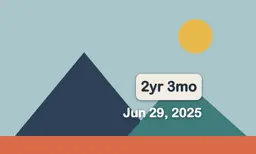
Your iCloud Shared Albums, shuffled, on the TV. Every photo plays once before any of them repeat, and each slideshow opens with the photos taken on this day in past years. Add your kids' or pets' birthdays and every photo shows how old they were when it was taken. One purchase covers your whole family, no subscription. Slide Night is an app you open and leave running. It keeps the screen awake and plays through your iCloud Shared Albums until you stop it. It isn't the Apple TV screen saver; it's an app you leave on. TRUE FULL ALBUM SHUFFLE. Slide Night builds one shuffled deck from your shared albums, as many as you choose, and plays through it photo by photo. Nothing repeats until every single photo has had its turn, then it reshuffles and starts fresh. Albums with thousands of photos are fine. A photo that's in two of your albums counts once. A small counter shows the real total, so you can watch it work through all of them. ON THIS DAY, FIRST. Every time the slideshow starts it opens with the photos taken on today's date in earlier years, shuffled, with a small marker on screen so you know what you are looking at. When it runs out it tells you and carries on into the full album without repeating the ones you just saw. Some days that's twenty photos, some days three. Either way it's the part everyone stops to watch. AGES ON THE PHOTOS. Add birthdays for your kids or pets and each photo shows how old they were on the day it was taken. 2yr 3mo on the beach trip. 12d on the hospital photo. Ages show as years and months, months and days under a year, and plain days for brand new babies. If someone is no longer with you, there is a gentle option for that too: their age still shows on photos from their lifetime and stops appearing on photos taken after. LIVE PHOTOS AND VIDEOS. Turn on Live Photos and they play their few seconds of motion when they come up: once, a few times, or on a loop, with a pause between plays if you like. Videos can join the slideshow, album by album: pick which albums include them, how much of each clip plays, whether it starts from the beginning or a random moment, and whether the sound is on. Everything is quiet unless you turn the sound on. NEW PHOTOS JOIN ON THEIR OWN. When someone adds to an album, the new shots are shuffled into the next few slides and a small notice tells you how many arrived. Grandparents love this one: the album grows on their TV without anyone touching a remote. MADE FOR THE LIVING ROOM. Photos show whole by default, or fill the screen if you prefer. Photo date in the corner if you want it, with a "6 years ago" line under it. Four transitions including Ken Burns. Picks up where it left off when you come back. PRIVATE. Everything runs on your Apple TV. No account, no uploads, nothing leaves the device. Settings: - Pick several shared albums, each with its own amount (all photos or the newest 50 to 4,000) and its own video choices - Live Photos: still only, play once or more, or loop, with an optional pause between plays and sound on or off - Videos per album: on or off, play 10 seconds to 5 minutes of each clip or the whole thing, start from the beginning or a random moment, sound on or off - 2 seconds to 5 minutes per photo - Crossfade, slide, Ken Burns, or no transition - Fit the whole photo, or fill the screen - Date, years ago, and ages overlays with position and size options, or off - Photo counter and album name in any corner, or off - Slide timer ring in any corner, or off - Notice when new photos arrive, on or off - On This Day on or off, with its own marker position and size - Match today's date exactly, or widen it to within 1 or 3 days Want to see it first? Pick the built-in demo album and it plays sample images through the actual slideshow, with every setting working, before you connect anything.
What's New
Version 1.3 2026-10-08
Live Photos Live Photos now play their motion when they come up. Choose still only, play once or a few times, or loop until the next photo, add a pause between ... Technical Analysis
Package Overview Basic metadata
Bundle ID
dev.mdrago.albumsaver Current Version 1.3
Minimum iOS 17.0
Package Size App Store Size
Package Metadata 0 / 0 version records
Detailed binary, privacy manifest, framework, and Info.plist results have not been indexed for this package yet. The verified App Store and archive metadata above remains available.
Known Version Records
0 version records with stored package metadata
Stored metadata does not guarantee a package is currently available to download.
| Details | Version / IDs | Version date | Action |
|---|