Preview






Description
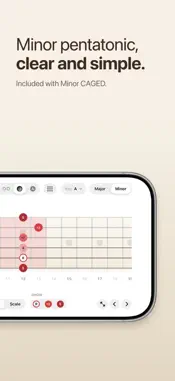
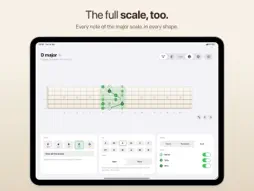
Pocket CAGED is a fretboard reference for the CAGED system. Pick a key and one of the five shapes – C, A, G, E or D – and see exactly where it sits on the neck, what's around it and how it joins the shapes either side. Keep it open while you practise. SEE THE SHAPE • Chord grips, the pentatonic box or the full scale for every shape • Roots, 3rds and 5ths in the shape's own colour, with 2, 4, 6 and 7 shown when you want them • A line through the grip, so the shape reads at a glance • Note names on the dots (D, F#, A) instead of numbers, at a tap, spelled right for every key • All five shapes at once, joined up along the whole neck SEE HOW THE SHAPES CONNECT • Shared notes are drawn in two colours where neighbouring shapes overlap • Fade in the shapes either side to see where you're heading next • Slide up and down the neck shape by shape, C → A → G → E → D EVERY KEY, ONE FRETBOARD • All 12 keys, major built in • The same fretboard scale on iPhone, iPad and Mac – smaller screens show fewer frets and the neck slides • Maple in light mode, rosewood in dark mode MADE FOR APPLE DEVICES • iPhone, iPad (including Split View and Slide Over) and Mac • Mac keyboard shortcuts: ← → to step through shapes, M for major/minor, L, S and N for the display options, Shift-N for note names • No account, no ads, no tracking MINOR CAGED Add the minor CAGED system to your fretboard reference with a one-time purchase: all five minor shapes, minor pentatonic and natural minor, in every key. Shared with your family through Family Sharing. CAGED TRIADS Add triads to your fretboard reference with a one-time purchase: major and minor triads on every string set, with each inversion named, in every key. Try it first as a preview in D major. CAGED 3RDS & 6THS Add the scale in 3rds and 6ths to your fretboard reference with a one-time purchase: on any pair of strings, major and minor, in every key. Try it first as a preview in D major. Both are shared with your family through Family Sharing.
What's New
Version 1.2 2026-11-14
Full Screen: one tap shows just the fretboard, as big as your screen, so you can read it from your music stand. Swipe to step through the shapes; tap or pinch t...Full Screen: one tap shows just the fretboard, as big as your screen, so you can read it from your music stand. Swipe to step through the shapes; tap or pinch to come back. Switch between Shapes, Triads and 3rds & 6ths from the menu on the title. A fresh look: bigger, clearer buttons, a simpler Note Names icon, and the chosen shape picked out in its own colour. Works better with larger text sizes, Bold Text and Reduce Motion. On iPad, the Show switches carry their R, 3 and 5 dots, and you can tap a dot to switch it. Technical Analysis
Package Overview Basic metadata
Bundle ID
com.michaelcollett.pocketcaged Current Version 1.2
Minimum iOS 18.0
Package Size App Store Size
Package Metadata 0 / 0 version records
Detailed binary, privacy manifest, framework, and Info.plist results have not been indexed for this package yet. The verified App Store and archive metadata above remains available.
Known Version Records
0 version records with stored package metadata
Stored metadata does not guarantee a package is currently available to download.
| Details | Version / IDs | Version date | Action |
|---|