
Preview








Description
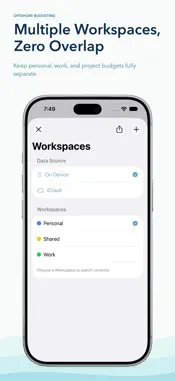
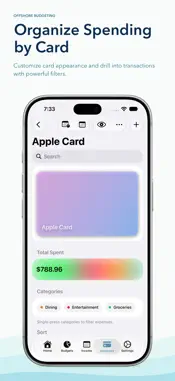
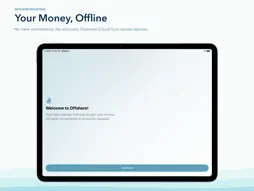
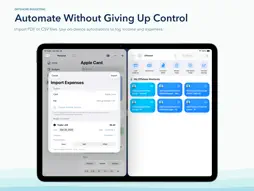
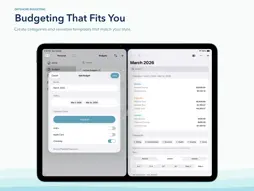
Offshore is a private financial workspace designed to help you understand your money without connecting to a bank or sharing your data. Everything runs locally on your device, with optional iCloud sync across iPhone, iPad, and Mac. No accounts. No logins. No data collection. Offshore focuses on clarity, not automation. It gives you a structured place to think through income, expenses, and financial decisions in a way that feels intentional and calm. Plan with Intention: Offshore separates planned costs from everyday spending, helping you clearly see fixed commitments alongside variable expenses. Presets make it easy to reuse common patterns while keeping each period flexible and realistic. Instead of burying numbers in categories, Offshore shows how every decision affects what remains available to save, spend, or adjust. See Your Finances Over Time: Financial periods can be organized daily, weekly, monthly, quarterly, or annually. The income calendar helps you visualize when money arrives, what has been received, and how timing impacts your overall picture. This approach makes it easier to reason about cash flow instead of reacting to totals after the fact. Adapt It to How You Think: Customize cards, categories, and presets to match how you reason about money. Offshore stays lightweight and personal, offering structure without clutter. Key metrics can be pinned, reordered, and reviewed from the Home screen as your priorities change. Clear Like a Spreadsheet, Without the Friction: Offshore captures the clarity people love about spreadsheets while removing the overhead. As entries change, totals update automatically so you can see the full picture at a glance. Private by Design: Your data stays on your device. Offshore works fully offline, with optional iCloud sync for those who want continuity across devices. Your finances remain personal, secure, and fully under your control. Who Offshore is For: * People who want clarity without automation * Spreadsheet thinkers who want something calmer * Individuals, families, and small teams tracking finances privately * Anyone who prefers understanding their money over handing it to a service * No subscriptions. No accounts. Just your data, your way.
What's New
Version 2.5 2026-11-02
1. Smarter Category Goals: Auto-Configure builds goals from your presets and past spending, with a customizable look-back and cushion. 2. Savings at Goal Maxim... Technical Analysis
Package Overview Basic metadata
Bundle ID
com.mb.offshore-budgeting Current Version 2.5
Minimum iOS 18.6
Package Size App Store Size
Package Metadata 0 / 6 version records
Detailed binary, privacy manifest, framework, and Info.plist results have not been indexed for this package yet. The verified App Store and archive metadata above remains available.
Developer Information
Known Version Records
0 version records with stored package metadata • 6 known version records
Stored metadata does not guarantee a package is currently available to download.
| Details | Version / IDs | Version date | Action |
|---|---|---|---|
| Not archived | App Store ID: 886254838 | Unknown | Request Version |
| Not archived | App Store ID: 883621040 | Unknown | Request Version |
| Not archived | App Store ID: 883444348 | Unknown | Request Version |
| Not archived | App Store ID: 882902871 | Unknown | Request Version |
| Not archived | App Store ID: 882804560 | Unknown | Request Version |
| Not archived | App Store ID: 881297366 | Unknown | Request Version |