Preview

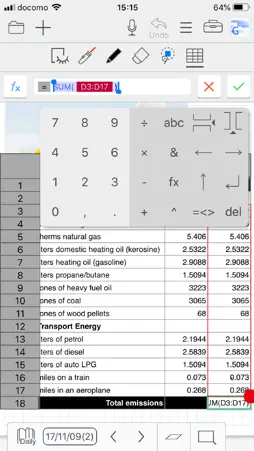
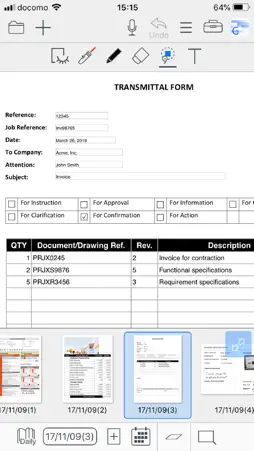
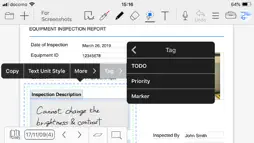


Description
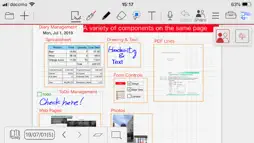
GEMBA Note Viewer is a clone app for GEMBA Note for Business. When you edit a note using GEMBA Note for Business, this app is used to view and edit a different note. GEMBA Note is a state-of-the-art app that can digitize the paper forms and workbooks used for services and industries involving field based activities. The app makes it possible to record information, create flexible to-do lists and to prioritize items and inspection results. Users can transform their notes into sophisticated organization plans, assessment reports, and action lists. The app combines the flexibility of a pen and paper with digital media, capturing directly from your tablet. Audio recording features enable users to capture an accurate record of conversations, environmental sounds, or just spoken notes. Information comes in many forms, and GEMBA Note is designed to help you capture it quickly and efficiently. Combine structured and unstructured information, such as forms, spreadsheets, sketches, and free format notes. Forms can be designed within the application or imported from PDF and office documents. GEMBA Note is used in a wide variety of industries, including construction, civil engineering, facilities management, surveying, and servicing; to name a few. Teams can co-edit documents in real time and even use the application as an interactive whiteboard. The Share function of the app is a group collaboration tool for dozens of editors or readers to share information and to visually express their ideas and show their current circumstances through live interactive sessions. The Development option includes a development environment to create a package that includes customized tag schemas, filters, items, and templates. Feature Overview: • Use the included form and paper templates, import your existing forms or create new ones • Maintain a diary with pages automatically timestamped, allowing you to organize and view your records in a calendar view • Using the spreadsheet component enter data, automatically calculate results, and perform analysis • Capture video and audio quickly. Easily play within your note pages • Jump to notes taken on a specific day using the calendar view • Search for target templates or content using tags, enabling to-do lists and much more • Customize search and filter conditions • Write, sketch and draw notes with a variety of pens, paper layouts, and graphics. Includes calligraphy pens and special inks from a vast color palette • Take photographs using the camera or import existing images straight into your documents • A vector graphics system (as used in CAD applications) means you can fine tune and edit anything you add • Move, scale and rotate anything on your page without losing quality • Import PDF documents as pages in a note, annotate and then save as a new PDF file • Import multiple PDF documents on the same page for side by side information analysis • Enhanced text formatting options include options to add bullets and increase & decrease indents • Pre-defined basic shapes library for quick use • Include web page links and visualizations within a note • Smart cropping tool for photo editing • Quickly access frequently used tools and commands, customized for different business scenarios • Layers are stackable sheets of paper placed on top of each other Share Features: • Create teams and share templates, items, and toolboxes between members • Convert to a Share Note to allow multiple users to visually interact with the documents and add text, handwriting, photos, new pages, graphics, spreadsheets, and any other content types • Tools for managing meetings: Control a meeting by a presenter. Easily view planned and ad-hoc future and past meetings Development Features (Option): • Create a package including contents such as tag schemas, filters, items, and papers • Deploy packages to users • Customize user interface
What's New
Version 5.12.3 2021-05-17
- Fixed an issue in iOS14.5 that forced the app to quit when typing handwritten in non-Japanese. - Bug fixes Technical Analysis
Package Overview Basic metadata
Bundle ID
com.metamoji.gembanotech5s Current Version 5.12.3
Minimum iOS 9.0
Package Size Latest Recorded Package Size
Package Metadata 1 / 25 version records
0.0 / 5.0 (0 ratings)
Detailed binary, privacy manifest, framework, and Info.plist results have not been indexed for this package yet. The verified App Store and archive metadata above remains available.
Developer Information
Known Version Records
1 version record with stored package metadata • 25 known version records
Stored metadata does not guarantee a package is currently available to download.
| Details | Version / IDs | Version date | Action |
|---|---|---|---|
 174.28 MB | v5.12.3 App Store ID: 842207297Build: 5.12.3 | 2024-10-29 18:05:52 | Get Version |
| Not archived | App Store ID: 841812667 | Unknown | Request Version |
| Not archived | App Store ID: 841316780 | Unknown | Request Version |
| Not archived | App Store ID: 841061221 | Unknown | Request Version |
| Not archived | App Store ID: 840190783 | Unknown | Request Version |
| Not archived | App Store ID: 839702008 | Unknown | Request Version |
| Not archived | App Store ID: 839347742 | Unknown | Request Version |
| Not archived | App Store ID: 838314688 | Unknown | Request Version |
| Not archived | App Store ID: 838042235 | Unknown | Request Version |
| Not archived | App Store ID: 837833353 | Unknown | Request Version |
| Not archived | App Store ID: 837515691 | Unknown | Request Version |
| Not archived | App Store ID: 836662347 | Unknown | Request Version |
| Not archived | App Store ID: 836110336 | Unknown | Request Version |
| Not archived | App Store ID: 835561946 | Unknown | Request Version |
| Not archived | App Store ID: 834884472 | Unknown | Request Version |
| Not archived | App Store ID: 834019916 | Unknown | Request Version |
| Not archived | App Store ID: 833866703 | Unknown | Request Version |
| Not archived | App Store ID: 833746783 | Unknown | Request Version |
| Not archived | App Store ID: 833683761 | Unknown | Request Version |
| Not archived | App Store ID: 833475287 | Unknown | Request Version |
| Not archived | App Store ID: 832587822 | Unknown | Request Version |
| Not archived | App Store ID: 832318526 | Unknown | Request Version |
| Not archived | App Store ID: 832142702 | Unknown | Request Version |
| Not archived | App Store ID: 832072453 | Unknown | Request Version |
| Not archived | App Store ID: 830734863 | Unknown | Request Version |