Preview



Description
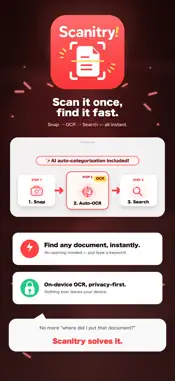
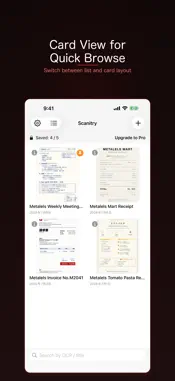
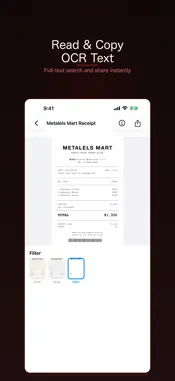
Scanitry automatically detects documents in photos and turns them into scanner-quality images, right on your device. OCR text recognition, automatic categorization, and AI summaries all run locally. Type a word and find any document instantly, from receipts to invoices. EASY SCANNING Automatically detects the four corners and corrects the perspective. When detection is off, fine-tune the corners by hand. Color, grayscale, and black & white filters give your scans a crisp, scanned look. TEXT RECOGNITION (OCR) Recognizes Japanese and English text with high accuracy. Copy the text and reuse it in other apps. * OCR is OFF by default to save processing time and battery. Turn it on in Settings to auto-transcribe on save. ORGANIZE WITH CATEGORIES Sort documents into categories and search across OCR text and titles. On supported devices, on-device AI can auto-categorize documents from their OCR text (OFF by default — enable in Settings to use). SHARE & EXPORT Export and share your scans as a PDF (Pro). PRIVACY Everything runs on device. Your scanned documents are never sent anywhere. The free version stores up to 5 documents. Upgrade to Pro for unlimited documents and PDF export.
What's New
Version 1.0.3 2026-10-26
Minor bug fixes. Technical Analysis
Package Overview Basic metadata
Bundle ID
dev.metalels.Scanitry Current Version 1.0.3
Minimum iOS 18.0
Package Size App Store Size
Package Metadata 0 / 0 version records
Detailed binary, privacy manifest, framework, and Info.plist results have not been indexed for this package yet. The verified App Store and archive metadata above remains available.
Known Version Records
0 version records with stored package metadata
Stored metadata does not guarantee a package is currently available to download.
| Details | Version / IDs | Version date | Action |
|---|