Preview


Description
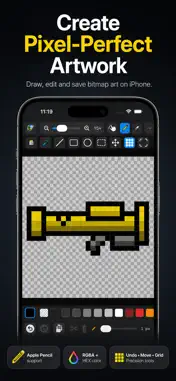
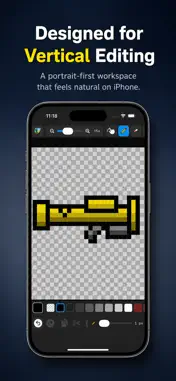
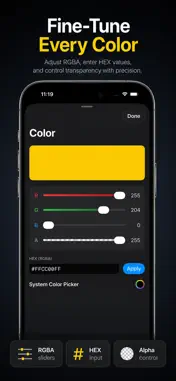
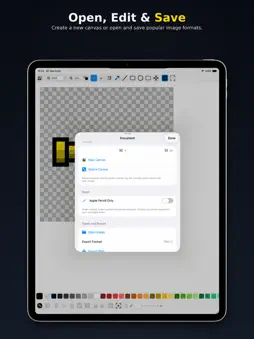
Pixel Paint Pro is a focused pixel art and bitmap editor for iPhone, iPad and Mac. Create sprites, icons, game assets and small illustrations with precise pixel-level control. Start with a blank canvas or open an existing image, edit it and save your changes in a popular image format. PRECISION TOOLS • Pencil, eraser, fill and eyedropper • Line, rectangle and ellipse tools • Adjustable brush size • Pixel-perfect zoom and optional grid • Crisp nearest-neighbor canvas rendering SELECTION AND TRANSFORM • Select, move, cut, copy, paste and delete • Move selected content partially outside the canvas • Apply only the portion that remains inside the canvas • Rotate left or right • Flip horizontally or vertically • Select all and deselect COLOR CONTROL • Expanded color palette • Individual red, green, blue and alpha controls • HEX color input • Transparency support • Checkerboard transparency preview APPLE PENCIL AND NAVIGATION On supported iPad models, Apple Pencil mode separates drawing from navigation. Draw and edit with Apple Pencil while using your fingers to pan and navigate around the canvas. The Hand tool also provides dedicated canvas navigation without modifying your artwork. OPEN, EDIT AND SAVE Open existing image files, edit them directly and save your changes. Pixel Paint Pro supports popular bitmap formats including: • PNG • JPEG • GIF • BMP • ICO WORK FASTER Use keyboard shortcuts with a connected keyboard on iPhone, iPad and Mac. Quickly switch tools, undo or redo changes, manage selections, adjust zoom and perform common editing actions. Whether you are creating retro game graphics, refining a sprite, designing an icon or editing a bitmap image, Pixel Paint Pro keeps the canvas clear and the tools within reach.
Technical Analysis
Package Overview Basic metadata
Bundle ID
com.mck.Pixel-Paint-Pro Current Version 1.0
Minimum iOS 26.0
Package Size App Store Size
Package Metadata 0 / 0 version records
Detailed binary, privacy manifest, framework, and Info.plist results have not been indexed for this package yet. The verified App Store and archive metadata above remains available.
Known Version Records
0 version records with stored package metadata
Stored metadata does not guarantee a package is currently available to download.
| Details | Version / IDs | Version date | Action |
|---|