Preview


Description
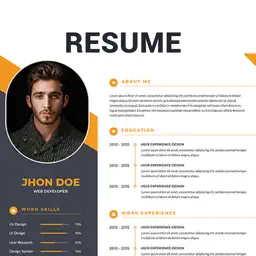
Turn your education, skills and work history into a clear application document. Resume Generator helps you build a CV, save it as a PDF and prepare the writing, practice and follow-up tasks that come with a job search. A layout for your background Browse modern and classic resume templates, then fill in the sections supported by your chosen design. Enter contact information, a job title and a professional summary. Add qualifications, employment history, projects, skills, awards, references, languages or hobbies as appropriate. Repeated entries let you describe several roles or courses within one profile. Add a photo when your application calls for one, crop it in the editor and draw a signature on screen. Sample summary and declaration text can help you get started. Adjust every sample to represent your own experience and the requirements of the role. Keep your work ready to update Save a named profile locally and return to it as you gain experience. Use Save As to keep another profile for a different application. Choose the available sections for the generated document and export an A4 PDF. Save the file on your device or use the sharing options available on your system to send it to another app or contact. Understand a job description Career Tools gives you a place to work through pasted resume text and job requirements. The ATS Score tool compares keywords and checks for contact details, summary, experience and skills. It identifies missing terms and suggests stronger evidence, action words and measurable outcomes. This is a rule-based preparation check. Its score does not represent a particular employer's applicant tracking system or guarantee a hiring result. Use the feedback to review your wording and add relevant skills only when they accurately describe you. Job Analyzer extracts useful terms, responsibilities and experience clues from a job post. Tailor Resume offers section-level editing guidance. Bullet Improver supplies achievement-style sentence patterns with placeholders for your real results, so you can move from duties to specific evidence. Write the next message Create cover letter drafts for a role and company, with options for different tones and shorter messages. Prepare application follow-ups, interview thank-you messages, recruiter introductions or withdrawal notes. Draft a professional headline and about section and copy the output for further editing. Online AI-assisted writing is also available in the resume editor for summaries, declarations and cover letters. It requires an internet connection and an available service. Check the facts and personalize the wording before including any suggestion in an application. Rehearse and stay organized Review interview prompts and answer frameworks. In Direct Interview, record a spoken response, listen back, retry and save the session. Recording requires microphone permission. Practice includes introductions, HR questions and prompts for freshers and experienced applicants. Record job applications with a company, role, status, date and notes. Set one-time or repeating reminders and allow notifications to receive alerts. Use a career goal plan and daily checklist to plan your next preparation step. Whether you are writing your first CV or refreshing an established work history, keep the details, supporting messages and practice together as you prepare to apply. Terms of Use https://www.apple.com/legal/internet-services/itunes/dev/stdeula/
What's New
Version 3.9 2026-10-14
Fixed issues affecting multiple resume templates. Fixed issues with saving resumes. Technical Analysis
Package Overview Basic metadata
Bundle ID
resume.generator.cv Current Version 3.9
Minimum iOS 15.0
Package Size App Store Size
Package Metadata 1 / 4 version records
Detailed binary, privacy manifest, framework, and Info.plist results have not been indexed for this package yet. The verified App Store and archive metadata above remains available.
Developer Information
Known Version Records
1 version record with stored package metadata • 4 known version records
Stored metadata does not guarantee a package is currently available to download.
| Details | Version / IDs | Version date | Action |
|---|---|---|---|
| 39.81 MB | v3.3 App Store ID: 875191148Build: 3.3 | 2026-04-24 09:05:46 | Get Version |
| Not archived | App Store ID: 867756573 | Unknown | Request Version |
| Not archived | App Store ID: 860549237 | Unknown | Request Version |
| Not archived | App Store ID: 855614147 | Unknown | Request Version |