Preview






Description
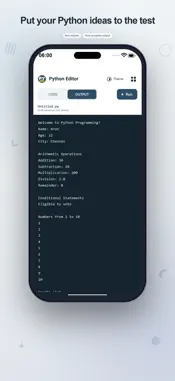
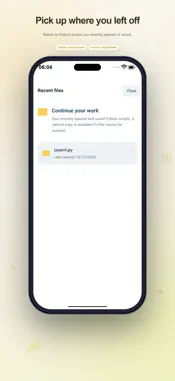
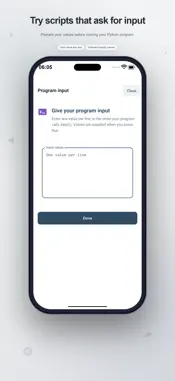
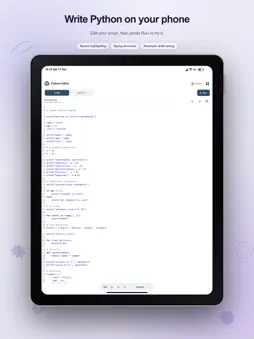
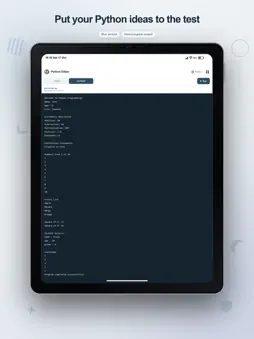
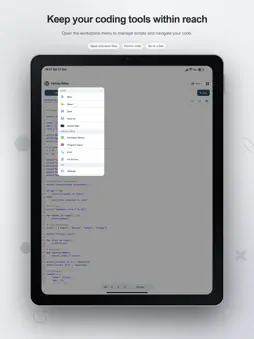
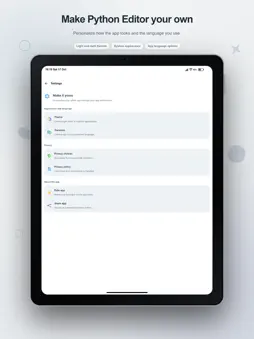
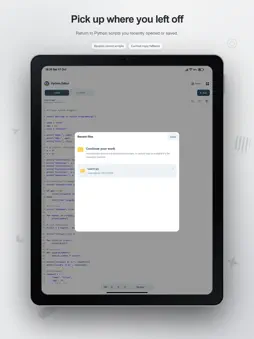
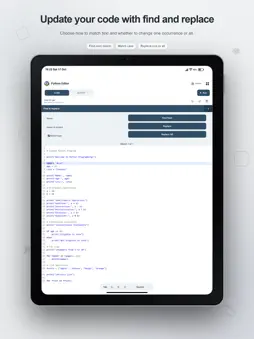
Turn a short coding idea into an editable script with Python Editor. Write your program, supply input values when needed, and review the results in a separate Output view. It is a practical workspace for students, people learning programming, and developers experimenting with small pieces of Python code. A clear place to write The editor combines Python syntax highlighting with line numbers, word wrapping, and an active-line highlight. Bracket matching and automatic bracket closing support everyday typing. A dedicated shortcut row provides indentation, parentheses, brackets, braces, single and double quotes, and a colon, so common code characters are close to your work. Undo and redo let you revisit changes. When a script grows, use Find to search the source, move to the next match, or replace text. Replace All handles repeated edits, while Match Case narrows searches where letter case matters. Go to line takes you to a chosen line without manually scrolling through the entire script. Experiment, then read the result Tap Run to execute your current script through an online service. The app opens Output and displays the returned text. Move back to Code to revise a statement and try another run. You can use this cycle to explore expressions, trace a loop, or inspect the result of a function call. Prepare input before execution Programs that call input() can receive values from the Program input panel. Enter each value on its own line in the order requested by the script. The app supplies those values when you press Run, rather than asking you to type into a live terminal. Your source stays separate from the input you are testing. Learn from working starting points Choose from eight built-in examples: text and variables, adding two numbers, user input, conditional statements, loops, lists, functions, and dictionaries. Each opens as editable code. Try a different number, change the contents of a collection, or adjust a function before running it. Sample input is included with the input example. Save work you want to keep Create a script and save it as a .py file. Save updates the current file, and Save As creates another named copy. Browse scripts saved in the app's Documents area and use Recent files to return to work you previously opened or saved. The current filename remains visible in the workspace. Recent entries retain cached source. If an original file is unavailable, the app offers to open the cached copy, which you can save again under a new name. Up to ten recent entries are retained locally. A draft for your next session Python Editor automatically stores the current source and program input on the device and restores the draft when you reopen the workspace. It also asks before replacing edited code that has not been saved. Draft storage helps you resume a session; saving a named file remains the way to keep a separate script. Recovery depends on available local storage. An appearance that suits your session Choose light, dark, or system appearance and select an interface language from Settings. You can also open the privacy policy and review advertising privacy choices when a form is available. Running code requires an internet connection and sends your script and supplied input to a remote execution service. Execution is online, not a local Python runtime. The app contains advertising. Bring a small idea, start from an example or your own file, and build understanding by changing code and reading its output.
What's New
Version 2.4 2026-10-18
Design updated Python compailer re-designed Technical Analysis
Package Overview Basic metadata
Bundle ID
python.editor Current Version 2.4
Minimum iOS 15.0
Package Size App Store Size
Package Metadata 1 / 3 version records
Detailed binary, privacy-manifest, framework, and Info.plist results have not been indexed for this package yet. The verified App Store and archive metadata above remains available.
Developer Information
Known Version Records
1 version record with stored package metadata • 3 known version records
Stored metadata does not guarantee a package is currently available to download.
| Details | Version / IDs | Version date | Action |
|---|---|---|---|
 6.58 MB | v1.6 App Store ID: 862701697Build: 1.6 | 2024-01-04 22:01:06 | Get Version |
| Not archived | App Store ID: 860599603 | Unknown | Request Version |
| Not archived | App Store ID: 846480410 | Unknown | Request Version |
Sources and limitations
This page combines App Store catalog metadata, historical version records, and archived package scans where available. Ratings are from the App Store, and technical findings are observations rather than certifications. Data freshness, compatibility, availability, and analysis limitations apply.
Stored catalog source: USA App Store storefront. A catalog collection timestamp is not available on this page; displayed metadata is not a live availability, price, or installation check.