Preview








Description
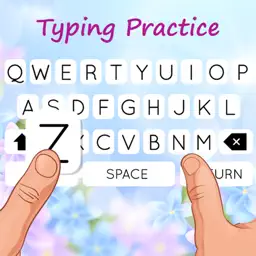
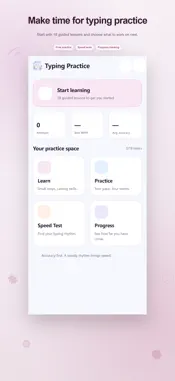
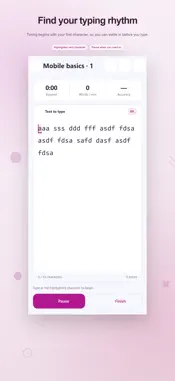
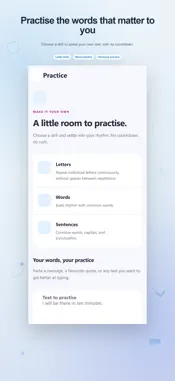
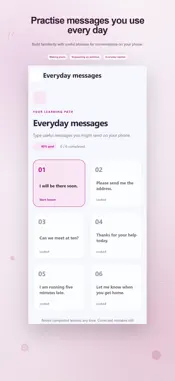
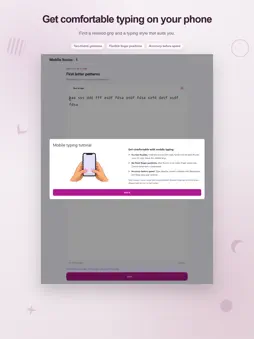
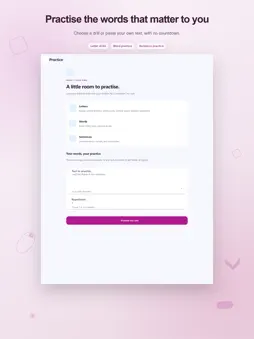
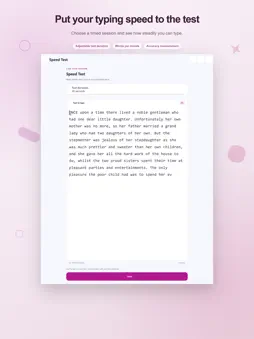
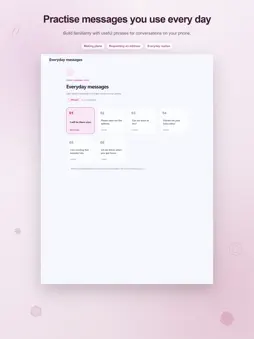
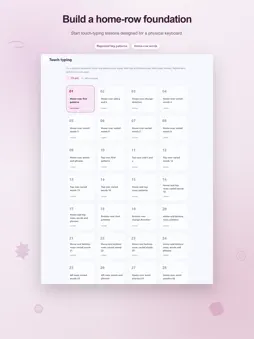
Make time for a little typing practice. Keyboard Typing Practice combines guided lessons, personal practice passages, and timed tests so you can work on accurate input and see how each attempt went. Begin with the fundamentals or go straight to text you want to rehearse. A clear starting point The Learn section offers Mobile basics, Capitalization, Punctuation, Everyday messages, and Corrections. Its 18 basics exercises move from repeated letters to word groups, phrases, and mixed reviews. A 95% accuracy goal helps keep that first course focused on careful typing rather than rushing through it. Each course shows completed exercises and the next available lesson. Revisit an earlier lesson whenever you need another pass. Continue learning on the home screen opens your saved exercise position, while the basics counter shows how much of the introductory course you have completed. Room for different keyboards Mobile typing guidance illustrates a two-thumb approach and explains alternatives such as using one thumb or an index finger. Optional number and symbol exercises help you find characters on different keyboard layers. For a physical keyboard, the 240-exercise Touch typing course and dedicated row drills offer another way to practise. Your text, your pace Choose letters, words, or sentences in Practice for sessions without a countdown. Where repetition options are available, select a short, standard, or extended drill. You can also enter or paste your own text, choose 1 to 10 repetitions, and start a custom exercise. The text field accepts up to 2,000 characters, with a 10,000-character limit for the full repeated passage. As you type, a highlighted position guides you through the target. Green and red feedback distinguish correct characters from errors. You can correct a mistake with Backspace, but that error remains part of your accuracy calculation. Pause when you need to stop, resume the same attempt, or reset it for a fresh start. A measured speed check Speed Test offers 30, 60, and 120 second durations. Read the passage before starting: the clock begins with your first character. Follow live WPM, accuracy, and remaining time. Test input is intended for manual typing, with pasting disabled. The results display elapsed time, correct characters, errors, accuracy, and words per minute. WPM is calculated using five correct characters per word. Finish the full timed test to make it available for completed-test comparisons in Progress. Useful feedback after each attempt Up to 100 recent attempts are saved locally on this device. Open Progress to see the passage, date, elapsed time, WPM, accuracy, and errors for saved sessions. Retry a passage directly from its result card. Completed tests of the same duration can be compared to show the change between your latest comparable attempts. Repeatedly missed characters appear in the focus section, where you can start a drill using those characters. The home summary also shows your saved attempt count, best completed-test WPM, and average accuracy from recent attempts. Set the appearance to light, dark, or follow the system. Lessons and results are stored locally; advertising and external services may need an internet connection. The app includes advertising, with optional subscriptions for removing ads. Terms of Use https://www.apple.com/legal/internet-services/itunes/dev/stdeula/
What's New
Version 2.5 2026-11-04
Bug fixes and improvement Whole design changed Many tutorials added Technical Analysis
Package Overview Basic metadata
Bundle ID
typing.practice.speedtest Current Version 2.5
Minimum iOS 15.0
Package Size App Store Size
Package Metadata 1 / 2 version records
Detailed binary, privacy manifest, framework, and Info.plist results have not been indexed for this package yet. The verified App Store and archive metadata above remains available.
Developer Information
Known Version Records
1 version record with stored package metadata • 2 known version records
Stored metadata does not guarantee a package is currently available to download.
| Details | Version / IDs | Version date | Action |
|---|---|---|---|
| 16.07 MB | v1.3 App Store ID: 862830115Build: 1.3 | 2024-01-11 14:00:13 | Get Version |
| Not archived | App Store ID: 859906034 | Unknown | Request Version |