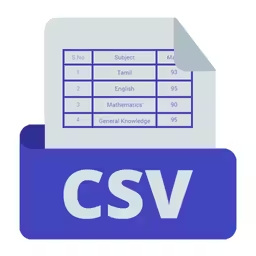
Preview







Description
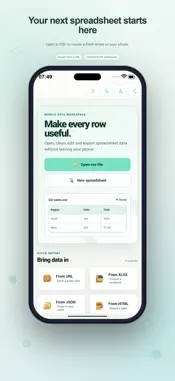
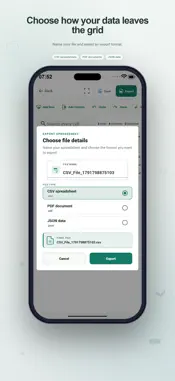
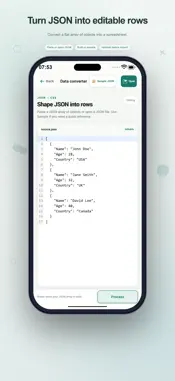
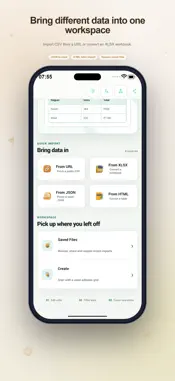
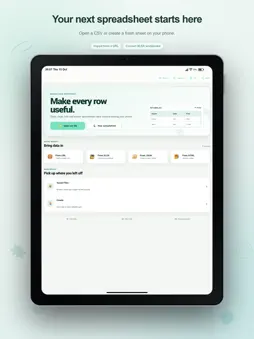
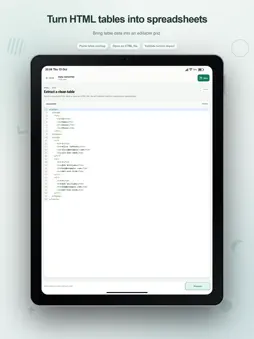
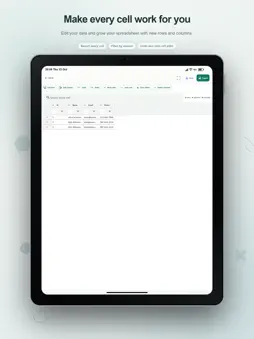
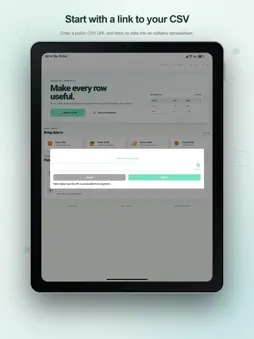
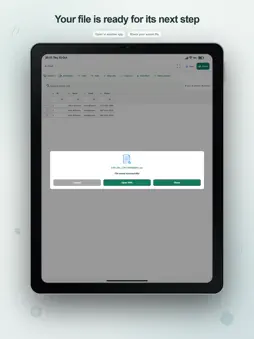
Turn a CSV attachment or a table of records into something you can read and edit on your device. CSV Viewer brings file import, a practical spreadsheet grid, and CSV, PDF, and JSON export into one workspace for everyday data tasks. Begin with the information you already have Open a local CSV, start an empty spreadsheet, or import the first sheet of an XLS or XLSX workbook. If your data is structured text, open the JSON or HTML workspace: paste an array of objects or table markup, check it, then process it into a table. A JSON sample provides a reference for the supported input shape. You can also retrieve a CSV from a publicly accessible direct link ending in .csv. This option needs an internet connection and is useful when a dataset is published as a downloadable file. Make small corrections without rebuilding the table Tap into a cell and change its text. Add a row for another record or create a named column for a new field. Column headings can be renamed, and selected rows can be deleted when they are no longer needed. Undo and redo recent cell changes as you work through corrections. For example, bring in a stock list, update a few quantities, add a column for notes, and save the revised CSV. Or start a blank table for a class exercise, enter your own headings and records, and export it when it is ready. Review a focused view of your records Search across cells to find matching values. Sort by a column or apply column filters to inspect a narrower set of records. A clear-filters command brings the table back into view. Row numbers and counts for rows, columns, and selected records help you understand the workspace at a glance. Adjust the reading space Resize columns yourself or use Auto-size to fit their content. Cell wrapping makes longer text easier to read on tables with up to 10,000 rows. Full-screen focus mode gives the grid additional room, and you can choose a light theme, a dark theme, or the system appearance. Choose the output for the job Save your CSV edits or open Export to name a new file and choose CSV, PDF, or JSON. The export dialog previews the file name with its extension before you continue. CSV keeps the result in a tabular text format for later editing. PDF creates a document from the currently filtered and sorted rows. JSON gives you a structured representation for a data workflow. Keep track of the files you produce The library has separate areas for saved files and downloads. Search for a name, then sort by newest, name, or type to find the item you need. Reopen a saved CSV to carry on editing, use the share action to send a file through an available app, or delete a file you no longer need. Each entry shows its file type and saved date. CSV Viewer suits people working with lists, small business records, classroom data, and exported tables. Its editing tools operate on device data, while URL retrieval uses the network. The home screen also offers a language chooser for the interface. Import a source, inspect the rows, make your changes, and keep the result in the format your next task needs. Terms of Use https://www.apple.com/legal/internet-services/itunes/dev/stdeula/
What's New
Version 2.8 2026-10-20
Fresh new design throughout the app. Improved core functionality for a smoother experience. Added many new options and features. Fixed bugs and improved overall... Technical Analysis
Package Overview Basic metadata
Bundle ID
com.csv.file.reader Current Version 2.8
Minimum iOS 15.0
Package Size App Store Size
Package Metadata 1 / 3 version records
Detailed binary, privacy manifest, framework, and Info.plist results have not been indexed for this package yet. The verified App Store and archive metadata above remains available.
Developer Information
Known Version Records
1 version record with stored package metadata • 3 known version records
Stored metadata does not guarantee a package is currently available to download.
| Details | Version / IDs | Version date | Action |
|---|---|---|---|
 6.64 MB | v1.8 App Store ID: 862764511Build: 1.8 | 2024-01-08 21:41:44 | Get Version |
| Not archived | App Store ID: 861447634 | Unknown | Request Version |
| Not archived | App Store ID: 856571142 | Unknown | Request Version |