
Preview




Description
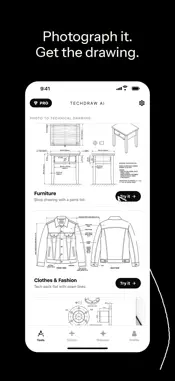
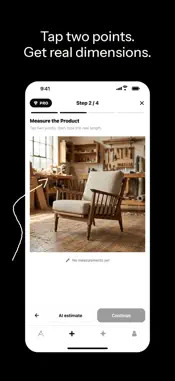
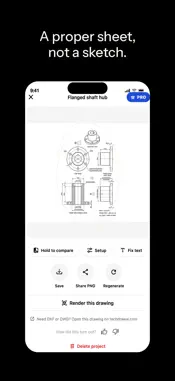
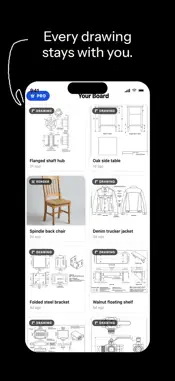
Turn a photo into a technical drawing. Point your phone at a product, measure it on screen, and TechDraw AI drafts a dimensioned 2D technical drawing on a proper ISO or ANSI sheet: front, top, side and isometric views, a filled in title block, and the callouts your trade actually needs. SIX KINDS OF DRAWING, EACH SET UP FOR THE JOB Furniture. Photograph a table, cabinet or chair and get a shop drawing the bench can build from, with joinery detail at the joints and a parts list. Clothes and Fashion. Lay the garment flat, shoot it, and get a technical flat ready for a tech pack, with seam lines and callouts at the standard points of measure. Machine Parts. One caliper measurement anchors the scale, and the drawing comes back with tolerance callouts, hole diameters and surface finish symbols. Sheet Metal. Brackets, panels and enclosures drawn with material thickness, bend lines, bend direction and a flat pattern showing the developed length. Woodworking. Shelves, jigs and projects with a cut size for every part, a cut list, and small parts printable at 1:1 as a template. 3D Printing. Dimension a printed part to check it, remake it in CAD, or document the design, with wall thickness and mating clearances called out. MEASURE ON THE PHOTO Drag a line across any edge and type its real size. One known dimension sets the scale for the whole drawing, so everything else comes back proportionally correct. The measurements are burned into the image the model sees, and that is what makes the numbers real rather than guessed. Add up to three photos of the same object from different angles for a more precise drawing. MORE THAN DRAWINGS Text to drawing. Describe a part and its sizes in a sentence and get a dimensioned drawing, no photo needed. Ask AI to edit. Say what to change, like "make the hole 12 mm", and the drawing is updated as a new version. Drawing to photo. Turn a technical drawing back into a photoreal product image, same geometry, real materials. EXPORT AND SHARE Full resolution PNG and a true size PDF you can print. With Pro, export the whole sheet as DXF, DWG or SVG for AutoCAD, Fusion, SolidWorks, Illustrator or a laser cutter. Save to your photo library or share straight from the app. FIX A WRONG NUMBER WITHOUT STARTING OVER Tap any dimension text that came back wrong and type the right one. The fix is saved as a new version, and the original stays there if you want it back. WORKS IN YOUR LANGUAGE English, German, French, Spanish, Italian, Dutch, Czech and Slovak. NO ACCOUNT, NO SIGN UP There is no login. Open the app and make a drawing. Nothing to remember, nothing to verify. TECHDRAW AI PRO A weekly allowance of drawings and renders. Sheets without a watermark, full resolution PNG and a PDF you can print at true size, DXF, DWG and SVG export, and priority rendering when the queue is busy. Subscription name: TechDraw AI Pro Subscription length: 1 week, auto-renewable Price: €9.99 per week, after a 3 day free trial Payment will be charged to your Apple ID account at confirmation of purchase. The subscription renews automatically unless it is cancelled at least 24 hours before the end of the current period. Your account will be charged for renewal within 24 hours prior to the end of the current period. You can manage or cancel your subscription in your App Store account settings at any time. Any unused portion of a free trial period is forfeited when you purchase a subscription. Privacy Policy: https://www.techdrawai.com/privacy Terms of Use (EULA): https://www.apple.com/legal/internet-services/itunes/dev/stdeula/
What's New
Version 1.2.5 2026-10-30
Made for iPhone Duo: TechDraw AI now uses the whole of both displays. Unfolded, Tools shows two cards side by side, and Discover and your board show three drawi... Technical Analysis
Package Overview Basic metadata
Bundle ID
com.techdrawai.mobile Current Version 1.2.5
Minimum iOS 16.4
Package Size App Store Size
Package Metadata 0 / 0 version records
Detailed binary, privacy manifest, framework, and Info.plist results have not been indexed for this package yet. The verified App Store and archive metadata above remains available.
Developer Information
Known Version Records
0 version records with stored package metadata
Stored metadata does not guarantee a package is currently available to download.
| Details | Version / IDs | Version date | Action |
|---|