
Preview








Description
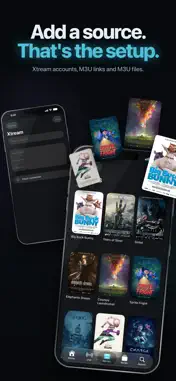
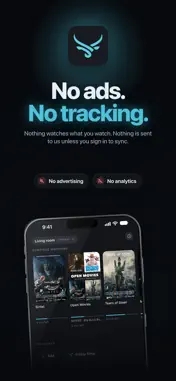
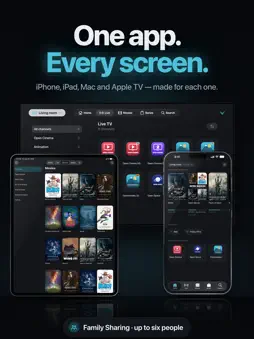
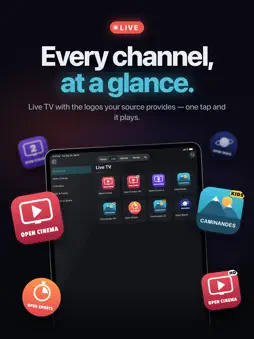
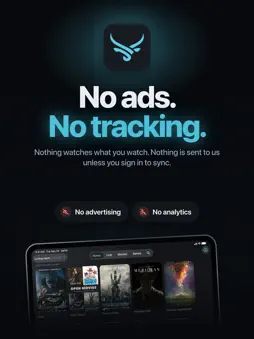
The IPTV player that just works. Bring the Xtream account or M3U playlist you already have, and OxTV plays it on your iPhone, iPad, Mac and Apple TV. Everything plays through Apple’s own player, so AirPlay, Picture in Picture and the lock screen simply work. OxTV comes with no channels, no playlists and no content of any kind. You add a source of your own, and OxTV plays what is at it. APPLE’S OWN PLAYER • AirPlay to your TV or speakers • Picture in Picture on iPhone, iPad and Apple TV • A mini player on iPhone, iPad and Mac: pull the picture down and keep browsing • Playback controls on the lock screen, and sound that carries on in the background • Audio tracks and subtitles, switchable while it plays • When a stream arrives in a format Apple’s player won’t take, OxTV converts it on your device instead of swapping in a player of its own — so all of the above keeps working EVERYTHING IN ITS PLACE • Home, Live, Movies, Series and Search: the same five places on every device • Channel logos, posters, seasons and episodes, as your source provides them • Continue Watching keeps your place in films and series • Series remember which episodes you’ve seen • Your own playlists, in the order you choose • Search that ignores accents and capitals • A TV guide for live channels, when your source publishes one • Xtream accounts, M3U links and M3U files — add as many sources as you like, with one open at a time so two catalogues never mix SYNC, IF YOU WANT IT Sign in with your email and a six-digit code — there’s no password to invent — and your sources with their logins, your playlists and where you left off follow you to every device. Pause on your iPhone, carry on from the Apple TV. Nobody types a password with a TV remote. Skip it, and everything stays on the device. HIDE WHAT ISN’T FOR EVERYONE Give a source a PIN and hide any category, channel, film, series or playlist. What you hide is gone from every screen in the app — and, when you’re signed in, from your other devices too. MADE FOR EACH DEVICE • iPhone: double-tap to skip, hold for double speed • iPad: channels, posters and categories side by side • Mac: menu-bar commands, keyboard shortcuts, and a player you can pull into the corner of the window • Apple TV: built for the remote, with channel up and down in the player NO ADS. NO TRACKING. No advertising, no analytics, nothing that watches what you watch. Nothing is sent to us unless you sign in to sync. ONE SUBSCRIPTION Subscribe yearly, starting with a 7-day introductory offer, or monthly. One subscription covers iPhone, iPad, Mac and Apple TV, and Family Sharing includes up to five more people. Payment is charged to your Apple Account. The subscription renews automatically unless cancelled at least 24 hours before the end of the current period; manage or cancel it in your Apple Account settings. Terms of Use: https://oxtv.app/terms Privacy Policy: https://oxtv.app/privacy The films in the screenshots are open works, shown under their licences: the Blender Foundation’s open movies (CC BY, blender.org) and Meridian (© 2016 Netflix, Inc., CC BY 4.0).
Technical Analysis
Package Overview Basic metadata
Bundle ID
com.avornalabs.oxtv Current Version 1.0
Minimum iOS 18.0
Package Size App Store Size
Package Metadata 0 / 0 version records
Detailed binary, privacy manifest, framework, and Info.plist results have not been indexed for this package yet. The verified App Store and archive metadata above remains available.
Developer Information
Known Version Records
0 version records with stored package metadata
Stored metadata does not guarantee a package is currently available to download.
| Details | Version / IDs | Version date | Action |
|---|