
Preview



Description
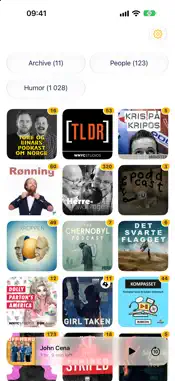
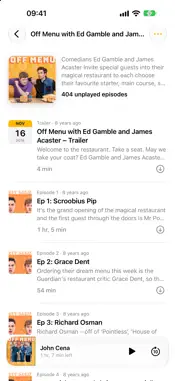
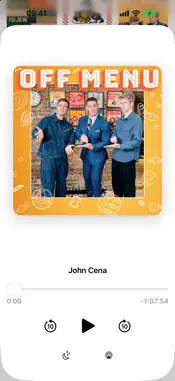
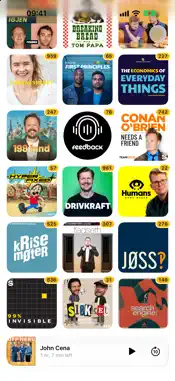
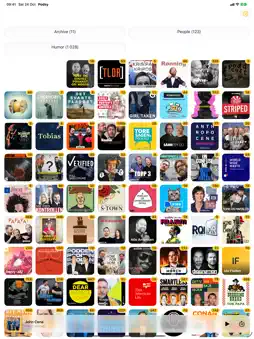
Podsy keeps what you haven't heard close to your thumb. Your shows and the people you follow sit together on one page as covers, the newest at the bottom where your thumb is, each with a badge for how many episodes are left. Shows you've caught up on step aside into the Archive and come back with their next episode. IN THE CAR Podsy is on CarPlay with your shows and your categories, and it plays on from where you left off. FIND ANY SHOW Search Apple Podcasts and Podcast Index at once, or paste a feed or a show's website. Search as you type, with shows first and episodes below. FOLLOW PEOPLE Add a name and Podsy finds the episodes where that person is a guest or is talked about, on any show. Add other spellings, like a nickname, and mute a show that only means someone else with the same name. YOUR OWN CATEGORIES Put shows and people in categories like Comedy or News. They move off the front page to their own button at the top, with a count of what's waiting. LISTEN YOUR WAY • Tap an episode to play it, swipe to archive it • The mini player shows how long is left, and a tap on it plays • Press and hold an episode for its full description • Mark a whole show as played • Skip intros and outros, show by show • Auto skip episodes whose titles contain words you choose • When an episode ends, the show's next one plays • Sleep timer that fades out, with Turn off, End of episode and + 5 minutes • AirPlay and 10-second skips • Download for offline listening, a whole show's unplayed episodes in one tap, or just the new ones; files are removed once played • Notifications open the show they're about AND MORE • A widget with how many episodes you have left, in light and dark • Import your shows from other podcast apps, with your listening history when the app exports it • Export your shows with their categories and what you've played • Syncs between iPhone and iPad through your iCloud No accounts, no ads, no tracking.
What's New
Version 2.4 2026-11-17
See how far into an episode you are, and put your playlist in order. • A thin yellow line along the bottom of the mini player shows how far into the episode yo...See how far into an episode you are, and put your playlist in order. • A thin yellow line along the bottom of the mini player shows how far into the episode you are • In the playlist under the player, press and hold an episode to drag it up or down Technical Analysis
Package Overview Basic metadata
Bundle ID
com.olamedvind.podsy Current Version 2.4
Minimum iOS 26.1
Package Size App Store Size
Package Metadata 0 / 0 version records
Detailed binary, privacy manifest, framework, and Info.plist results have not been indexed for this package yet. The verified App Store and archive metadata above remains available.
Developer Information
Known Version Records
0 version records with stored package metadata
Stored metadata does not guarantee a package is currently available to download.
| Details | Version / IDs | Version date | Action |
|---|