
Preview
Description
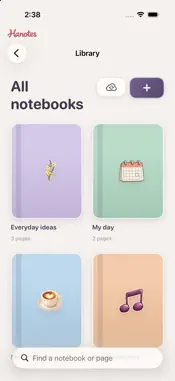
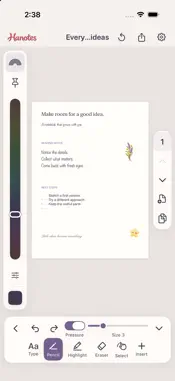
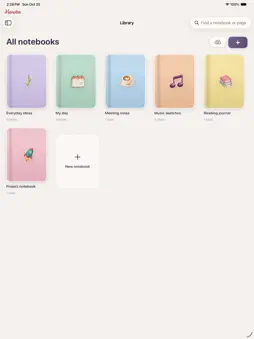
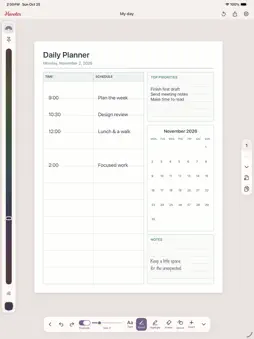
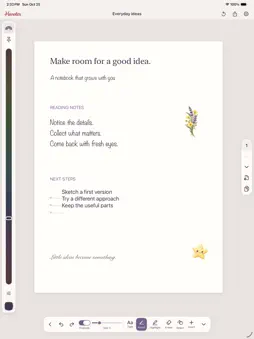
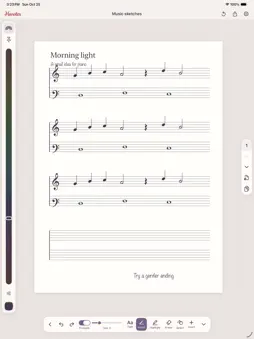
Write, sketch, plan, and keep your ideas together with Hanotes for iPad and iPhone. MAKE EVERY NOTE YOURS Write and draw with Apple Pencil or your finger, add typed text, and choose from six font styles. Use Pencil, a translucent highlighter, or an eraser. Toggle pressure sensitivity, pick any color, and zoom or rotate your page with gestures. NOTEBOOKS THAT FIT YOUR LIFE Organize notebooks in folders, design covers with drawings and stickers, and flip between pages using the page grid. Choose blank, lined, grid, dot, decorative, organizer, or music paper. Standard sheets, index cards, landscape pages, and custom sizes are supported. PLAN WITH FLEXIBLE LAYOUTS Start with daily or weekly planners, calendars, meeting notes, Cornell notes, habit trackers, budgets, and more. Update dates after creation, follow the current date, or choose a fixed date. Edit headings and columns, move and resize sections, and save custom layouts to use again. STICKERS, STAMPS, AND MUSIC Browse a collection for notes, to-do lists, planning, school, and decoration. Favorite items or pin shortcuts for quick placement. Draw your own reusable stickers, or customize an existing design. Music paper includes manuscript, piano, guitar tablature, and configurable staff layouts, plus a searchable library of notation symbols. STICKY NOTES THAT STAY CONNECTED Arrange colored sticky notes on boards and combine typing with drawing. Add a board sticky to a notebook page and keep its text and drawings linked across both places. QUICK NOTES THAT LINK TO YOUR PAGES Create typed Quick Notes with titles, formatting, lists and checklists. Attach a note to a workbook page as a linked card; later edits update its attachments. IMPORT AND SCAN DOCUMENTS Import PDFs or images as workbook pages and write, highlight or add objects over them. Scan paper documents with the in-app document camera, then review and add the pages. Export Word or Pages documents as PDF before importing. CALENDAR AND REMINDERS Review dates found in typed notes before adding Calendar events or Reminders tasks. Copy selected Calendar events or incomplete Reminders into Quick Notes or workbook pages. Access is requested when you choose these features. Date suggestions do not recognize handwriting or scanned text. KEEP AND SHARE YOUR WORK Notes stay available offline. Optional private iCloud sync is on by default and can be switched off in Settings. Share pages as PDF or images, share notebooks as PDF, and print through the system print options. No studio account is required. Apple Pencil requires a compatible iPad. iCloud syncing requires an Apple Account and iCloud availability. Music tools provide notation and paper, without score playback or automatic music transcription.
What's New
Version 1.1 2026-11-01
• Added typed Quick Notes with formatting, lists and checklists, plus linked workbook attachments that update as you edit. • Import PDFs and images as workbook ...• Added typed Quick Notes with formatting, lists and checklists, plus linked workbook attachments that update as you edit. • Import PDFs and images as workbook pages and write over them. • Scan paper documents directly inside a workbook. • Review typed dates to add Calendar events or Reminders, and import selected items into notes and pages. • Restored Favorite colors beside Hue and Shortcuts. • Fixed the handwriting-size change after lifting the pen with Pressure Off. Technical Analysis
Package Overview Basic metadata
Bundle ID
com.mediocregs.hanotes Current Version 1.1
Minimum iOS 17.0
Package Size App Store Size
Package Metadata 0 / 0 version records
Detailed binary, privacy manifest, framework, and Info.plist results have not been indexed for this package yet. The verified App Store and archive metadata above remains available.
Developer Information
Known Version Records
0 version records with stored package metadata
Stored metadata does not guarantee a package is currently available to download.
| Details | Version / IDs | Version date | Action |
|---|