
Preview





Description
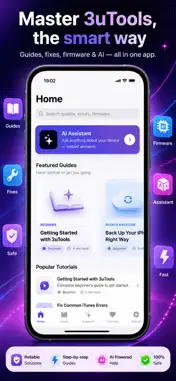
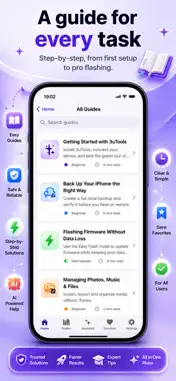
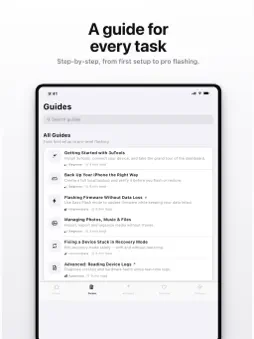
3uTools Guide is your friendly, step-by-step companion for getting the most out of your iPhone, iPad, and iOS device management — explained in plain English. Whether you're flashing firmware for the first time, backing up precious data, or trying to rescue a device stuck in recovery mode, this app walks you through every step with clear, beginner-friendly tutorials and pro-level deep dives. WHAT'S INSIDE • Step-by-Step Guides Curated tutorials organized by skill level and topic — Beginner, Advanced, Backup & Restore, Flashing, Device Management, and Troubleshooting. Start with the essentials or jump straight to power-user workflows. • Fix Common Problems Fast Stuck on Error 4013, 4014, 3194, Error 9, Error 53, or "device not trusted"? Our troubleshooting library decodes the most common error codes and shows you exactly how to fix them. • Firmware & Device References Browse firmware information and device guides so you always know what to flash and how to do it without losing your data. • Built-In AI Assistant Ask anything about device management, firmware, backups, or errors and get instant, easy-to-understand answers — like having an expert in your pocket. • Smart Search & Favorites Find the exact guide you need in seconds, and save your go-to tutorials for quick access later. • Beautiful, Native Design A clean, fast, distraction-free interface built for iOS, with light and dark mode support. POPULAR TOPICS COVERED • Getting started with device management tools • Backing up your iPhone the right way • Flashing firmware without data loss • Managing photos, music, and files • Fixing a device stuck in recovery mode • Reading device logs and diagnostics • Battery health and verification reports • Restoring from a backup PREMIUM Upgrade to Premium for the full experience: • Unlimited AI Assistant questions • Ad-free, distraction-free reading • Advanced flashing & diagnostics tutorials • Exclusive tools, checklists, and firmware references Available as a monthly, yearly, or one-time lifetime purchase. IMPORTANT 3uTools Guide is an independent, unofficial educational guide. It is not affiliated with, endorsed by, or associated with 3uTools or its developers. All trademarks belong to their respective owners. Download 3uTools Guide and master your device the smart way. Privacy policy : https://sites.google.com/view/threeutools-guide/home Terms of Use: https://sites.google.com/view/3utools-guide-terms-of-use/home
What's New
Version 1.6 2026-10-12
Bug fixes and improvements. Technical Analysis
Package Overview Basic metadata
Bundle ID
com.uzzal.threeutoolsguide Current Version 1.6
Minimum iOS 17.6
Package Size App Store Size
Package Metadata 0 / 0 version records
Detailed binary, privacy manifest, framework, and Info.plist results have not been indexed for this package yet. The verified App Store and archive metadata above remains available.
Known Version Records
0 version records with stored package metadata
Stored metadata does not guarantee a package is currently available to download.
| Details | Version / IDs | Version date | Action |
|---|