
Preview










Description
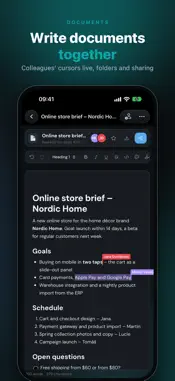
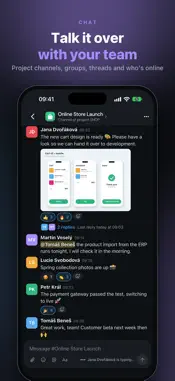
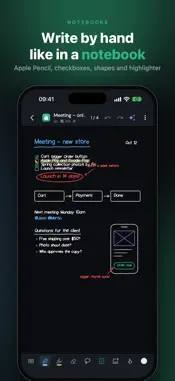
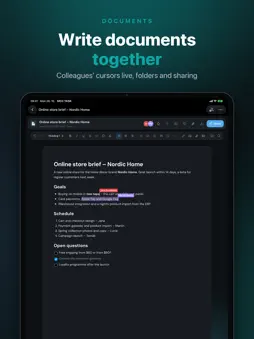
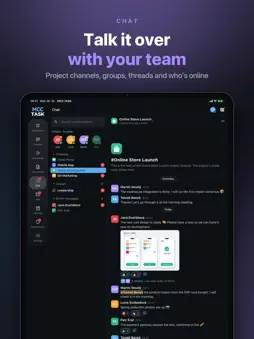
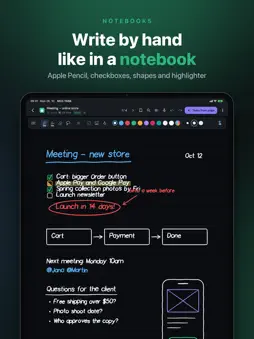
MCC TASK is a fast, clear task and project manager for teams – with a board, documents and spreadsheets, a calendar, mail, reminders, a team chat and handwritten notebooks. Everything that matters from the big tools, without the complexity. DOCUMENTS & SPREADSHEETS • Documents you write together with colleagues at the same time – see their cursors and selections • Spreadsheets with formulas (SUM, averages, percentages), number and currency formats and several sheets • Folders, sharing with a project or selected people, comments and version history • Export to Word, Excel, PDF and Markdown CALENDAR • Day, 3 days, week, month and agenda • Sync with Google and iCloud, CalDAV and ICS subscriptions, plus the calendars on this device • Invitations you can answer, recurring events, task due dates and reminders in one view MAIL & REMINDERS • All your mailboxes in one place – tags, resolved messages, smart mailboxes • Reminders for yourself and colleagues with a "complete by" time – see who has done their part A CHAT FOR THE WHOLE TEAM • A channel for every project, groups with their own icon and direct messages • Threads, emoji reactions, @mentions and formatting • Photos and files up to 20 MB; save photos to your library • See who's online and who's typing, and set your own status • Read messages leave the notifications on your other devices too • Report an inappropriate message, block a user NOTEBOOKS FOR APPLE PENCIL • Write by hand like on a paper pad – pen, highlighter, eraser and scratch-out to erase • Checkboxes on your lines: to do, in progress, done • Switch between pencil and keyboard with one tap • Dark, light or sepia paper – lined, grid, dots, Cornell and more • Lasso to copy, cut and move, handwriting to text and search across notes and handwriting • Voice notes with transcripts; AI suggests project tasks from your notes • Folders with project icons, team sharing and PDF export QUICK CAPTURE • A task in one line, e.g. "SHOP: prepare newsletter by Friday @jana !!" – project, assignee, due date, priority and labels are recognised for you • Dictate by voice – just long-press the + button • A notepad on the home screen for quick notes and ideas PROJECTS & BOARD • Several boards per project, each with its own columns – including boards for selected people or guests from outside • Drag & drop, quick filters: mine, high priority, overdue • Every project at a glance with progress, due dates and project icons TASKS • Rich-text description, attachments, labels, priority, start and due date • Subtasks, checklists, dependencies, recurring tasks and time logging • Comments with @mentions TIMELINE & OVERVIEWS • Timeline with dates, milestones and dependencies • My tasks by due date, weekly summary and time reports NOTIFICATIONS • Push and email when you are assigned, mentioned or someone comments on your task; chat messages as push FOR IPHONE, IPAD AND MAC • The whole board side by side on iPad and Mac, everything one thumb away on iPhone; adjustable display size on Mac • Connect Claude and ChatGPT – create and find tasks right from your AI assistant SECURE • Passwordless sign-in – email code or passkey (Face ID / Touch ID) • Data stored in the EU, no ads, no tracking Create your account right in the app: sign up, set up a workspace for your team and invite colleagues and clients. Every team works in its own separate workspace. We verify new sign-ups, usually within one business day.
What's New
Version 2.4.8 2026-10-31
Fixes and improvements: • the bottom bar in iOS glass is more reliable after returning from another app • tables in reminder reports lay out properly on a phone... Technical Analysis
Package Overview Basic metadata
Bundle ID
com.mccventure.mcctask Current Version 2.4.8
Minimum iOS 15.0
Package Size App Store Size
Package Metadata 0 / 0 version records
Detailed binary, privacy manifest, framework, and Info.plist results have not been indexed for this package yet. The verified App Store and archive metadata above remains available.
Developer Information
Known Version Records
0 version records with stored package metadata
Stored metadata does not guarantee a package is currently available to download.
| Details | Version / IDs | Version date | Action |
|---|