
Preview




Description
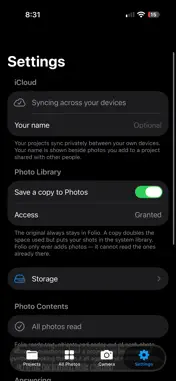
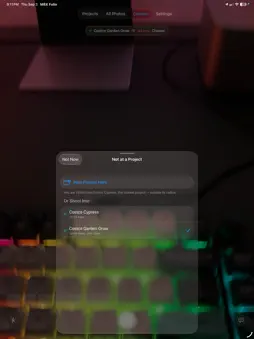
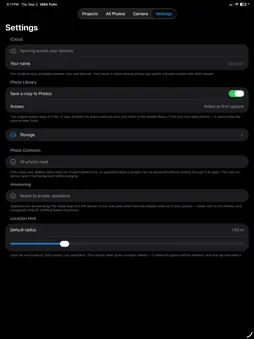
Folio is a camera that files. Every photo you take lands in a project — not in a 3,000-photo camera roll you will scroll through on Monday. It is made for people who photograph work: site visits, inspections, installs, renovations, surveys, before-and-after. FILE AS YOU SHOOT • A project is a folder. Pick one and shoot; every frame goes there. • Give a project a location and the camera recognizes the site when you arrive. The suggestion always names the project and how far away it is, and it is one tap to override. • Standing somewhere no project covers? Folio says so, instead of quietly filing today's work into yesterday's folder, and offers New Project Here. FIND IT LATER • Photos grouped by day, filtered by project. • Folio reads every photo in the background — the text on a label, a meter, a door number, a part tag — along with what is in the frame. • Search matches that text exactly, and matches a description by meaning. ASK A PROJECT A QUESTION • Ask in plain English: "any sign of water damage?", "did we photograph the roof drains?" • The answer comes back with the photos it rests on, so every statement leads to a frame you can open. • It runs on the device. Photos are never uploaded to be analyzed. NOTES, MAPS AND ROUTES • A note on any photo, a color on any project, and a pin on the ones you are working on this week. • A project's photos on a map, and one tap through to Apple Maps for driving directions to the site. YOUR PHOTOS STAY YOURS • No account, no sign-up, no server of ours. • Folio never reads your photo library. It asks only for permission to save a copy of what it takes, and you can turn that off. • Deleting is recoverable: photos are held until you purge them from the storage screen. ICLOUD • Projects sync privately between your own iPhone and iPad through your iCloud account. • Share a project and everyone invited sees its photos and can add their own. • No iCloud account? Everything else works exactly the same. OLDER PHOTOS Photos taken before you had Folio can be added to a project. Their own date and location are kept, never overwritten with today and here. REQUIREMENTS Asking questions about a project needs Apple Intelligence (iPhone 15 Pro or newer, iOS 26). Everything else works on every supported iPhone.
What's New
Version 1.1.2 2026-09-17
fix bugs Technical Analysis
Package Overview Basic metadata
Bundle ID
mbx.MBX-Folio Current Version 1.1.2
Minimum iOS 26.0
Package Size App Store Size
Package Metadata 0 / 0 version records
Detailed binary, privacy manifest, framework, and Info.plist results have not been indexed for this package yet. The verified App Store and archive metadata above remains available.
Known Version Records
0 version records with stored package metadata
Stored metadata does not guarantee a package is currently available to download.
| Details | Version / IDs | Version date | Action |
|---|