Preview




Description
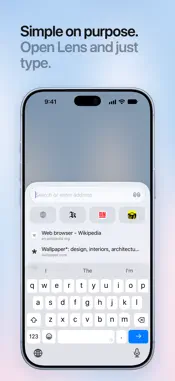
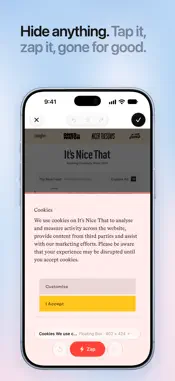
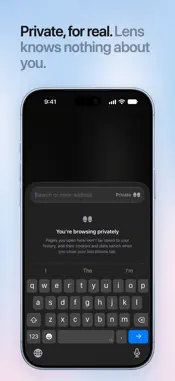
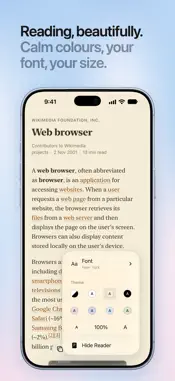
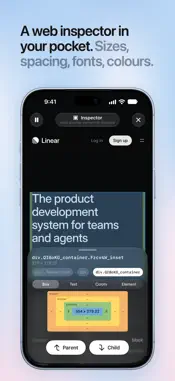
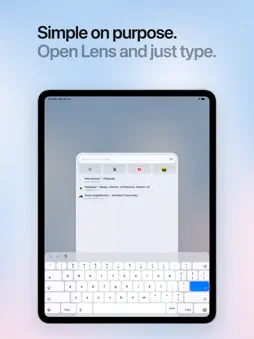
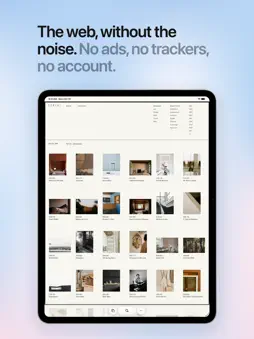
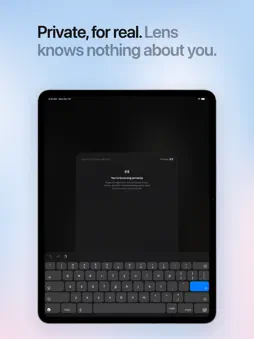
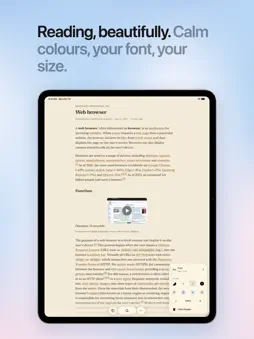
Lens is a web browser that stays out of your way. Open it and type: search comes first, your favourite sites are one tap away, and there's nothing else to learn. No ads, no trackers, no account, and nothing collected about you. Free. SEARCH FIRST • Lens opens straight to search, with your pinned sites one tap away. • Pick your search engine: DuckDuckGo, Brave, Kagi, Ecosia, Google or Bing. • Search inside a site: type its name and tap space twice. THE WEB, WITHOUT THE NOISE • Ads, trackers and most cookie pop-ups don't load. • Hide anything that bothers you on a page, and it stays hidden next time. PRIVATE ON ITS OWN • No account, no analytics, no tracking. Lens doesn't know who you are. • Lock private tabs with Face ID. • Forget This Website clears everything a site saved. • Secure connections everywhere, and tracking codes are cleaned from links. TABS THAT TIDY THEMSELVES • Tabs you haven't opened in a day move to the Archive. Nothing is lost. • A tab with a half-filled form stays open until you send it. • Pinch a page to see your tabs, swipe along the bar to switch, flick a tab up to close it. BOOKMARKS, IN SPACES • Keep sites in folders and spaces, for work, home or anything else. Swipe past your last tab to find them. • Bring your bookmarks over from other browsers, folders and all. They stay on your iPhone. SMALL THINGS THAT HELP • Summaries: read a page in a few lines, written by Apple Intelligence, only when you ask. • Mini Player: keep listening while you browse, with Picture in Picture. • Downloads that keep going in the background. • Reader, in seven soft colours. • Translate pages right on your iPhone. • Press and hold a link to preview it, and scroll it, before you open it. • Buttons for Reader, Translate, video and Downloads show up only when you need them. • Zoom, fullscreen, desktop site and blocking, set for each site. • Swipe anywhere on a page to go back or forward. • Copy an article as clean Markdown. MADE FOR iPHONE DUO • Open, the page gets the whole big screen, with the bar down the side. • Half-fold it in landscape, and Reader becomes a book you turn page by page. • Closed, it's the same Lens you know from iPhone. WORKS WITH YOUR iPHONE • Make Lens your default browser. • iCloud Passwords, passkeys, one-time codes, Apple Pay and Wallet passes. • iCloud sync for pins, history and tabs, end-to-end encrypted. • Buttons for Control Center and the Lock Screen, and Siri and Shortcuts. FOR DESIGNERS AND DEVELOPERS Select any text to see which font draws it. Tap anything to see its box, colours and contrast, measure the gap between two elements, or pause the page to look at a menu. Turn on Developer Tools in Settings. LENS FOR MAC A free menu bar app with your pins, your iPhone's tabs and the pages you send from your iPhone. No feeds, no clutter, no AI you didn't ask for. If you like Lens, you can leave a tip or become a supporter with an optional monthly or yearly subscription. Either unlocks extra app icons; nothing else is behind a purchase. Terms of Use: https://www.apple.com/legal/internet-services/itunes/dev/stdeula/
What's New
Version 1.2 2026-11-17
New • Bookmarks, in folders and spaces: swipe on past your last tab, or left on the search button. Bring yours over from other browsers, folders and all. They s...New • Bookmarks, in folders and spaces: swipe on past your last tab, or left on the search button. Bring yours over from other browsers, folders and all. They stay on your iPhone. • Summaries: pinch a page to read it in a few lines, or tap Summarize in the page menu. Written by Apple Intelligence, and only when you ask. • Search inside a site: type its name and tap space twice. Works with AI search sites too. • Full screen: the bar can hide as you scroll, for the whole page and nothing else (Settings › Features › While Scrolling). • A new icon: the eyes. Prefer the old one? It's in Settings › Support Lens. • Developer Tools, redesigned: Inspect Elements, Console, Page Source, Cookies & Storage, Clear Cache and Web Inspector on your Mac, plus your own CSS and font for any site. • Screen Time now sees websites: time per site and website limits work in Lens. Private tabs aren't counted. • Ads are blocked in videos too. • Playback speed in the Mini Player. • Hide Cookie Pop-ups now says no to cookies for you, wherever a site lets you. • Full Page screenshots: take a screenshot, tap it, then choose Full Page. • Turn JavaScript off for any site, in Site Settings. Hide Annoyances can be turned off for one site too. • Settings › Website Data: what each site keeps, to clear one at a time. Lens takes less space. • iPhone Duo: Full-Width Design, with pages across the whole screen. • A Back smart button, and more pin icons. • Lens speaks Russian, and offers local search engines in Russia, China and South Korea. • Skies for supporters: Clear, Golden, Lilac, Rose and Sea, in Settings › Support Lens. • Two bigger tips, and Lens Supporter: help Lens monthly or yearly. Improvements • iPad: a menu bar with Bookmarks and Develop menus, and the keyboard shortcuts you know from other browsers. • Hold the ⋯ button to share the page. • Reload With Blocking, after Reload Without Blocking. • Private tabs can show their pages in All Tabs (Settings › Private Browsing), and have new slate glass. • A switch to keep every link in Lens (Settings › Features › Open Links in Apps). • "Can't find that site" keeps what you typed, so you can fix it. • Search says when your history is locked, with a way to unlock it. • A download a page starts by itself asks first. • Links open their app more often, even when they carry trackers. • A small tap as a back or forward swipe turns the page. • Banners with a button sit just above the bar, in reach. • Translate's language downloads keep going when you leave Lens or lose your connection. • Search, Find on Page, the page menu and Settings open sooner. • Four more link trackers removed, and Lens asks websites not to sell your data. • Settings shows short animations of what each feature does. Fixes • Big shopping sites no longer stutter as they load. • Fixes for pins and history syncing between your devices. • A crash with page alerts. • Plus many smaller fixes. Technical Analysis
Package Overview Basic metadata
Bundle ID
com.angelakismax.browser Current Version 1.2
Minimum iOS 26.0
Package Size App Store Size
Package Metadata 0 / 0 version records
Detailed binary, privacy manifest, framework, and Info.plist results have not been indexed for this package yet. The verified App Store and archive metadata above remains available.
Developer Information
Known Version Records
0 version records with stored package metadata
Stored metadata does not guarantee a package is currently available to download.
| Details | Version / IDs | Version date | Action |
|---|