
Preview





Description
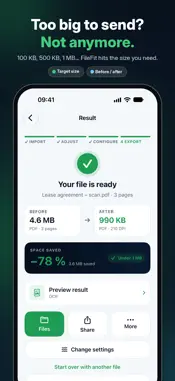
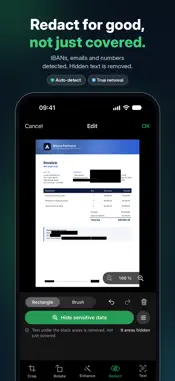
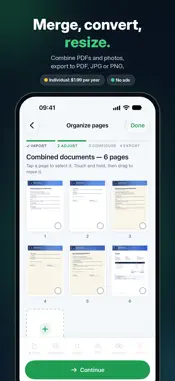
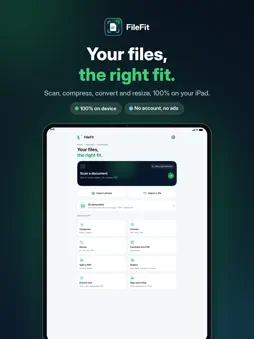
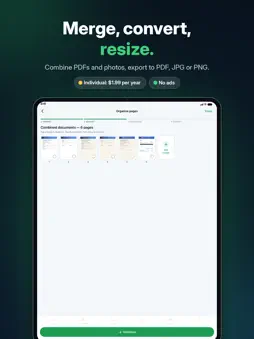
FILEFIT — EVERY FILE, JUST THE RIGHT FIT. PDF too large to upload? Need to resize a photo, scan a document or turn multiple images into a single PDF? FileFit makes it simple. Scan, compress, convert, resize and export your files in just a few taps. No ads and no account required. Every feature for just $1.99 a year. SMART DOCUMENT SCANNER • Scan documents using your iPhone camera. • Automatically detect document edges. • Correct perspective, crop and straighten pages. • Create searchable PDFs with OCR. • Scan multiple pages into one PDF. • Reorder, rotate or remove pages. COMPRESS PDFs AND PHOTOS • Set a target file size: 100 KB, 500 KB, 1 MB, 2 MB or a custom value. • Automatically optimize file size while preserving readability whenever possible. • Preview the result before exporting. • Compare original and compressed file sizes. CONVERT YOUR FILES • Photos to PDF. • PDF to images. • JPG, PNG and HEIC conversion. • Combine multiple images into one PDF. • Export pages individually or in a ZIP archive. RESIZE WITH PRECISION • Set custom width and height in pixels. • Work with centimeters, millimeters or inches. • Choose A4, A5 or custom page sizes. • Adjust DPI and image quality. • Preserve aspect ratio, crop or add margins. EDIT AND PROTECT YOUR DOCUMENTS • Enhance contrast and readability. • Apply black-and-white document filters. • Redact sensitive information securely. • Organize and merge PDF pages. • Print with AirPrint. YOUR FILES STAY PRIVATE FileFit processes documents directly on your iPhone, without uploading them to a server. SUBSCRIPTION Free to download. All features are unlocked with the FileFit annual subscription: • Individual: $1.99 per year. • Family: $6.99 per year, shared with up to 6 people via Family Sharing. Renews automatically unless canceled at least 24 hours before the end of the current period. Cancel anytime in your App Store account settings. Terms of Use: https://www.apple.com/legal/internet-services/itunes/dev/stdeula/ Whether you're preparing an application, submitting an online form, sending an email attachment or organizing documents, FileFit helps you get the right format with less effort. FileFit — Simple, fast, the right fit.
What's New
Version 1.1.2 2026-10-27
Debug and general upgrade Technical Analysis
Package Overview Basic metadata
Bundle ID
com.filefit.app Current Version 1.1.2
Minimum iOS 18.0
Package Size App Store Size
Package Metadata 0 / 0 version records
Detailed binary, privacy manifest, framework, and Info.plist results have not been indexed for this package yet. The verified App Store and archive metadata above remains available.
Developer Information
Known Version Records
0 version records with stored package metadata
Stored metadata does not guarantee a package is currently available to download.
| Details | Version / IDs | Version date | Action |
|---|