SimpleSampler: Loop Station
Preview


Description
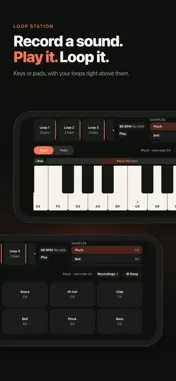
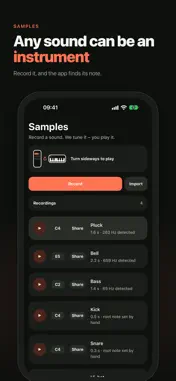
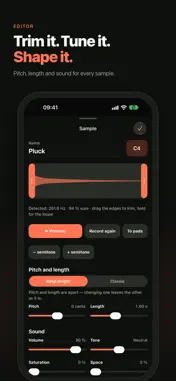
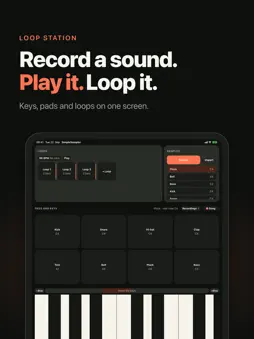
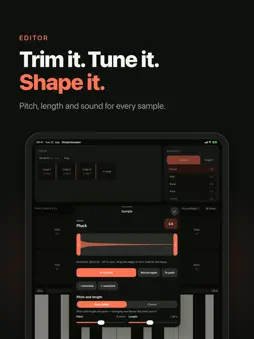
SimpleSampler turns any sound into an instrument. Record a piano note, a clap, your voice or a glass you tap with a spoon. The app detects the pitch and puts the sound on a keyboard, so you can play it across several octaves right away. RECORDING Press record and the app shows you what it hears before the take starts. The recording begins with your first sound, not with the button press, so there is no silence or click at the start. If you don't like the take, cancel it and nothing is saved. KEYBOARD AND DRUM PADS The keyboard shows two octaves at a time and scrolls. It is fully multitouch, so chords and glissandos work. Eight drum pads hold eight different samples for beats. Pitch and length are independent: higher notes last as long as lower ones. If you prefer the classic tape sound, where higher also means faster, switch it on with one tap. LOOP STATION Tap a loop slot, play something and tap again to close the loop. Every new layer stays in time with the first one. You can also record a loop straight from the microphone. Your loops are still there the next time you open the app. RECORD YOUR SONG One button records everything you play: keyboard, pads and loops. It records what the app outputs, not what the microphone picks up, so the result is clean. Share it via AirDrop, Messages or any other app. PORTRAIT AND LANDSCAPE On iPhone, hold it upright to record and edit samples and turn it sideways to play. On iPad you get pads and keyboard on one screen. No account, no subscription, no tracking. Your recordings stay on your device unless you share them.
Technical Analysis
Package Overview Basic metadata
Bundle ID
dev.nowack.simplesampler Current Version 1.0
Minimum iOS 16.4
Package Size App Store Size
Package Metadata 0 / 0 version records
Detailed binary, privacy-manifest, framework, and Info.plist results have not been indexed for this package yet. The verified App Store and archive metadata above remains available.
Known Version Records
0 version records with stored package metadata
Stored metadata does not guarantee a package is currently available to download.
| Details | Version / IDs | Version date | Action |
|---|
Sources and limitations
This page combines App Store catalog metadata, historical version records, and archived package scans where available. Ratings are from the App Store, and technical findings are observations rather than certifications. Data freshness, compatibility, availability, and analysis limitations apply.
Stored catalog source: USA App Store storefront. A catalog collection timestamp is not available on this page; displayed metadata is not a live availability, price, or installation check.