
Preview








Description
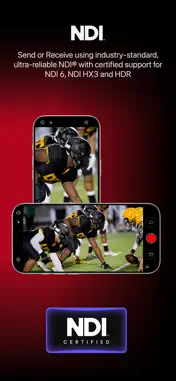
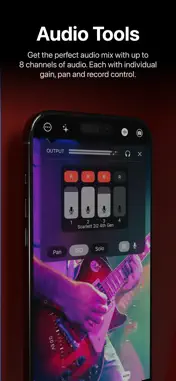
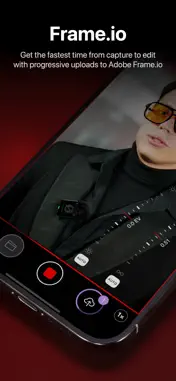
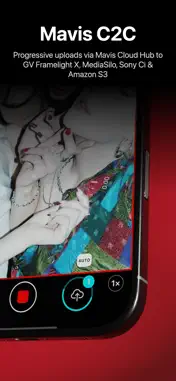
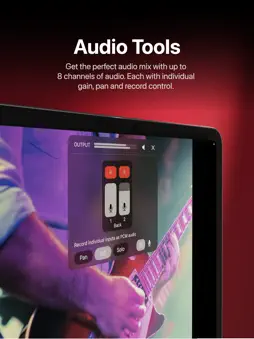
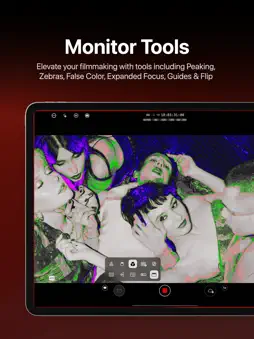
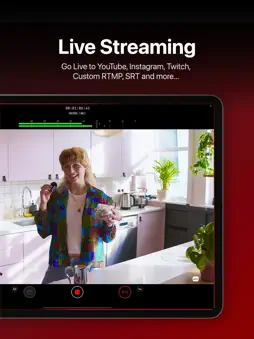
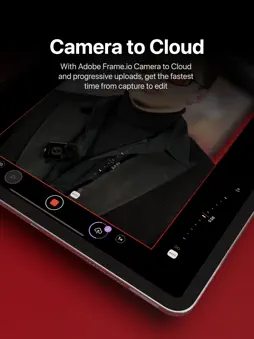
Whether you're a streamer building a channel, an industry veteran looking for new ways of working or a creator with a passion for filmmaking, Mavis Camera has something for you. -- MAIN FEATURES -- • Record in a range of resolutions, frame rates, and codecs including Open Gate, HEVC 10-bit and ProRes • Record and preview using custom LUTs, and achieve a filmic look with built-in Filter LUTs • Monitor tools including focus peaking, zebras, false color, expanded focus, guides, flip • Manual camera controls including focus, exposure, shutter and color • NDI® HX3 Certified • HDMI input via Atomos Ninja Phone support • HDMI / SDI input via Accsoon SeeMo series support • Adobe Frame.io Camera to Cloud • Streaming including YouTube, Twitch, Instagram and Facebook • Custom audio inputs • Audio mixer including gain, pan and solo controls for individual channels • Real-time audio passthrough for monitoring in headphones • HDR video pipeline • Custom RTMP destination & SRT (TX Caller) streaming • Mavis C2C including Framelight X, MediaSilo, Sony Ci & Amazon S3 • Mavis Cloud Hub remote configuration for Mavis C2C and streaming settings • Timecode including Time-of-Day, Offset and UltraSync BLUE • Vertical and landscape recording and streaming -- AUDIO TOOLS -- • Integrated audio mixer with stereo output • Gain & pan control per input channel • External mic inputs • Internal mic selection • Multi-track ISO recording • Bluetooth monitoring -- CONNECTED WORKFLOWS -- NDI • Send or Receive with NDI • NDI HX3 Certified • Automatically find all NDI sources on local network • Set NDI Groups, Discovery Server, UDP/TCP Mode Camera to Cloud • Mavis C2C integrations with Framelight X, MediaSilo, Sony Ci & Amazon S3 • Direct integration with Adobe Frame.io • Direct integration with Atomos ATOMOSphere • Progressive uploads while you record • Manage Mavis C2C devices from hub.mavis.cloud Live Streaming • Vertical and landscape streaming • Simultaneously record and stream • Custom RTMP and SRT Caller destinations • Manage Streaming devices from hub.mavis.cloud -- CAMERA CONTROLS -- Manual controls including • Focus • Exposure • ISO • Shutter • Color temperature • Shutter lock • Custom frame rates • Range of resolutions • Range of bitrates • Codecs including ProRes -- MONITOR TOOLS -- What they do • Mavis LUTs let you record or preview your footage with a filmic grade, helping you visualise the final look while you shoot • Focus peaking and expanded focus features help you achieve consistently sharp and precise shots • Zebras help ensure your shots are never overexposed • Guides help you frame your shot • Aspect Ratio overlay lets you preview your image in a different width/height • Waveform monitor helps you shoot with the optimal dynamic range • Vectorscope helps maintain consistent colors and ensures accurate white balance Notable settings • Record and preview LUTs • Focus peaking color and sensitivity • Guides including thirds, portrait safe and square • Zebras, color and sensitivity range • Aspect Ratio overlay cross hairs, safe area and transparency -- USER INTERFACE -- • Vertical and landscape layouts • Designed with DSLR familiarity • Monitor toolbar • Internal Camera Control Wheel • Shutter displayed in angle or speed • Custom Function (FN) button • Support for Camera Control Device restrictions apply. Some features require In-App Purchase or App Subscription. Check out the support pages for full details - support.mavis.cloud EULA - https://www.apple.com/legal/internet-services/itunes/dev/stdeula/ Mavis Camera was developed by people who love what they do. We hope you enjoy it as much as we do! :-)
What's New
Version 8.2.4 2026-10-13
This update adds support for SKAARHOJ remote controllers Technical Analysis
Package Overview Basic metadata
Bundle ID
com.mavisbroadcast.maviscameraenterprise Current Version 8.2.4
Minimum iOS 18.0
Package Size App Store Size
Package Metadata 0 / 0 version records
Detailed binary, privacy manifest, framework, and Info.plist results have not been indexed for this package yet. The verified App Store and archive metadata above remains available.
Price History (USA store)
2 recorded price change points. These are historical observations, not a guarantee of the current price.
| Recorded at | Price | Currency |
|---|---|---|
| 59.99 | USD | |
| 79.99 | USD |
Developer Information
Known Version Records
0 version records with stored package metadata
Stored metadata does not guarantee a package is currently available to download.
| Details | Version / IDs | Version date | Action |
|---|