Preview






Description
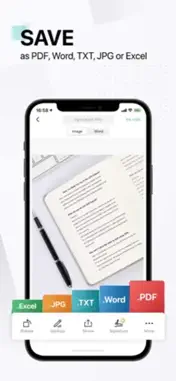
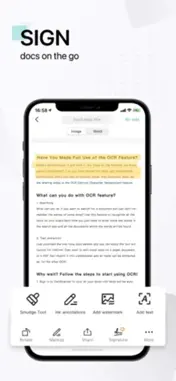
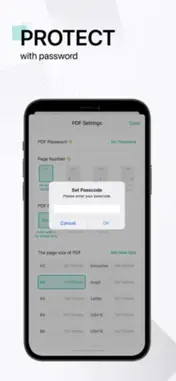
The most intelligent scanner app Trusted by 300M+ users Zyphra Docs is an all-in-one scanner app. It turns your mobile device into a powerful portable scanner that recognizes text automatically (OCR) and improves your productivity to save your time. Download this scanner app for free to instantly scan, save, and share any document in PDF, JPG, Word, or TXT formats. Would you like to keep your entire office in your pocket and increase your productivity at work? Use the Zyphra Docs scanner app to handle your paperwork with ease. Say goodbye to huge and heavy copy machines and get this ultra-fast scanner app for free now. DOCUMENT SCANNER This free-of-charge yet powerful scanner app is a must-have for students and anyone involved in business: accountants, realtors, managers, or lawyers. With this PDF scanner, scan anything you need, receipts, contracts, paper notes, fax papers, books, and store your scans as multipage PDF or JPG files. VARIOUS SCANNING MODES -ID CARD & PASSPORT: A mode specifically designed for fast and convenient scans of ID documents. -QR CODE: Scan any QR code with the camera on your mobile device. PDF CONVERTER PDF. -PDF Converter: This PDF scanner enables you to create PDF from a website, and convert documents in multiple formats to -Supported file formats: PDF, JPG, DOC, DOCX, TXT, XLS, XLSM, XLSX, CVS, PPT, PPTM, PPTX. SHARE AND COLLABORATE -Share files for commenting or viewing in WhatsApp, iMessage, Microsoft Teams. -Collect comments from multiple people in one file online. -Speed document reviews by responding to each other's comments. -Receive activity notifications for the files you share. INNOVATIVE PDF SCANNER -Scan documents and photos to PDF, JPG, or TXT. -Easily scan multiple pages into one document. -Extract text from any scannable object with text recognition (OCR). -Create and add your own e-signature on documents. HANDY DOCUMENT EDITOR & FILE MANAGER -Edit scans with filters and the feature of noise removal. -Manage files with folders, drag & drop to reorder, and enjoy other document editing features. -Protect your confidential scans by locking folders and files with passwords. EASILY SEND DOCUMENT -Scan, save and send documents in just a few taps. -Email with attachments or send document links. -Upload scanned documents to cloud services like Dropbox, Google Drive, Evernote, and OneDrive. -Print PDF files, such as contracts and invoices, right from the scanner app. -Send files quickly and securely. Scanning or sharing is achieved with no intervention from the Zyphra Docs scanner app team or any third party. Documents are safely stored on your mobile devices. For Terms of Use, please visit https://kayleanaafznileycam.blogspot.com/app-ads.txt For Privacy Policy, please visit https://kayleanaafznileycam.blogspot.com/app-ads.txt
What's New
Version 1.1 2026-10-06
Some bugs and glitches updated. Technical Analysis
Package Overview Basic metadata
Bundle ID
com.zyphra.docs09 Current Version 1.1
Minimum iOS 16
Package Size App Store Size
Package Metadata 0 / 0 version records
Detailed binary, privacy manifest, framework, and Info.plist results have not been indexed for this package yet. The verified App Store and archive metadata above remains available.
Developer Information
Known Version Records
0 version records with stored package metadata
Stored metadata does not guarantee a package is currently available to download.
| Details | Version / IDs | Version date | Action |
|---|