Preview








Description
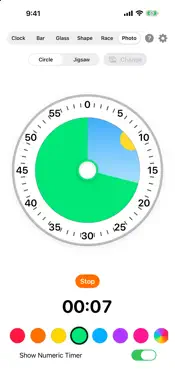
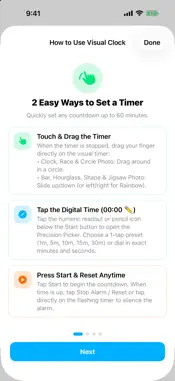
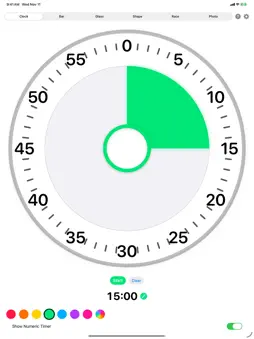
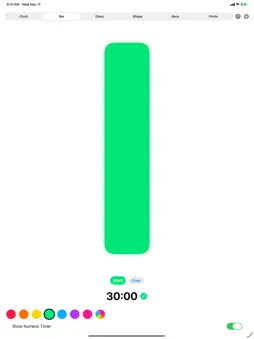
Visual Clock is the ultimate visual timer and parenting tool designed to help kids, toddlers, parents, and visual thinkers clearly understand the concept of time. Whether it's "5 more minutes of playtime", bedtime routines, screen time limits, transitions between tasks, or staying focused during homework, our high-contrast visual countdowns make time intuitive and stress-free to avoid meltdowns. 6 ENGAGING, HIGH-VISIBILITY TIMER MODES: • Visual Dial Clock: Classic countdown disc that shrinks as time elapses, with bold, unobstructed numbers. • Photo Reveal (Circle & Jigsaw): Choose any photo from your iPhone or iPad library and turn the countdown into a fun reveal! Pick Circle for a clock-style sweep, or Jigsaw to watch interlocking puzzle pieces snap into place as time winds down until the full picture is clear. • Filling Shapes: Watch a Star or Heart fill and drain with vibrant color, or choose the Rainbow option to watch an arch form smoothly from left to right as time elapses. • Progress Bar: High-contrast vertical bar that steadily drains from top to bottom. • Hourglass: Sand falling smoothly through a classic glass frame, forming a sand mound at the bottom. • Race Track: Follow a racing car or kitten dashing toward the checkered finish line! DESIGNED TO BE SEEN FROM A DISTANCE: • Engineered with ultra-bright, high-luminance colors (including a full 360° Rainbow gradient theme). • Perfectly readable across a living room or classroom for toddlers and young children. • Choose between visual-only timers or toggle numeric digits on/off. 1-MINUTE REMAINING WARNING & RELIABLE ALARMS: • Optional 1-Minute Warning (in Settings): Automatically notifies kids across every timer mode when 1 minute remains with haptic vibration, an on-screen "1 Minute Remaining!" alert, and (when sound is enabled) your choice of a spoken "1 minute remaining" voice cue or soft chime. • Custom Finish Alarms: Gentle melodic Chime, classic Bell, or upload your own custom audio recordings. • Time-Sensitive alerts deliver directly to your Lock Screen and paired Apple Watch so you never miss a timer, even when your phone is in your pocket. • Screen automatically stays awake while counting down so kids never lose sight of their timer. MULTI-DEVICE SYNC (INCLUDED FREE): Connect devices over local Wi-Fi or Bluetooth with zero setup or accounts: • Set one device (such as an iPad on the desk) as the "Kid Display". • Set your iPhone as the "Parent Remote". • Start, pause, adjust durations, or switch visual modes and colors remotely from across the room! • Real-time two-way synchronization keeps both devices in lockstep. AD-FREE UPGRADE: Enjoy full functionality for free with a brief pre-timer preview, or upgrade once for just $0.99 to unlock instant timer starts and permanently remove all ads forever!
What's New
Version 1.1 2026-11-12
• New Photo Reveal Timer: Pick a photo from your library and reveal it as time winds down with either a Circle clock sweep or an interlocking Jigsaw puzzle unti...• New Photo Reveal Timer: Pick a photo from your library and reveal it as time winds down with either a Circle clock sweep or an interlocking Jigsaw puzzle until the picture is completely clear. • New Rainbow Shape: Added a sweeping Rainbow option under Shape timers that forms from left to right as the timer counts down. • New 1-Minute Remaining Warning: Enable an optional 1-minute alert in Settings that works across all timer modes with vibration, an on-screen banner, and spoken "1 minute remaining" voice or chime audio when sound is on. Technical Analysis
Package Overview Basic metadata
Bundle ID
Techwondo-Apps.VisualClock Current Version 1.1
Minimum iOS 17.0
Package Size App Store Size
Package Metadata 0 / 0 version records
Detailed binary, privacy manifest, framework, and Info.plist results have not been indexed for this package yet. The verified App Store and archive metadata above remains available.
Known Version Records
0 version records with stored package metadata
Stored metadata does not guarantee a package is currently available to download.
| Details | Version / IDs | Version date | Action |
|---|