Preview


Description
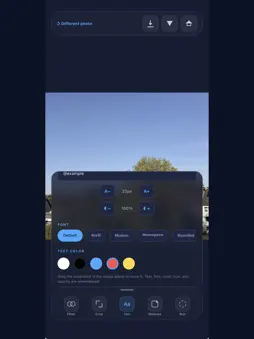
If you post photos and videos regularly, you will eventually find them on someone else's account. No name, no credit. Snoxi puts your name or your logo on the picture before it goes anywhere. Buy it once, keep it for good, no subscription. Edit it, add your watermark, save it, post it. All on your iPhone, iPad or Mac, with no monthly fees. YOUR NAME ON EVERY PICTURE Text watermark: Up to two texts with your name or @handle. Choose from twelve fonts and five colours, and set size, rotation and opacity yourself. If you like, each text sits on a pill box, a rounded background in black or grey. Logo watermark: Add up to six of your own images (PNG or JPEG). Snoxi turns them grey automatically and places them on the picture with a frosted-glass effect. Each image has its own shape (round or square), opacity from 10 to 60 percent, size and rotation. Move it with one finger, resize and rotate it with two. You can combine both. EDIT PHOTOS AND VIDEOS Filters: Ten moods such as Black & White, Noir, Warm, Vintage and Pop, for photos and videos. Crop: Original, 1:1, 4:5 or 16:9, for photos and for videos. Text, stickers and logos stay inside the visible area. Stickers: 50 popular emojis or any emoji from your keyboard, placed freely, resized and rotated. Videos: Filters, crop, text, stickers and logos are burned permanently into the video. When you open one, you see its first frame as a still. CAMERA WITH THE FULL MENU Set filter, crop, text, stickers and logo before you record. The viewfinder shows the crop, texts, stickers and logos live, and the filter joins in right after in the editor. After the photo or video, the editor takes over everything automatically. HIDE FACES Anyone who should not be recognisable is blurred instead of covered with a black bar. The same goes for number plates or anything else that does not belong in the picture. You can place the area freely and set its size. Blur is available for photos. ALSO ON THE MAC Snoxi runs on Macs with Apple silicon. The tools sit in the left margin, the settings in the right one, your picture in the middle. Use the trackpad to zoom and rotate texts, stickers and logos, and the mouse wheel to resize them. For stickers, one button opens your Mac's full emoji picker. Large photos load quickly. STAYS ON YOUR DEVICE Editing runs entirely locally. Your photos are not uploaded, you do not need an account, and there is no tracking and no advertising. Snoxi detects your device's language and appears in one of 12 languages. Snoxi does not replace a social media app. You decide where and when you share your finished picture. Pay once, use it for good. No subscription.
What's New
Version 2.3.8 2026-11-07
Small bugfixes. Technical Analysis
Package Overview Basic metadata
Bundle ID
com.massimomanca.snoxi Current Version 2.3.8
Minimum iOS 17.0
Package Size App Store Size
Package Metadata 0 / 0 version records
Detailed binary, privacy manifest, framework, and Info.plist results have not been indexed for this package yet. The verified App Store and archive metadata above remains available.
Developer Information
Known Version Records
0 version records with stored package metadata
Stored metadata does not guarantee a package is currently available to download.
| Details | Version / IDs | Version date | Action |
|---|