Preview








Description
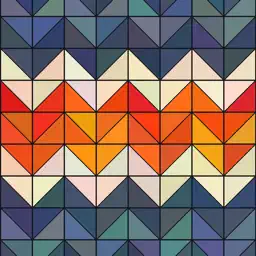
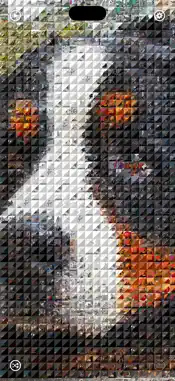
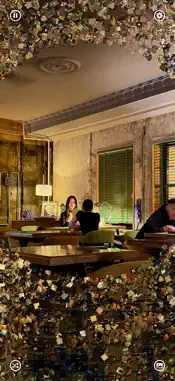
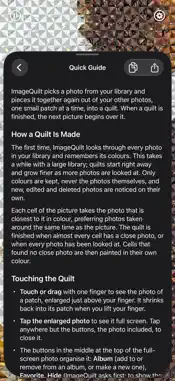
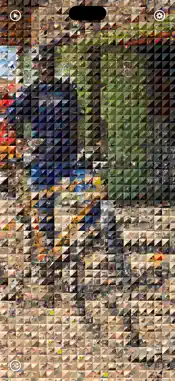
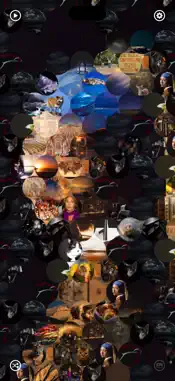
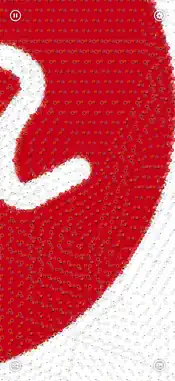
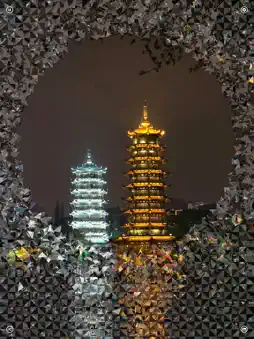
ImageQuilt turns your photo library into a living quilt. It picks one of your photos and pieces it together again out of your other photos, patch by patch, like quiltwork. When the quilt is finished, the next picture begins over it, and the picture you see keeps changing, one photo after another. The first time, ImageQuilt looks through every photo in your library and remembers its colours. The quiltwork begins right away and grows finer as more photos are looked at. Only colours are kept, never the photos themselves, and photos you add, edit or delete are noticed on their own. Your photos never leave your device. Each cell of the picture takes the photo closest to it in colour, preferring photos taken around the same time as the picture, so a quilt of a summer afternoon tends to be made of that summer. Cells that find no close enough photo are painted in their own colour. Touch the quilt to look closer: ・Touch or drag with one finger to see the photo behind a patch, enlarged just above your finger, with its file name, date and place. ・Tap the enlarged photo to see it full screen. From there, add the photo to an album, mark it as a favorite, hide it (ImageQuilt asks first; to show it again, use the Photos app) or delete it. ・Pinch with two fingers to push the patches aside and uncover the original picture underneath. Lift your fingers and the patches fly back into place. ・Tap the uncovered picture to see it full screen. ・Tap the button at the bottom right for a quilt of another picture at once, or the one at the bottom left to choose new settings at random for the same picture. The button at the top left pauses and resumes the slideshow. With ImageQuilt Pro you can change every setting: ・Slideshow: start a new picture on its own, or keep the finished quilt on screen. The play and pause button at the top left does the same. ・Auto Vary: let each new picture choose its own zoom, patch size, pattern, similarity and Always Update at random. ・Source Picture: choose one photo to make every quilt of, or choose new pictures only from one album. ・Patch Pictures: make the quilt out of the photos of one album. ・Share: share the quilt as an image. ・Auto Zoom: make the quilt out of a part of the picture, enlarged one to two times. ・Size: small, medium, large or huge patches. ・Pattern: the shape and arrangement of the patches. Choose a plain shape (square, diamond, triangle, right triangle or circle; between circles, the picture underneath shows through), a quilt pattern (Half-Square Triangles, Pinwheel, Hourglass or Tumbling Blocks), whose patches are drawn lighter or darker to bring out the pattern, or Others, which picks one of seven more patterns for each new picture. ・Similarity: how closely the patches must match the picture. ・Update Time: how long a new quilt takes to replace the old one, from 0 to 60 seconds. ・Duration: how long a finished quilt stays, from 0 to 60 seconds. ・Always Update: keep swapping patches for other photos of a similar colour, so the quilt keeps breathing. ・Show Progress, Show Button, Touch Gestures, Return Patches and Prevent Auto-Lock. Pro also removes the ads. Without Pro, ImageQuilt runs on the standard settings and shows a small ad at the bottom of the screen; the four corner buttons still work, and what they change lasts until the app quits. Privacy: ImageQuilt needs access to all your photos to make quilts. Your photos stay on this device. To show where a photo was taken, its location is sent to Apple to look up the place name.
What's New
Version 1.2.0 2026-11-02
・Supports the foldable iPhone (iPhone Duo): the quilt fills the screen whether it is open or closed, and is made again at once when you open or close it. The bu... Technical Analysis
Package Overview Basic metadata
Bundle ID
org.akamatsu.ImageQuilt Current Version 1.2.0
Minimum iOS 17.6
Package Size App Store Size
Package Metadata 0 / 0 version records
Detailed binary, privacy manifest, framework, and Info.plist results have not been indexed for this package yet. The verified App Store and archive metadata above remains available.
Developer Information
Known Version Records
0 version records with stored package metadata
Stored metadata does not guarantee a package is currently available to download.
| Details | Version / IDs | Version date | Action |
|---|